






Display the mechanical coordinates: display the coordinate value of
the machine tool coordinate system corresponding to the current position of
the cutting torch.
Display real-time speed: displays the current processing speed,
which changes during processing.
Display the regulator information: display the status information of
the regulator, so as to observe some real-time state of the regulator, to
ensure that the processing process is more stable.
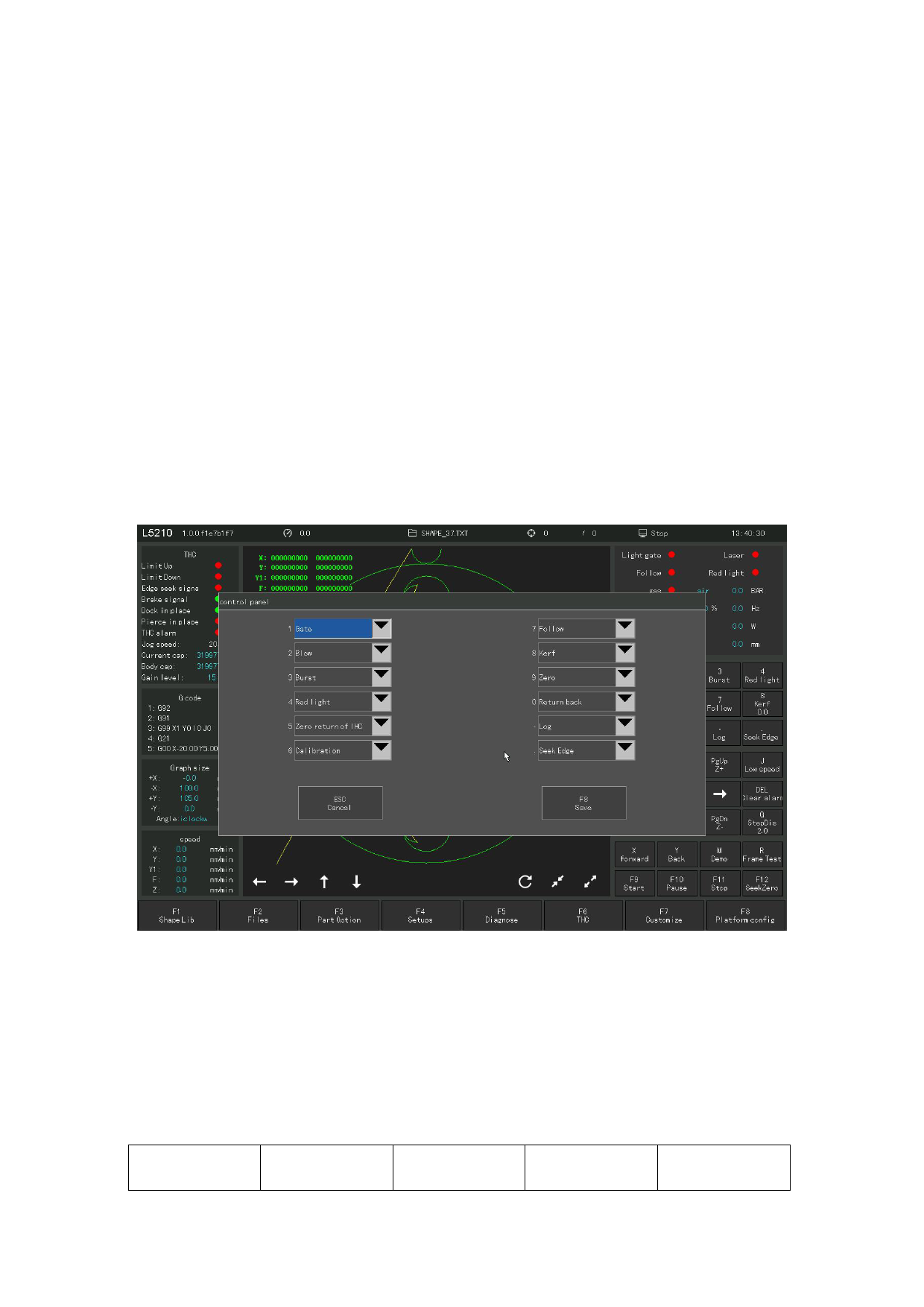
10.2 Control Panel configuration
The control panel configuration allows users to customize the configuration
of many common function buttons. After the configuration, the function buttons
on the main interface will change accordingly.
Figure 10.2 Custom control panel function buttons
There are 12 function buttons in the main interface, which can be customized,
and 19 functions can be customized in the custom button. After clicking the custom
button function configuration in the 12 buttons, press F8 to save the parameter
Settings.
follow
Red light
bursts
Light switch
Blow
110







































































































































