






With (0,0) as the reference coordinate, when the "back" function key is
pressed, the machine returns to the (0,0) coordinate point.
b.G92 X20 Y0
With (20,0) as the reference coordinate, when the "back" function key is
pressed, the machine goes back to the (20,0) coordinate point.
2.G90/G91
form:
G90/G91
The G90 means absolute coordinates. X Y appearing in the code indicate the
absolute coordinate and UV indicates the relative sitting value.
G91 means relative coordinates. X Y appearing in the code indicate the relative
coordinate , and UV also indicates the relative coordinate values.
example:
/ / Reference
point (0,0) / /
absolute
G92 X0
coordinates
Y0 G90
G00 X20 Y0
M07
G01 X120 Y100
/ / Fast moving
torch to (20,0) / /
perforation cycle
/ / Cut to (120,100)
/ / off cut cycle
M08
M02
▲
(20,0)
(12●0,100)
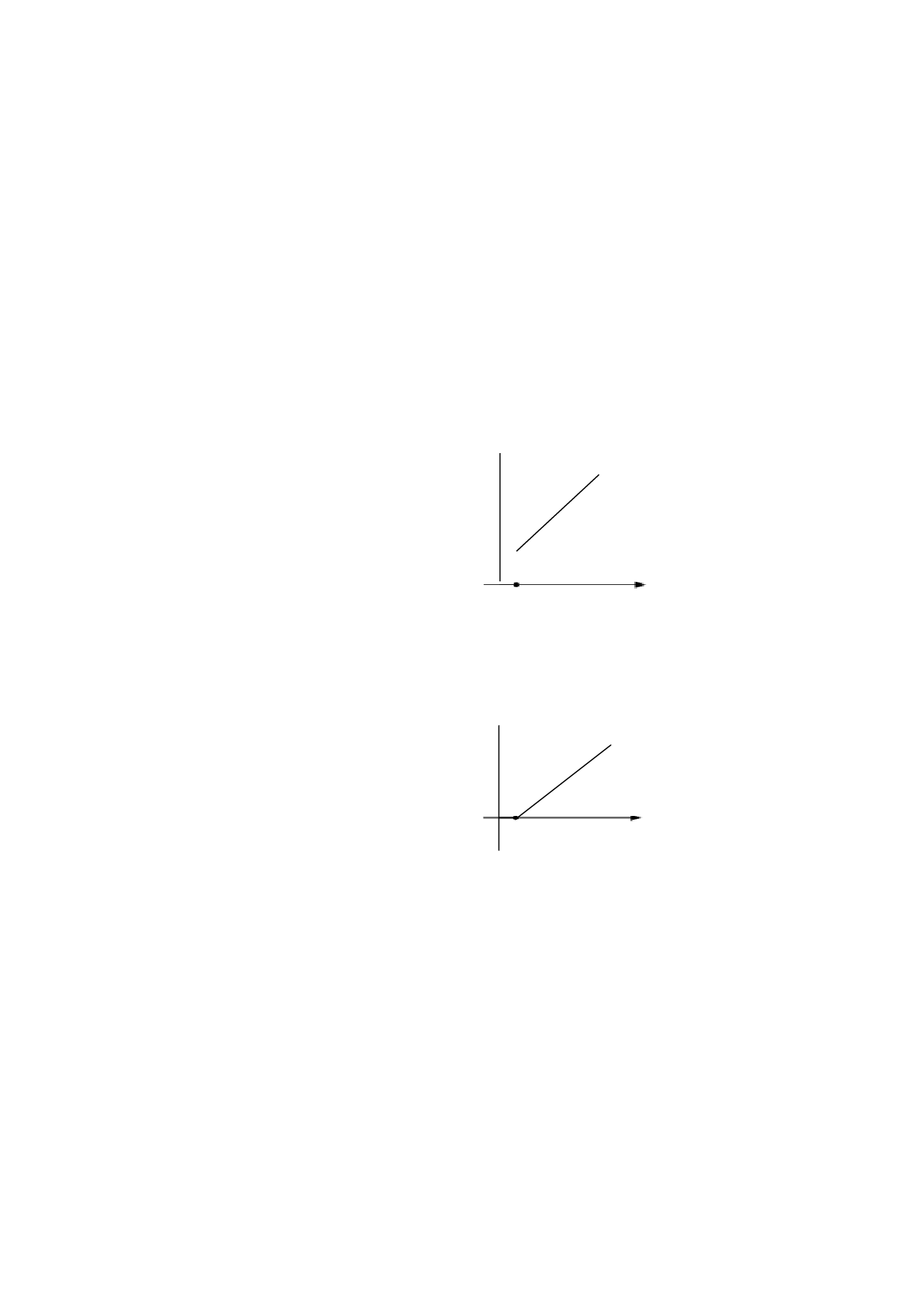
Figure 1 3.2 G90 usage
The b.G91 usage
G92 X0 Y0 / / Reference point (0,0)
G91 / / relative coordinates
G00 X20 Y0 / / fast move to (20,0)
M07 / / perforation cycle
G01 X120 Y100 / / Cut to (120,100)
M08 / / off cut cycle
M02
▲
(20,0)
(140,100)
●
Figure 1 3.3 G91 usage
3. G20/G21
form:
G20/G21
G20 British units. All the X, Y, I, J, R, U, and V that appear after the G20 are
British units.
G21 Metric units. All the X, Y, I, J, R, U, and V that appear after G21 are metric
units.
Note:
If G20 / G21 does not appear in the code, the
default unit is the metric. The conversion







































































































































