






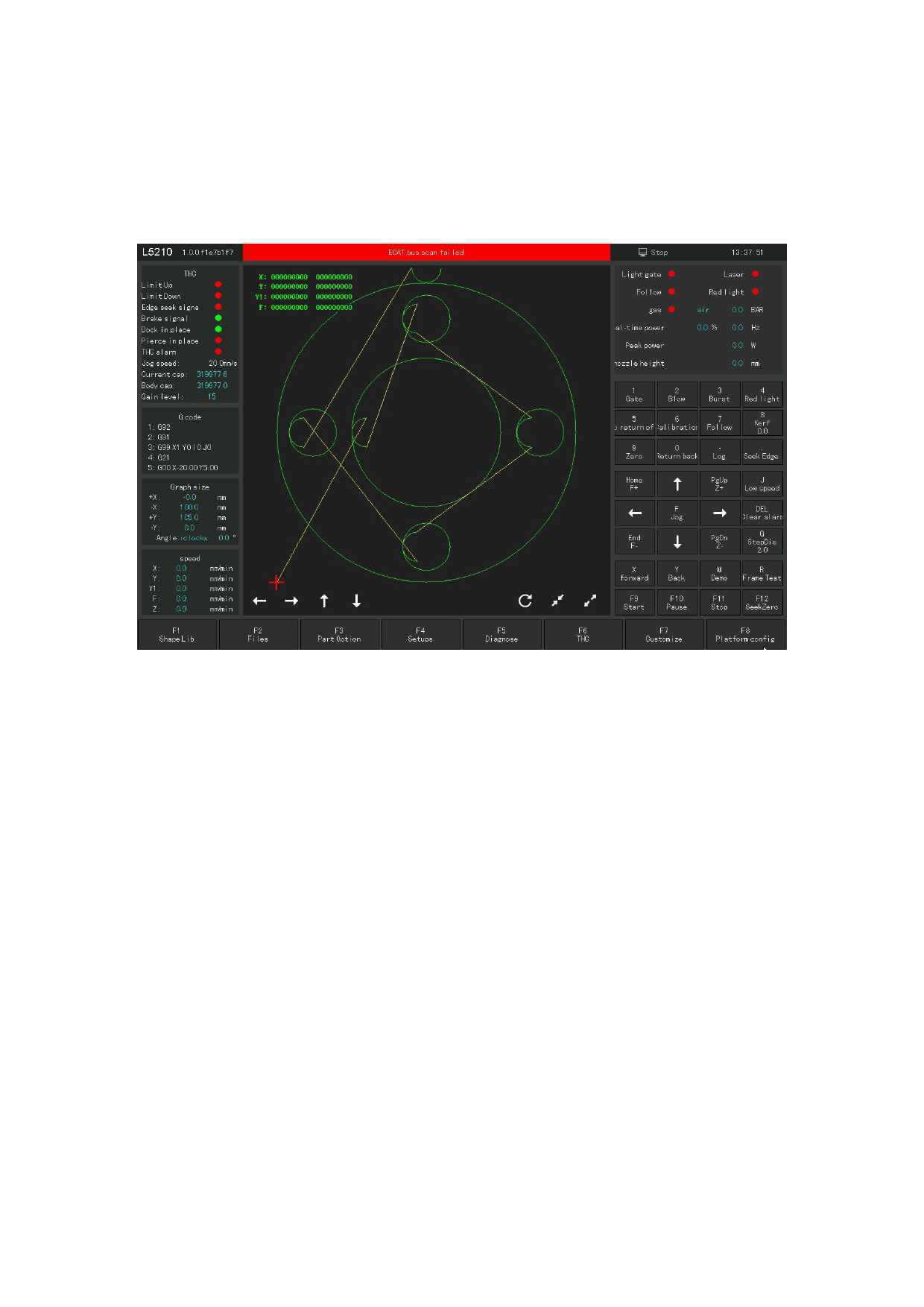
During the operation of the machine, the system will monitor all components. Once
the alarm is detected, it will be displayed in the red title bar, and measures such
as stop movement will be taken. Before the system alarm is eliminated, a large number
of operations will be prohibited. Please check the machine until the alarm is
eliminated.
Figure 8.1 7 Alarm display of the main interface
You can enter the —— "Alarm Record" module through the log button to view the
cause of the alarm generation and the solution method. In addition to the alarm, if
the system detects other abnormal operation, the alarm information will be displayed
according to the abnormal level, including warning, reminder, message, etc. This
information will not cause the machine to stop moving, but it is still recommended that
you pay attention to the information displayed by the system to take the necessary action
as soon as possible.
110







































































































































