






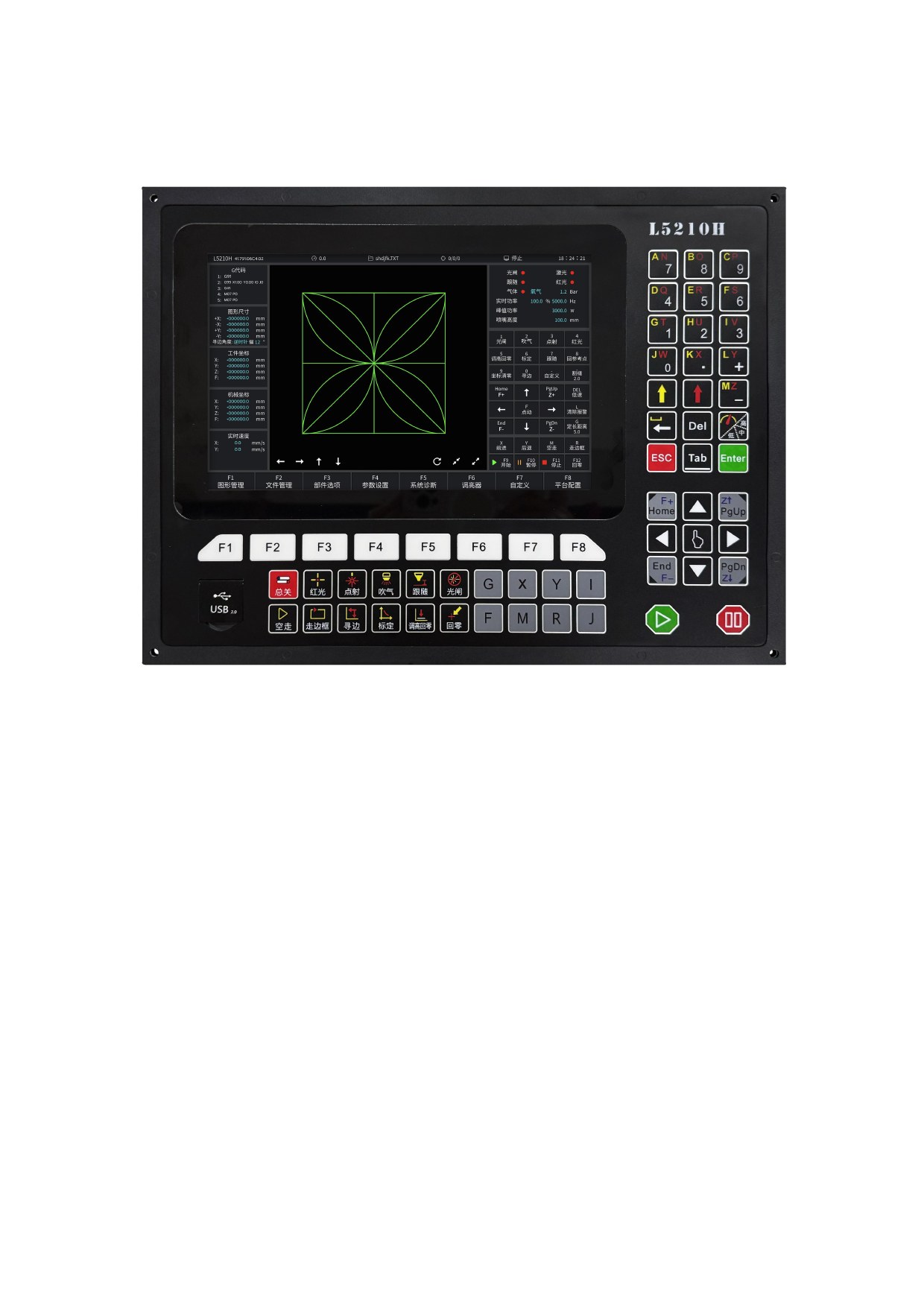
Chapter 2: System start-up
2.1 System control
panel
Figure 2.1 The L5210H operation interface
Key description:
[F1] - [F8]: Function key, under different interfaces, there are corresponding
function prompts.
[Custom]: spare key.
[Follow]: Open / close the follow function of the
cutting head.
[Red light]: control output port of the red light, control the opening / closing of
red light.
[Point shot]: the concentricity of the laser beam to detect whether the laser beam
is emitted from the center of the slit aperture. The scene is mainly used
for laser coaxial tuning and laser cutting head and light out test.
[Light switch]: enable switch of light switch, can only be active after the laser high
voltage is enabled. The button is mutually exclusive with the laser red light,
110







































































































































