






Chapter 9 Height controller
When the control system is successfully connected with the laser height
controller, press [F 6] to enter the THC parameter setting interface. After the
THC parameters are set, click [F8 Save] to connect to the built-in height
controller.
The THC parameters are divided into common parameters, system parameters,
calibration, diagnosis, additional functions, etc. The following describes the
parameter settings for each part.
9.1 Common parameters
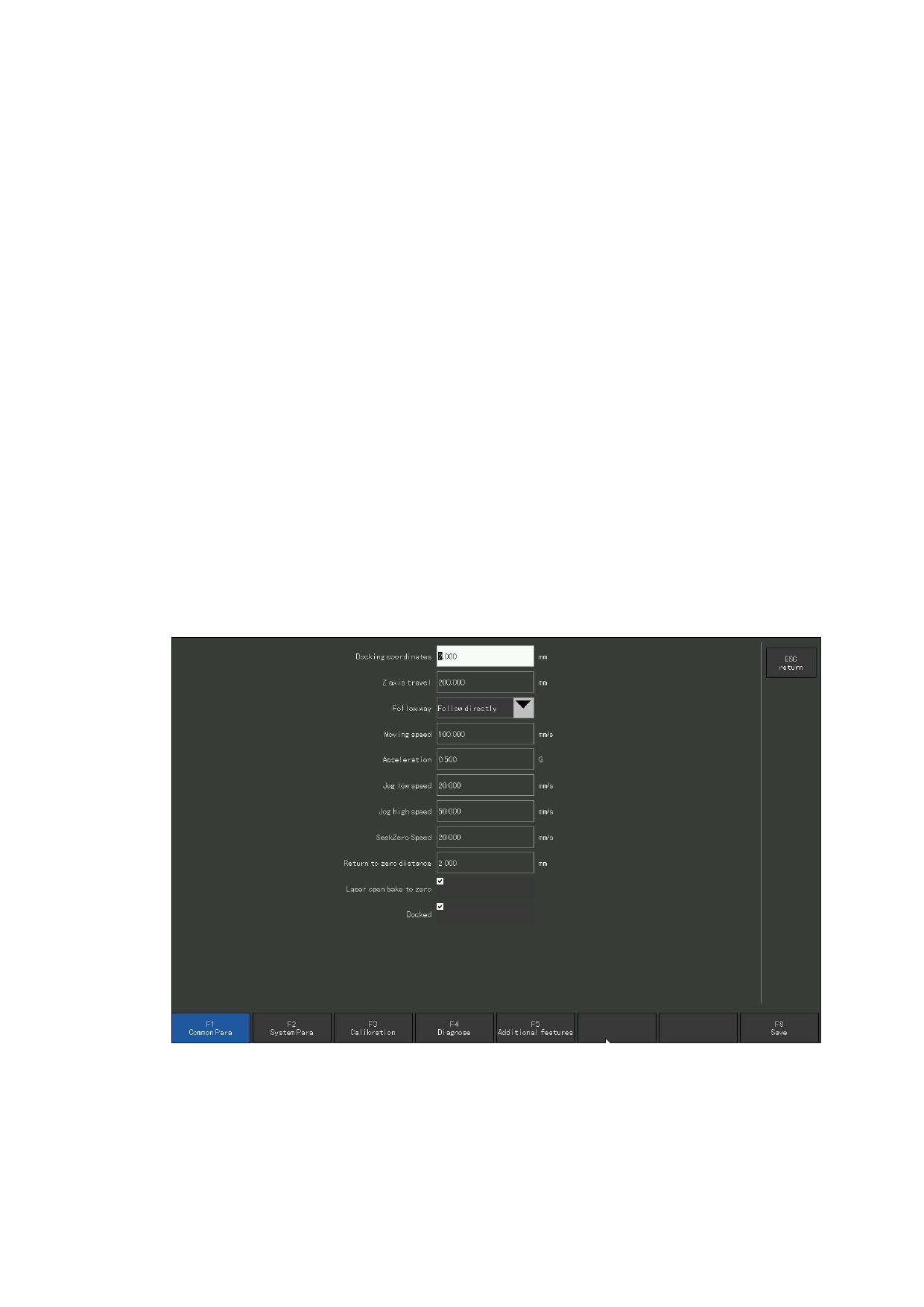
After pressing [F 6] to enter the parameter interface of the height controller,
[F1] is a common parameter of the height controller.
The following set parameters are used by the height regulator. For details, refer
to the instructions for the height regulator. Brief descriptions of these parameters
are listed here:
Figure 9.1 Common parameters of laser elevation modulator
110







































































































































