






Chapter 6 File Management
The system supports cutting code with txt, cnc, nc, B3, MPG. Maximum size of a
single G code file is 4M, and the maximum number of lines is 80000 lines. You can
edit, compile, delete, export internal files, or import external U disk files.
Note:
1. The total number of files in the local hard disk should be less than 5000, and the
number of files in a single hard disk folder should not exceed 1000.
2. The total length of the file path in the superior disk cannot exceed 133 bytes. A
Chinese character is calculated by two bytes, and letters and characters are
calculated by one byte.
3, the native hard disk folder name is 13 bytes. A letter or character by a byte.
4. The maximum single file name is 64 bytes.
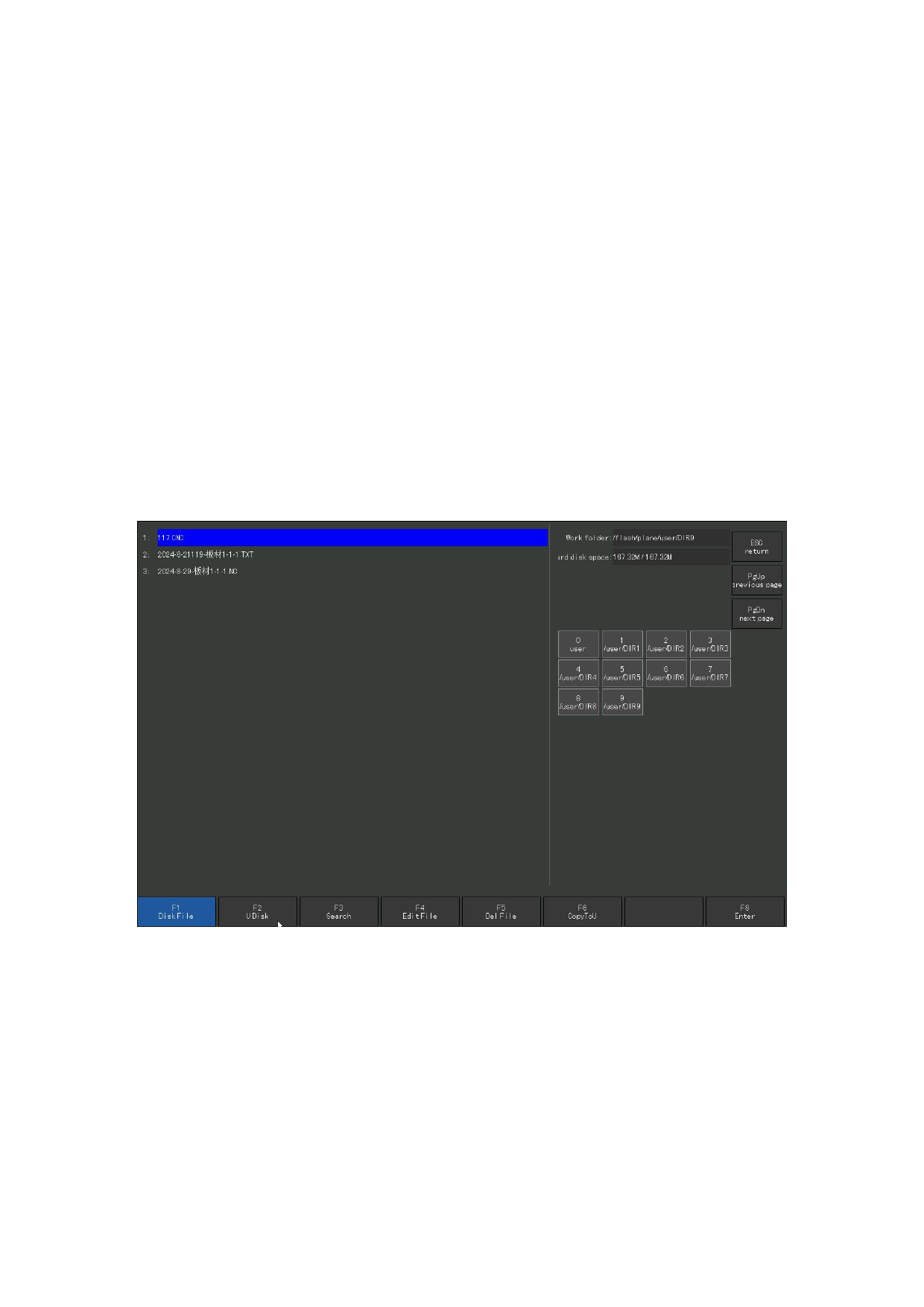
Press [F2] under the main interface to enter the file management interface, as
shown in the following figure is the file management interface.
Figure 6.1 File management interface
6.1 Hard disk file
In the file management interface, code files can be imported, and hard disk files
and U disk files can be copied to each other.
Press [F1 disk file] to enter the hard disk file list, as shown in Figure 6.1, and
the system only lists the supported G code files.
Press [F 3 Search], the system can find part or all of the characters of the input
file name. Press ENTER, the system will list all the files containing the input string.
110







































































































































