






During the backward process, press the [F10] key again, and the system stops running.
When the cutting torch is in the ideal position, press the "start" key again, if
the current cut code line is G01 or G02 or G03, the system will perform the automatic
perforation (i. e., laser perforation) before executing these procedures, and then
continue running the current program, if the current line is not G01 or G02 or G03,
the system directly performs the current line program.
The backward speed and forward speed are the same speed and are set separately from
the cutting speed, e "forward / backward speed" can be set in the F4 parameter
setting-F1 global parameter.
3. 3 Cut Return / Offset Cut / Only Return
When the cutting torch is outside of the actual path of the current processing
piece, for example, manually moving the torch to another place during the cutting,
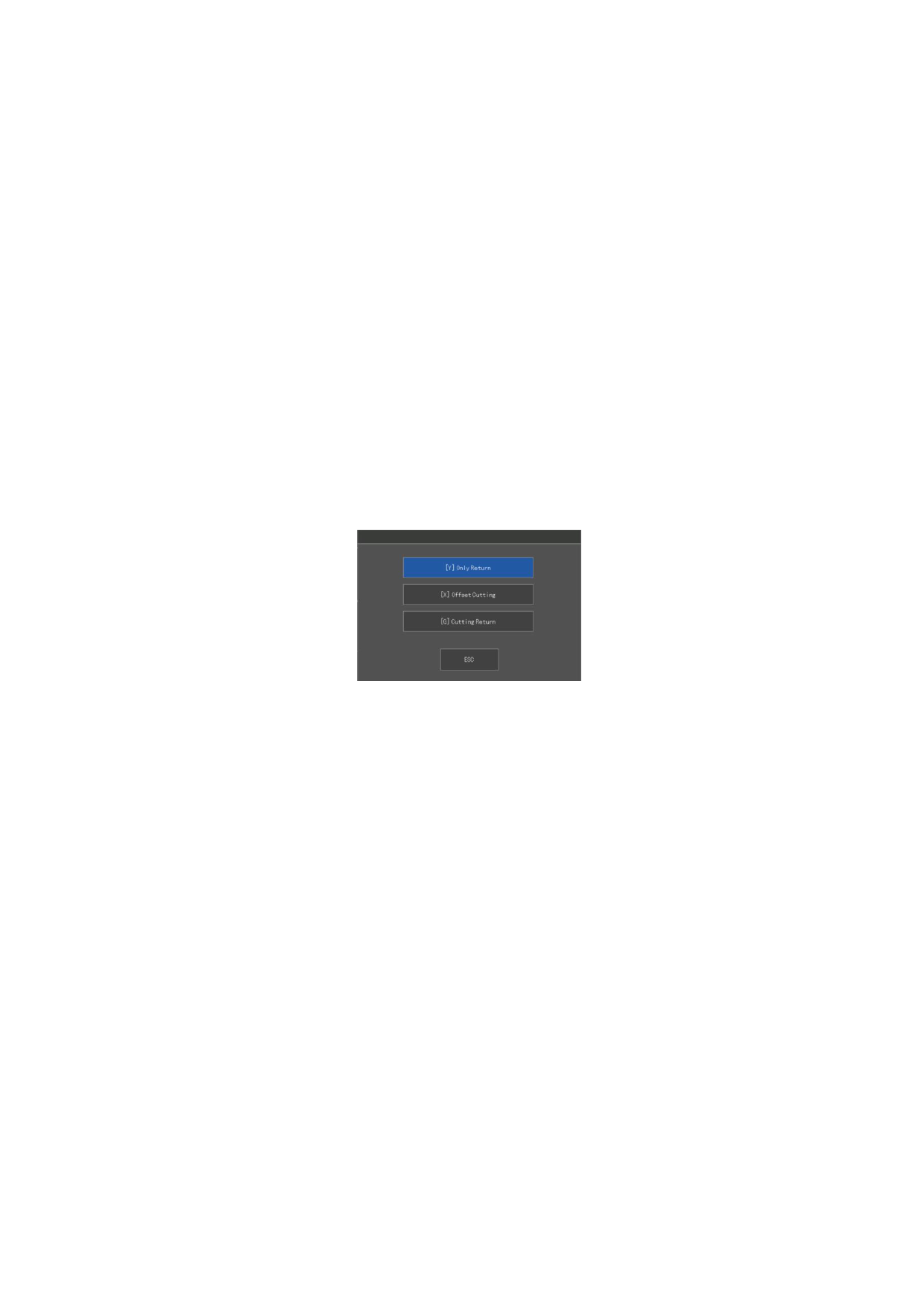
and pressing the start button again, Figure 3.3 prompts:
Figure 3. 2 Offset Cut Return
The occurrence of this prompt is:
When the processing is suspended, it is necessary to move the cutting torch
away from the actual processing workpiece due to mechanical failure or other
reasons.
Cut return: If [G] is pressed, the system considers the current point as the
pause point, and when the cut is started again, the cut will start directly from
the offset position.
Offset cutting: If [X] is pressed, the system thinks that the current point
is the pause point. When the cutting is started again, the cutting will continue
from this point, that is, the cutting point is offset. When the cutting is
suspended or the power is cut off, if the cutting torch has offset or the plate
has translation or the user wants to offset cut artificially, you can press this
key. This feature is particularly useful when the torch is moved manually. Or
after the power failure, after the power failure recovery, the need to re-direct
the torch position.
110







































































































































