






Chapter 8 Diagnose Function
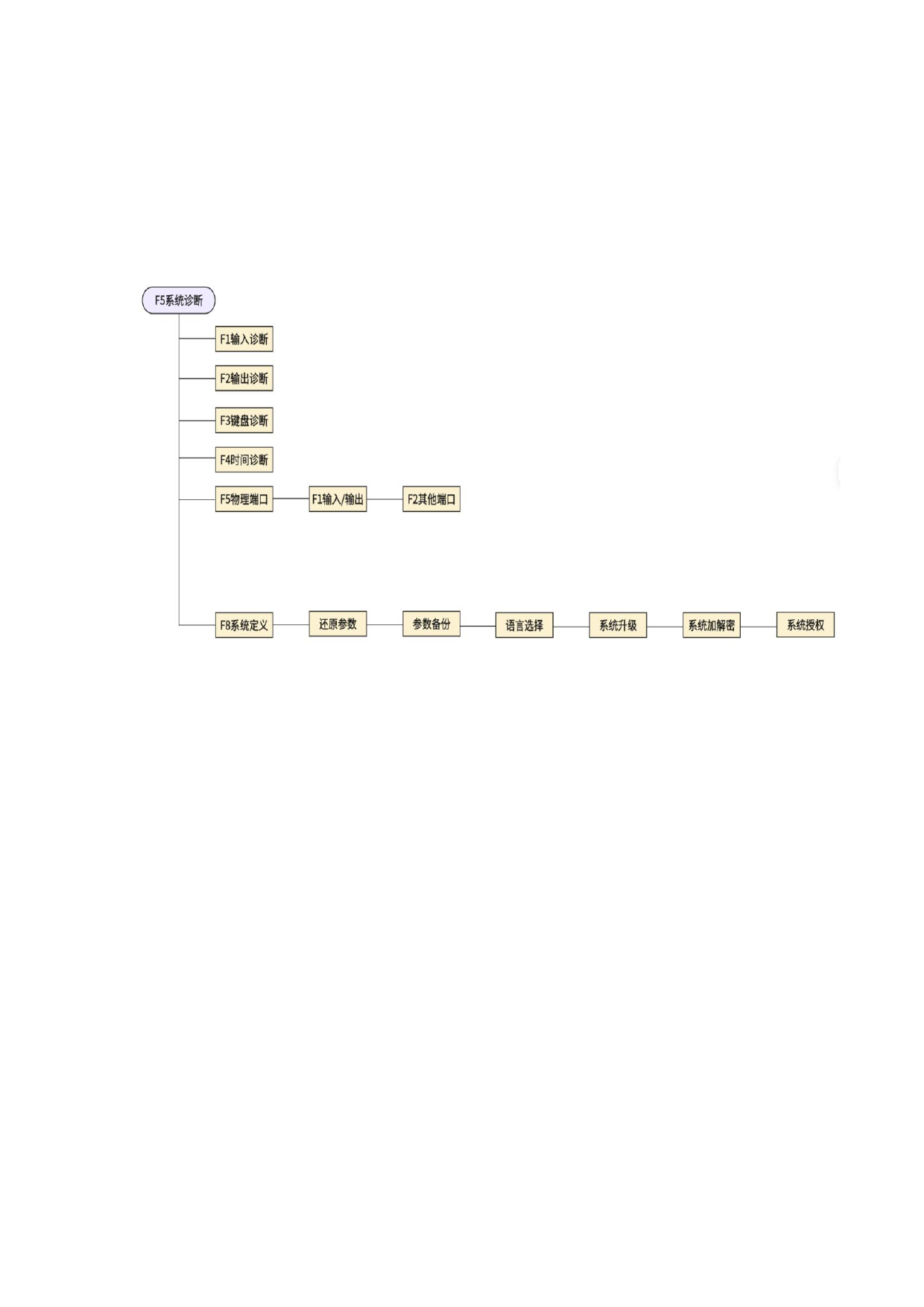
Press [F5] under the main interface to enter the system diagnose interface.
Under the diagnose interface, the output and input of the system can be diagnosed,
as well as the key button, and the system self-test can also be performed.
8. 1 Diagnose interface index
Figure 8. 1 Diagnoses interface Index
8.2 Enter the diagnosis
In this interface, as shown in Figure 8.2, the system will read the status information
of the current input IO and display the information of the current input IO port. Green
"●" means the input is valid, and red "●" means the input is invalid. When the external
input signal changes, it can be displayed here.
110







































































































































