






7. 7 Parameter export
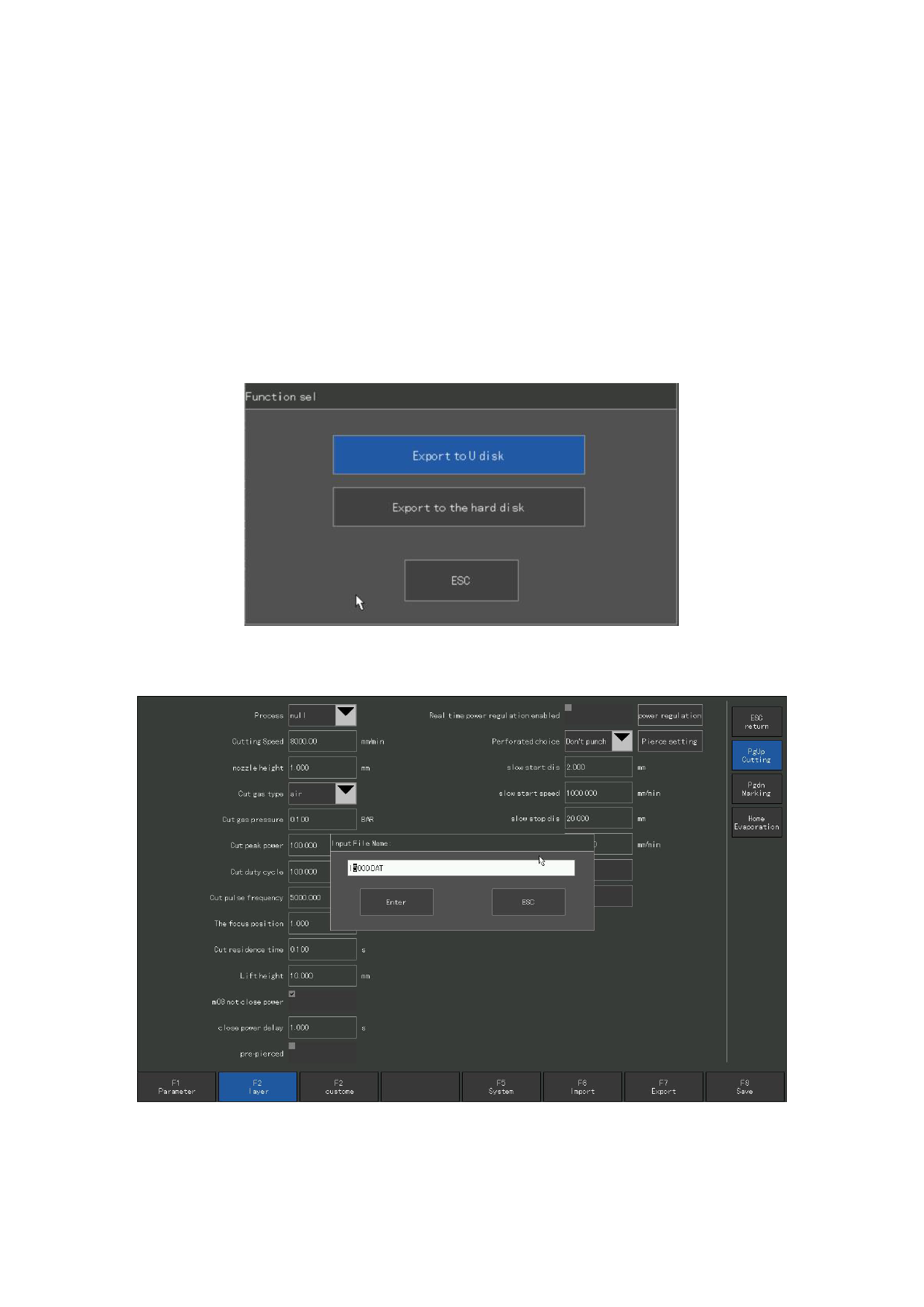
When the parameter setting is completed, can press [F7] under the parameter setting
interface to export the parameters, and you can select export to the U disk or the native
hard disk.
Export to the U disk, first to insert the U disk into the local USB interface
above, and then select export to the U disk, name the parameter file , click Enter
to complete the parameter saved to the U disk.
Export to the hard disk, save the parameters in the local hard disk, and recover
at any time when needed.
Figure 7. 9 Parameter export
Figure 7.1 0 Parameter export file name
110







































































































































