






6.1.3 Draw
成都兴多维科技有限公司
Chengdu multidimensional robotization technology company
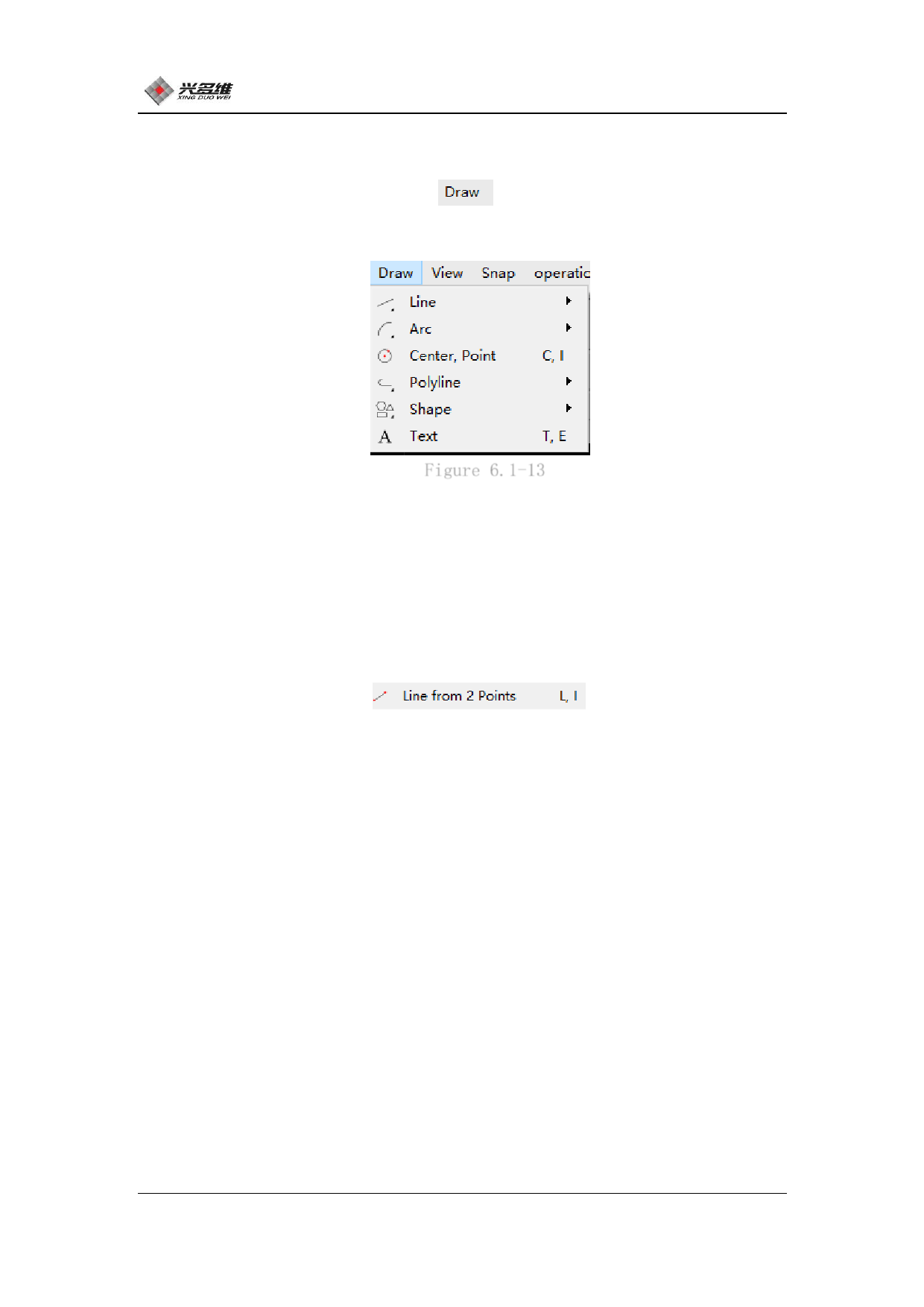
Click [Draw] on the menu bar
as shown in Figure 6.1-13:
, The drawing menu will pop up,
Figure 6.1-13
6.1.3.1 Straight line
Click [Line] The line drawing mode selection bar will pop up,
including [two-point drawing line]、[angle drawing line]、[horizontal
line]、[vertical line].
Click [two-dot line]
, Perform two-point
line drawing operation, The mouse will change to a cross. Click on
the first line to confirm the starting point of the line segment and
click again to confirm the end point of the line segment.
Click [angle drawing line], When the angle is drawn, the mouse
will change to a cross. Ability to preview the rendering effect and
click the mouse to confirm placement in that location. At the top,
you can set the angle, length and reference point of the line
segment.
Click [horizontal line], With a horizontal line drawing
operation, the mouse will change to a cross. Ability to preview the
rendering effect and click the mouse to confirm placement in that
87
兴于思 维至精













































































































































































