






6.1.3.6 Text
成都兴多维科技有限公司
Chengdu multidimensional robotization technology company
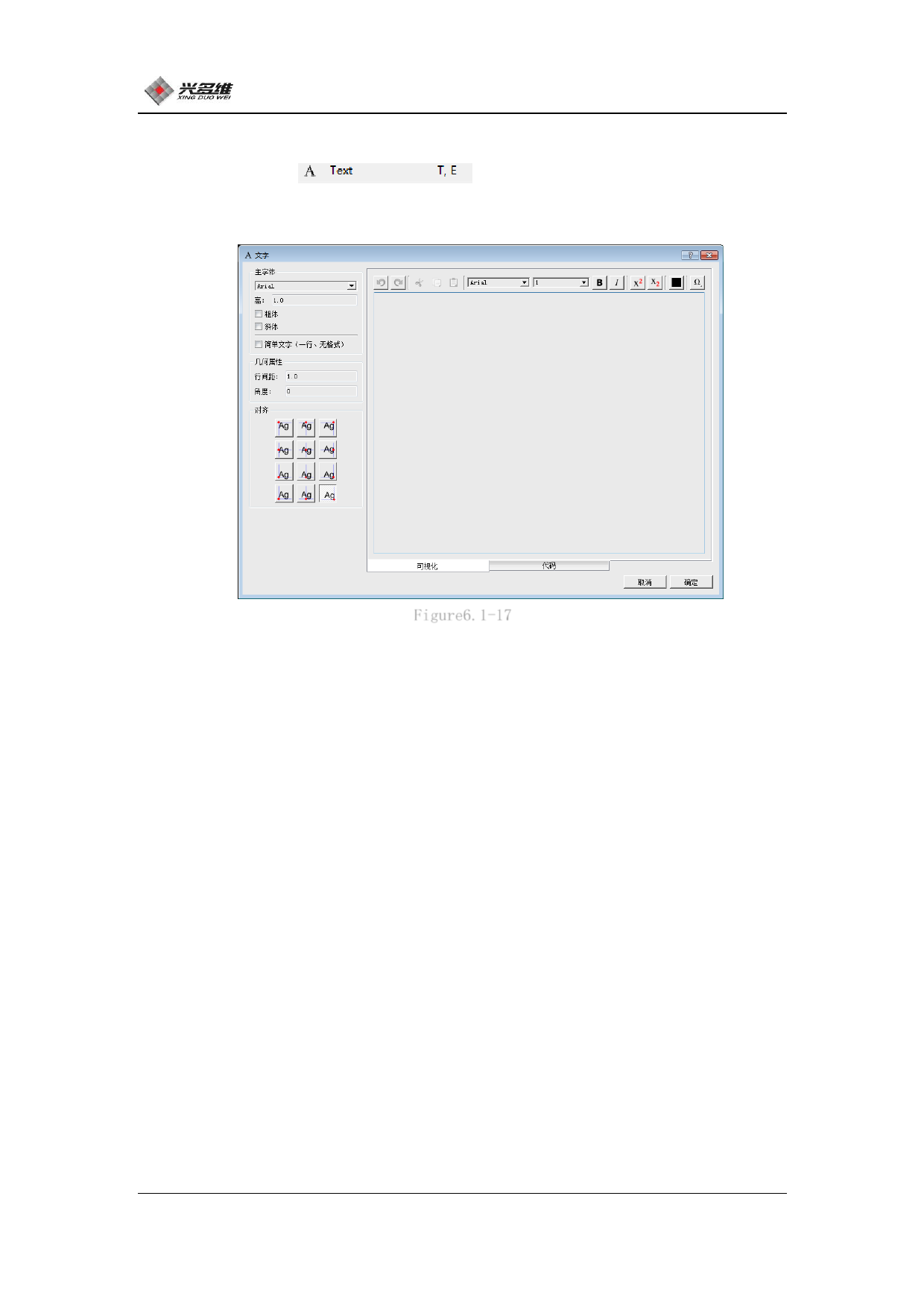
Click [Text]
Can enter the text editing
interface, as shown in Figure 6.1-17:
Figure6.1-17
The user can preview the text editing effect in the right view
box..
In the [Main Font] selection box, you can select the font; [High]
text edit box input can set the size of the text; [Bold], [Italic] is
used for text bolding and tilting, check to set; Text] is used to set
the profile editing mode, in which the font and font size cannot be
set.
In the [Geometry Attributes] column, the line spacing of the
edited text and the tilt angle of the text can be set in [Line
Spacing] and [Angle].
[Alignment] The selection box provides the user with a variety of
alignment methods, which can be selected according to their own.
There is a row of logos at the top of the text edit box:
[Retract], [Redo], [Cut], [Copy], [Paste], [Font Selection Bar],
91
兴于思 维至精













































































































































































