






5.4.3 Check and edit files
成都兴多维科技有限公司
Chengdu multidimensional robotization technology company
This part mainly involves three tools: drawing tool, layer
selection interface, and processing selection. Drawing tools can be
used to draw straight lines , arc 、circle 、Polyline ,
rectangle ; The layer selection interface can adjust the
processing parameters of each layer to meet the requirements of
processing multiple different parameters at one time. CNC-Couter
provides a total of 7 layers for users to choose. Mark points are
selected in the graphic display window. When using the CCD patrol
edge processing function, the user needs to mark the Mark point
before it can be processed normally. The user can select an image
outline in the display window, and then click the layer selection
window on the left side to set the layer to which the element
belongs.
5.4.4 Process setting
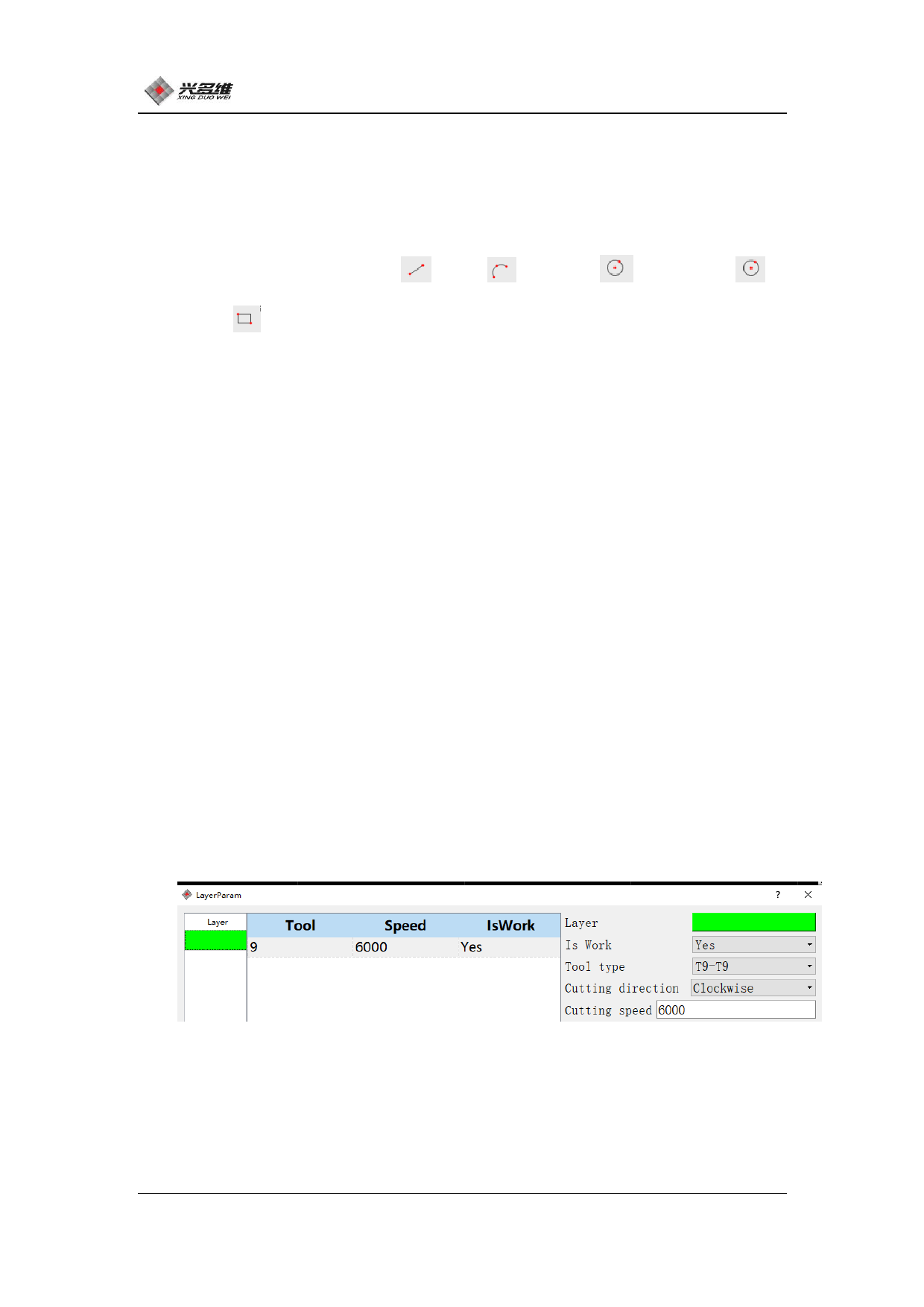
When the user needs to use the vibrating knife, adjust the [Tool
Type] in [Layer Parameters], and click [Layer Parameters] to display
the dialog box shown below:
Change the [tool type] to the tool number corresponding to the
vibrating knife. In the manufacturer default parameter, the tool
number corresponding to the vibrating knife is one bit larger than
the maximum tool number of the spindle tool magazine. If the tool
61
兴于思 维至精













































































































































































