






成都兴多维科技有限公司
Chengdu multidimensional robotization technology company
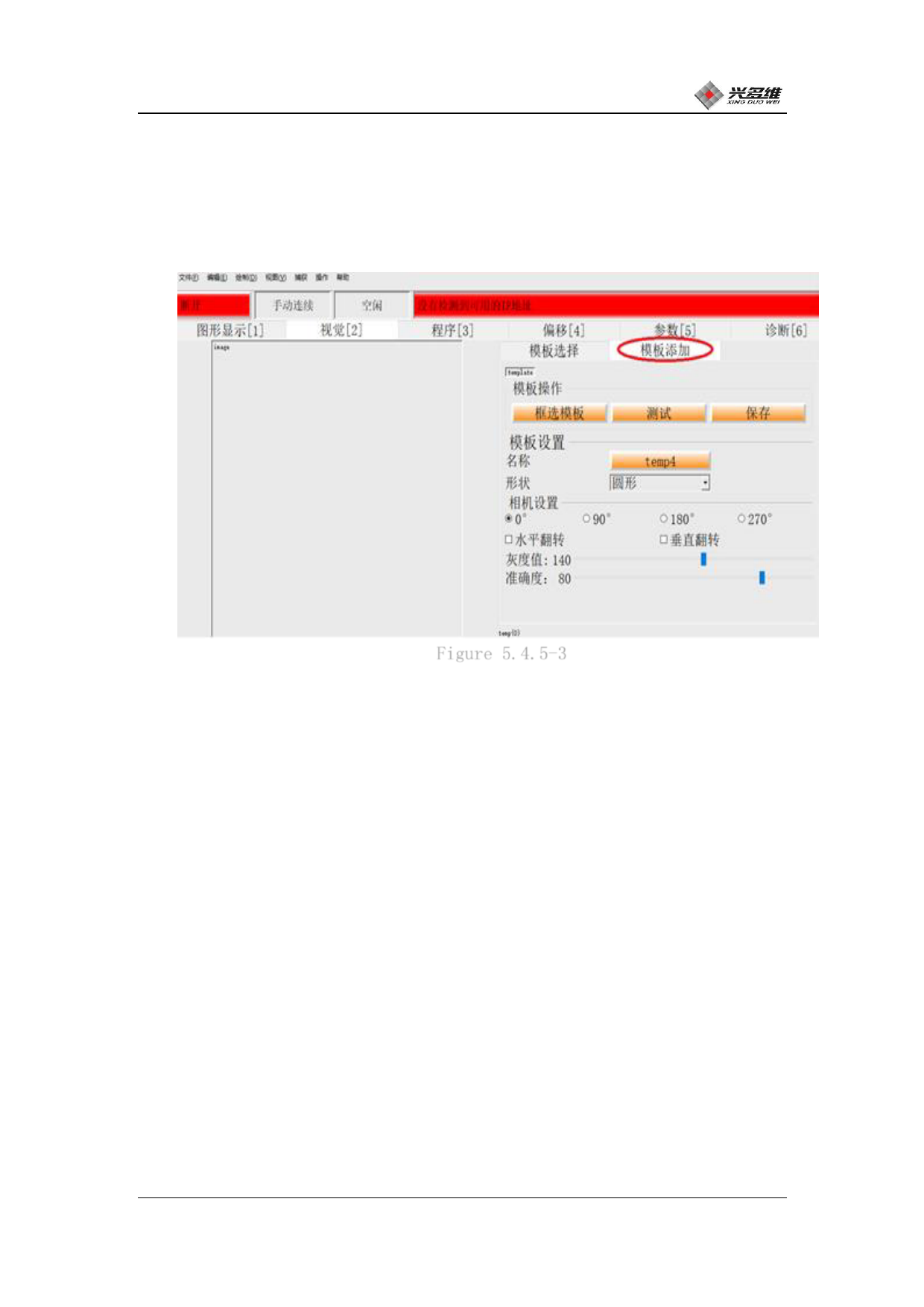
camera screen may be rotated, the screen display moving direction
does not match the actual moving direction, etc., and the screen is
added to rotate and flip the screen. Click [Template Add]; as shown
in Figure 5.3.5-3:
Figure 5.4.5-3
The user makes the display normal by selecting the rotation angle
under the [Camera Settings] column. By checking whether the
horizontal flip and the vertical flip, the problem that the moving
direction of the screen display does not match the actual direction
during the movement process is solved.
After the camera screen is set, use the manual movement window of
the machine console, and the user can also use the numeric keyboard
shortcut keys corresponding to each button to move. As shown in
Figure 5.3.5-2:
兴于思 维至精
64













































































































































































