






成都兴多维科技有限公司
Chengdu multidimensional robotization technology company
magazine capacity of the machine is 4, the vibrating knife
corresponds to the tool number. For T5.
To perform CCD processing, you need to turn on the CCD correction
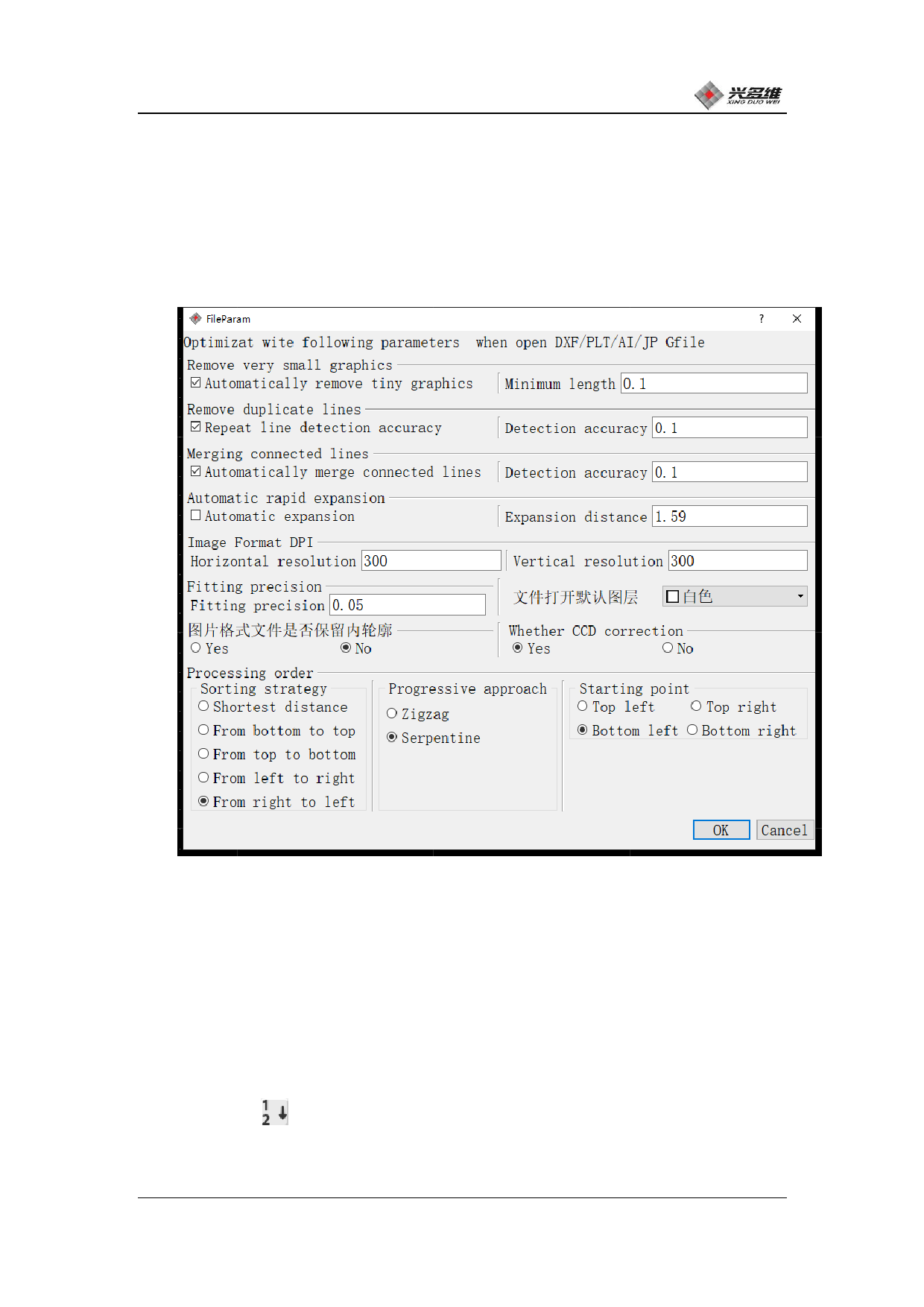
function. Click [File Parameters] at the bottom of the [Graphics
Display] page, and the dialog box shown below will pop up:
Click [Do you want CCD correction] to [Yes]. At this time, CCD
correction will be performed before processing; if the user does not
need to perform CCD correction during processing, click [No].
When processing multiple products, the software will
automatically sort after the user has set the layer to be processed.
If the user needs to change the order of processing, you can click
[Manual Sort] . After clicking, you will have one more circled
number symbol next to the mouse. The starting number is 1, then click
兴于思 维至精
62













































































































































































