






成都兴多维科技有限公司
Chengdu multidimensional robotization technology company
to open, and double-click to open it. In the open project, the soft
drop will automatically extract the outline of the graph, and the
progress of the file can be seen in the progress bar below. Waiting
for loading, the extracted outline of the graphic will be displayed
in the display area, allowing the user to edit and other operations..
6.1.1.3 New
[New]
The option can recreate a blank
file for the user to edit. Click to create a new file. This function
can be implemented using the shortcut key Ctrl+N.
6.1.1.Open
[Open DXF/AI/PLT]
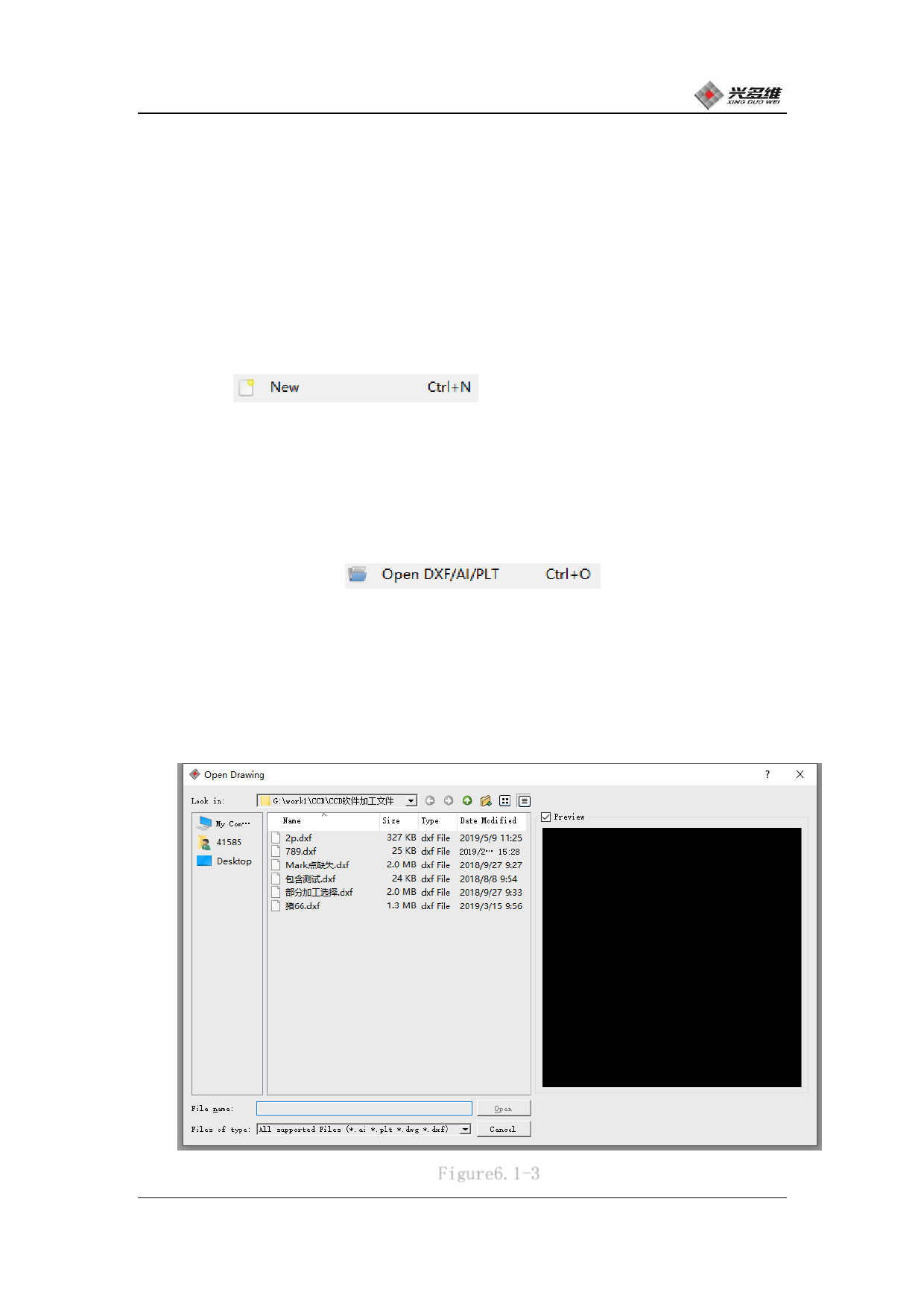
The option is to
open the .DXF file. This can be done using the shortcut Ctrl+O.
After clicking, the file selection box will pop up, find the file
that needs to be opened, click, and wait for it to view the file in
the preview area on the right. As shown in Figure 6.1-3:
Figure6.1-3
兴于思 维至精
70













































































































































































