






成都兴多维科技有限公司
Chengdu multidimensional robotization technology company
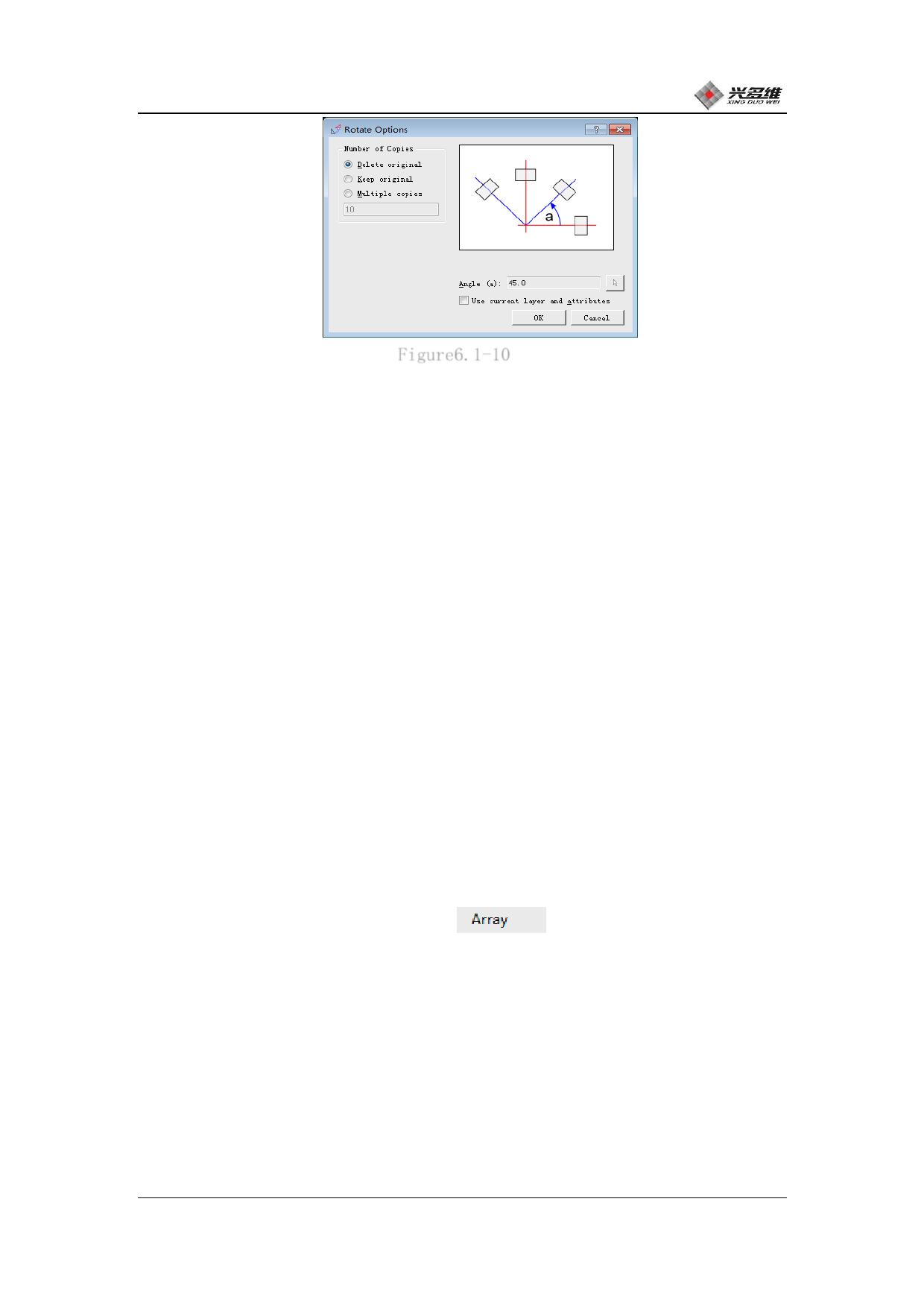
Figure6.1-10
The user can select the copy mode according to the number
selection box on the left side: check [Delete original] to delete the
graphic before the rotation and only retain the graphic after the
rotation; check [Keep original] to retain Two graphics before and
after rotation; [Multiple copies] means that the number of copies of
the user settings is copied and all files including the source files
are retained.
The user can set the angle of rotation in the Angle Settings box.
The rotation direction defaults to counterclockwise. Checking "Use
current layer properties" will make the graphic properties after
rotation the same as before rotation. Users can choose the rotation
angle and use layer properties according to their needs.
6.1.2.16 Array
Click [Array] on the Edit menu
, Users can perform array
processing on graphics. Select the graphics that need to be processed
by the array, click to pop up the array setup window, as shown in
Figure 6.1-11:
兴于思 维至精
84













































































































































































