






成都兴多维科技有限公司
Chengdu multidimensional robotization technology company
2.2.2 Computer software installation
After installing the control board and camera
(1) First obtain the latest version of the computer software of
the CNC-Router system from the manufacturer or agent, and copy the
installation file to the computer to be installed;
(2) Find the computer software installation package of the CNC-
Router system in the target folder of the copy
.
The following numbers are version codes. If you have multiple
versions of the installation package, please install the latest
version;
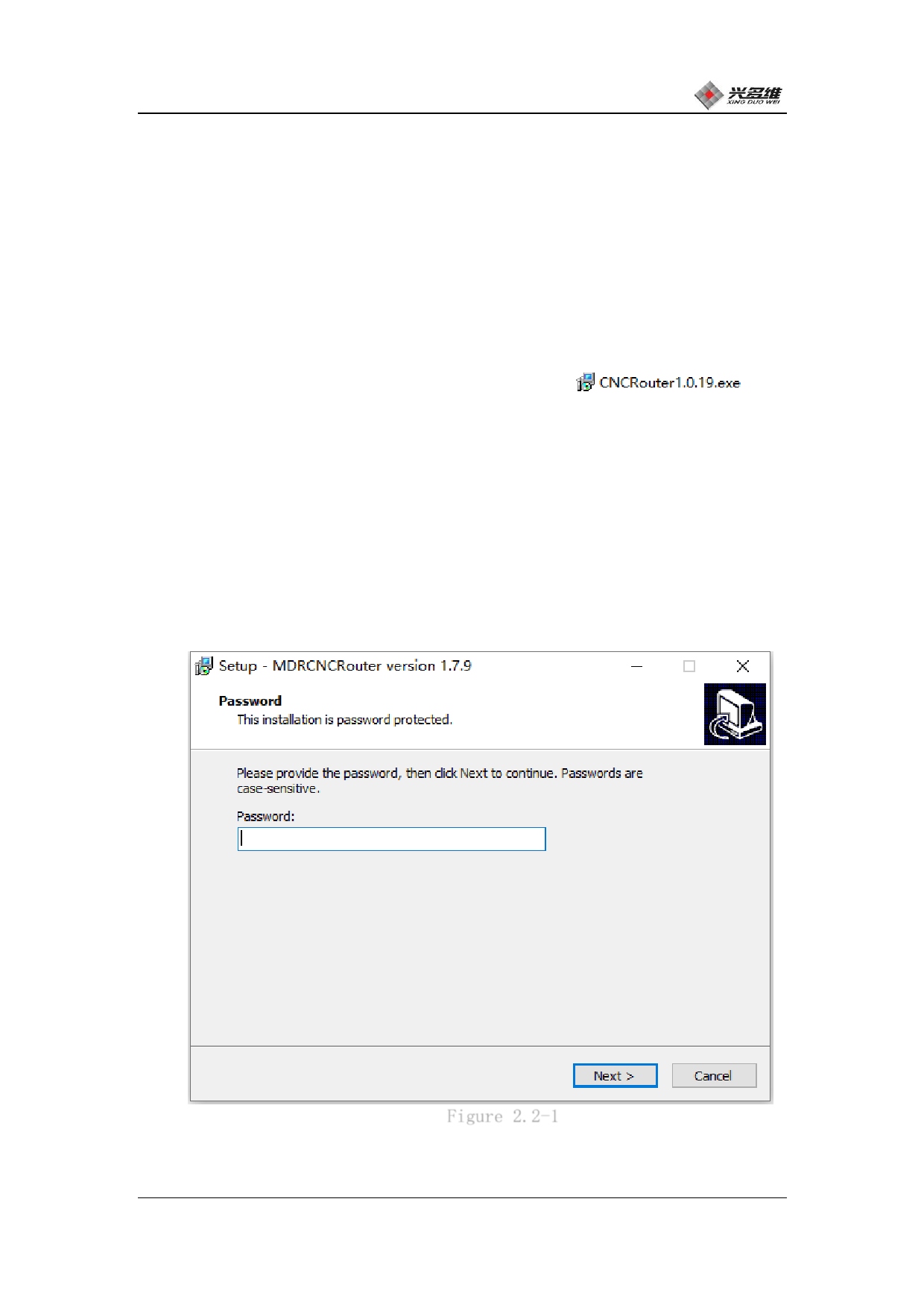
(3) Double-click the icon to start installing the computer
software, and the password verification window will pop up, password
is 1992. As shown in Figure 2.2-1:
(4) Enter your password and cFliigcukreNe2x.t2.-1The installer will pop up
the installation target location prompt dialog box。
兴于思 维至精
6













































































































































































