






- You are here:
- AM.CO.ZABuythisCNC Utilities Homepage
- EasyRoute-CNC-Router
- EasyRoute CNC Control Panel Manufacture Manual.pdf
- Page 30 of 114
Specialized Concentrated Focused
Key icon Key name
Function
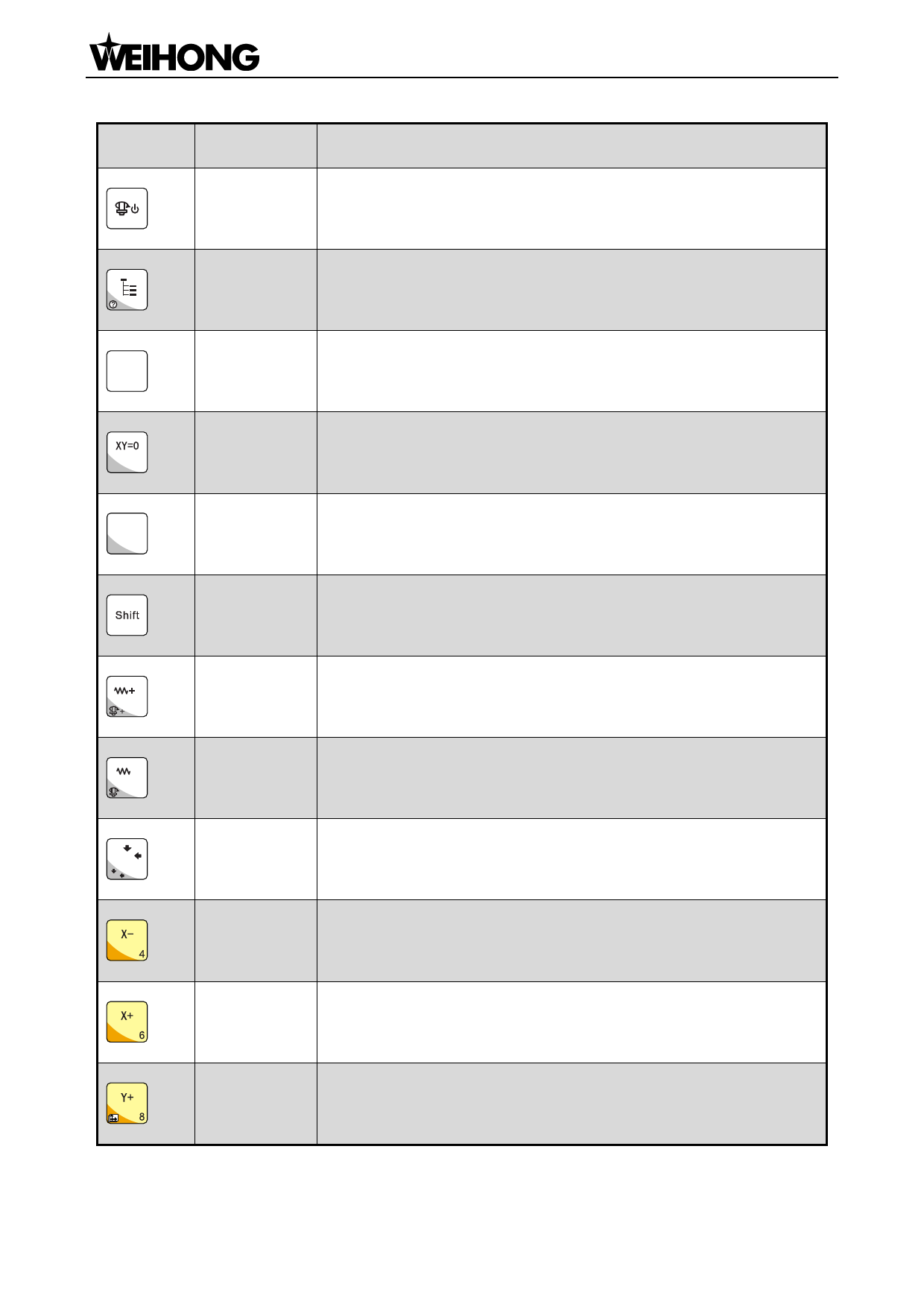
Spindle
ON/OFF
Start or stop of spindle under manual mode
Menu
Entering menu page; entering image update page at the time of
system start-up; entering help page with the help of the auxiliary key
ESC
ESC
Esc key; returning to the previous page
X=0
Z=0
Y=0
-
-
- .
(0,0)
(X,Y)
0
XY clearing XY clearing; X clearing with the help of the auxiliary key
Z clearing
Z clearing; Y clearing with the help of the auxiliary key
Shift
Auxiliary key; switchover between stepping mode and jog mode
under machining page
Override+
Increase of feedrate override; increase of spindle gear with the help
of the auxiliary key when the spindle port has input
Override-
Decrease of feedrate override; decrease of spindle gear with the
help of the auxiliary key when the spindle port has input
Back
to
XY axes backing to workpiece origin; XY axes backing to fixed point
workpiece
with the help of the auxiliary key; input of number 0
origin
X-
Negative movement of X axis; input of number 4
X+
Positive movement of X axis; input of number 6
Positive movement of Y axis; input of number 8; switchover between
Y+
MCS and WCS with the help of the auxiliary key
「18」Functions & Operation Methods of Panel Keys

















































































































