






Hikrobot Machine Vision Software User Manual
5.9 User Set Control
A User Set is a group of parameter values with all the settings needed to control the
camera. In other words, each User Set includes the values of almost all camera
parameters. You can globally control the camera settings by saving and loading User Set.
If you have configured the camera parameters as required, you can save them as a User
Set.You can load your own User Set to restore the camera to the saved group of parameter
values with a minimum of configuration effort.
User Set Description
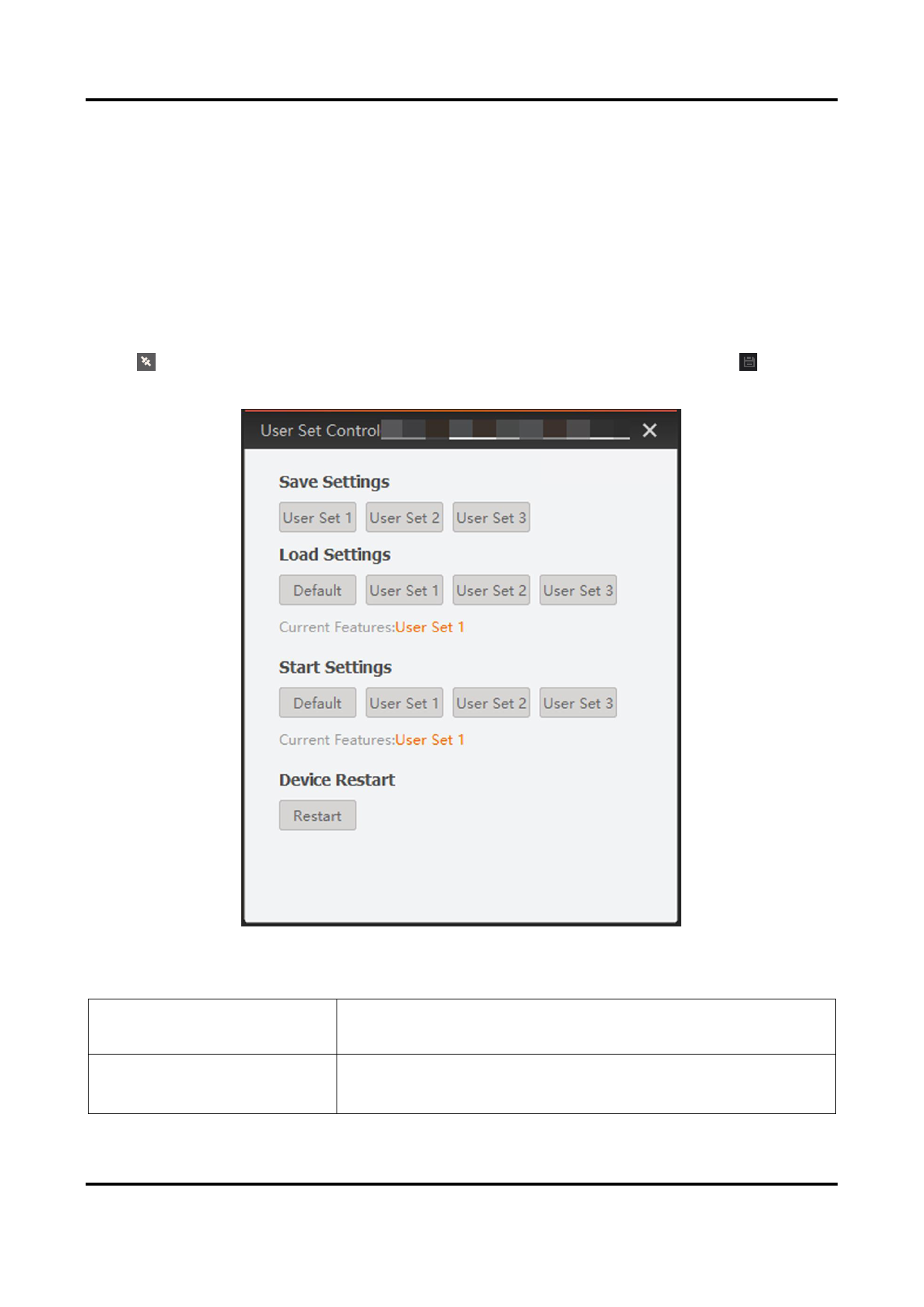
Click or double-click a camera to connect it to the Software, and then click
the User Set Control window.
to open
Figure 5-11 User Set Control Window
Table 5-3 Difference between Default User Set and Customizable User Set
Default
Read-only factory settings. In other words, the default
startup settings on the camera.
User Set 1, 2, 3...
User sets that can save your own camera settings.
Initially, customizable user sets contain the same
81


























































































































































