






Hikrobot Machine Vision Software User Manual
7.3 Bandwidth Manager
The Bandwidth Manager allows you to adjust the bandwidth distribution of the connected
cameras to avoid excessive packet losses so as to ensure data integrity. This is especially
useful when multiple cameras use a same network interface for image acquisition.
Note
● All GigE Vision cameras produced by Hikrobot support bandwidth adjustment by
Bandwidth Manager. You can also adjust bandwidth for GigE Vision cameras by setting
the Gev SCPS Packet Size parameter and the Gev SCPD parameter. For details about the
two parameters, see Transport Layer Control.
● Part of the USB3 Vision cameras produced by Hikrobot support bandwidth adjustment
by Bandwidth Manager. You can also adjust bandwidth for USB3 Vison cameras by
setting the Device Link Throughput Limit Enable parameter and the Device Link
Throughput Limit parameter. You can inquire our technical support for details about how
to adjust bandwidth by the two parameters if your USB3 Vision camera supports the two
parameters.
Make sure that the camera(s) whose bandwidth needs to be adjusted are not in
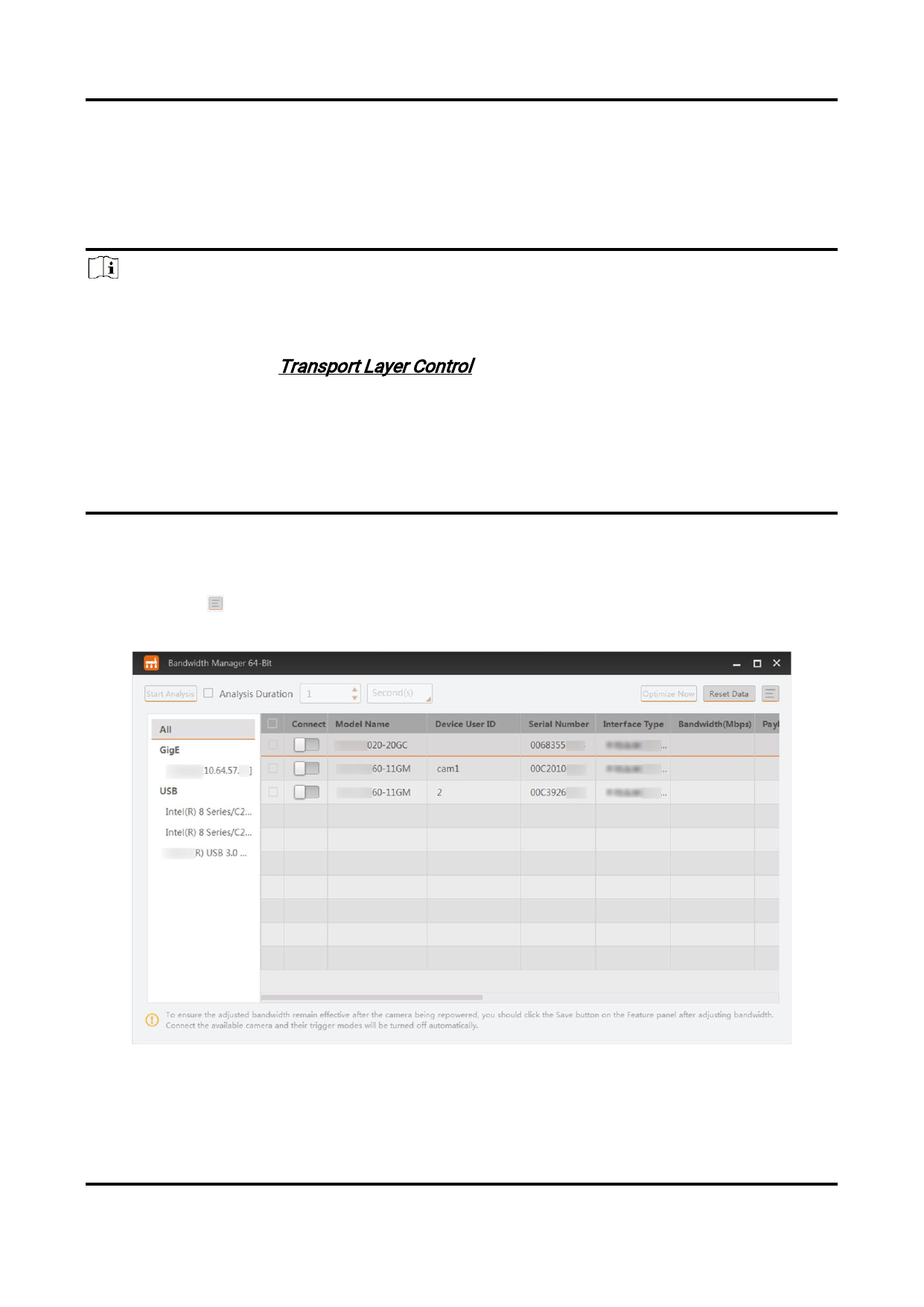
acquisition and that their Trigger mode is turned off, and then click Tool → Bandwidth
Manager to open the Bandwidth Manager window.
You can click to select the to-be-displayed information (model name, device user ID,
MAC address, etc.).
Figure 7-5 Bandwidth Manager Window
The list on the left shows the information of the GigE and USB interfaces on the PC.
● If you select All, the camera list on the right will display all cameras under the GigE
120


























































































































































