






Version
Hikrobot Machine Vision Software User Manual
Date
image.
Changes
1.5 Main Window Introduction
After installation, you can run the Software.
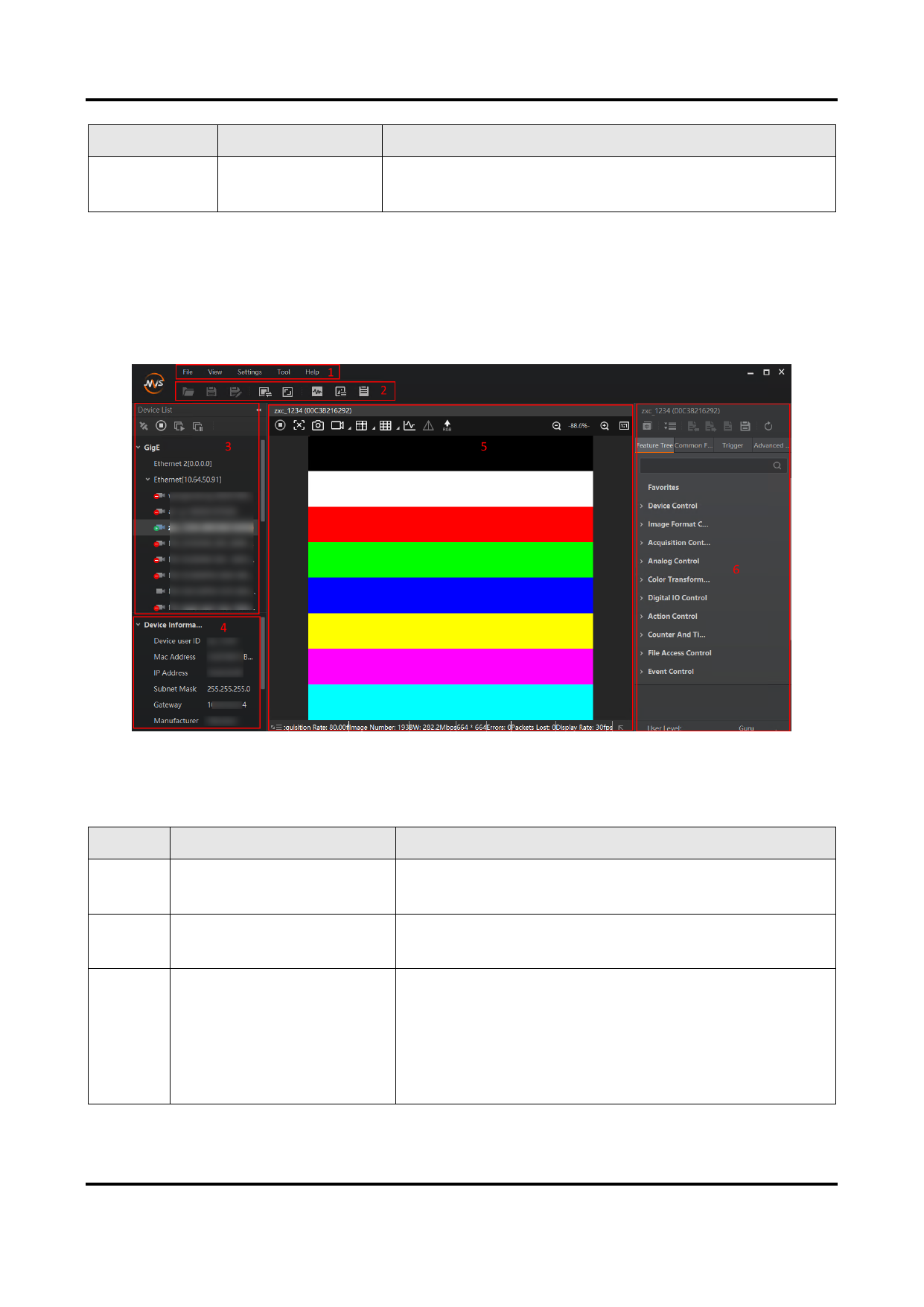
The main window of the Software is shown as follows:
Figure 1-1 Main Window
The following table shows the description of each part of the main window.
Table 1-2 Main Window Description
No.
Area Name
Description
1
Menu Bar
Function modules including File, View, Settings,
Tool, and Help.
2
Control Toolbar
3
Device List Panel
Offer buttons for file control, division settings of
the display window, acquisition status, etc.
● Display the GigE Vision cameras, USB3 Vision
cameras, and Camera Link cameras and the
cameras connected via GenTL.
● Provide icons for connecting/disconnecting
camera, start/stop acquisition, and refreshing
device list.
8


























































































































































