






Hikrobot Machine Vision Software User Manual
7.2 Firmware Updater
You can update the firmwares of the cameras or frame grabbers via the Firmware Updater
tool.
Steps
Note
● Cameras of different types of interfaces cannot be updated at the same time.
● The firmware update file should match the camera model.
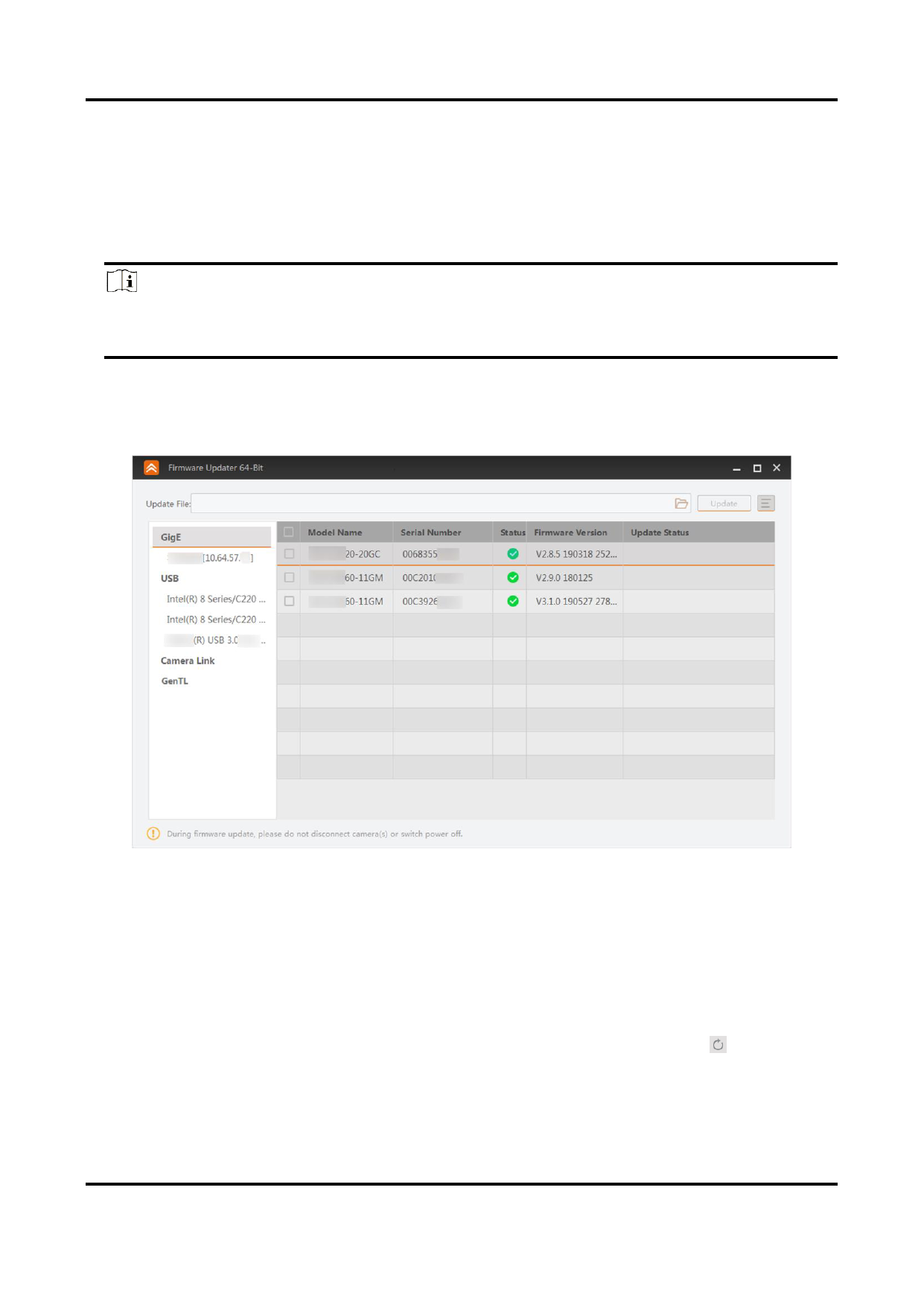
1. Open the Firmware Updater window.
– Click Tool → Firmware Updater on the main page.Open Firmware_Updater in the
installation folder.
Figure 7-4 Firmware Updater
2. Optional: The device information will be displayed on the window. You can conduct the
following operations as needed.
GigE and USB Interfaces
● Select GigE or USB, and the devices connected to it will be displayed on the right.
● Select an interface under GigE or USB, and the cameras connected to the interface
will be displayed on the right.
● The tool will auto refresh the cameras by default. You can also click on the right
of GigE and USB to manually enumerate the cameras.
Camera Link Interfaces
118


























































































































































