






Hikrobot Machine Vision Software User Manual
Note
Only GigE Vision cameras support the Optimize Now function.
● Manually adjust the bandwidth, and then analyze again to view the changed value of
payload received, frame sent, frame received, etc.
Note
The less the payload losses and frame losses, the better the image quality would be.
7.4 GigE Vision Action Command
The Action Command is used to trigger actions in multiple cameras in a network
simultaneously. When Action Command is configured, the Software can send commands
across the network and have devices in a predefined group respond based on how they
have been configured to respond to certain commands. In this way, a single command can
trigger actions such as Frame Start in multiple cameras with a minimum of latency and
configuration effort. The Action Command can be used in various scenarios where image
fusion is required.
Before You Start
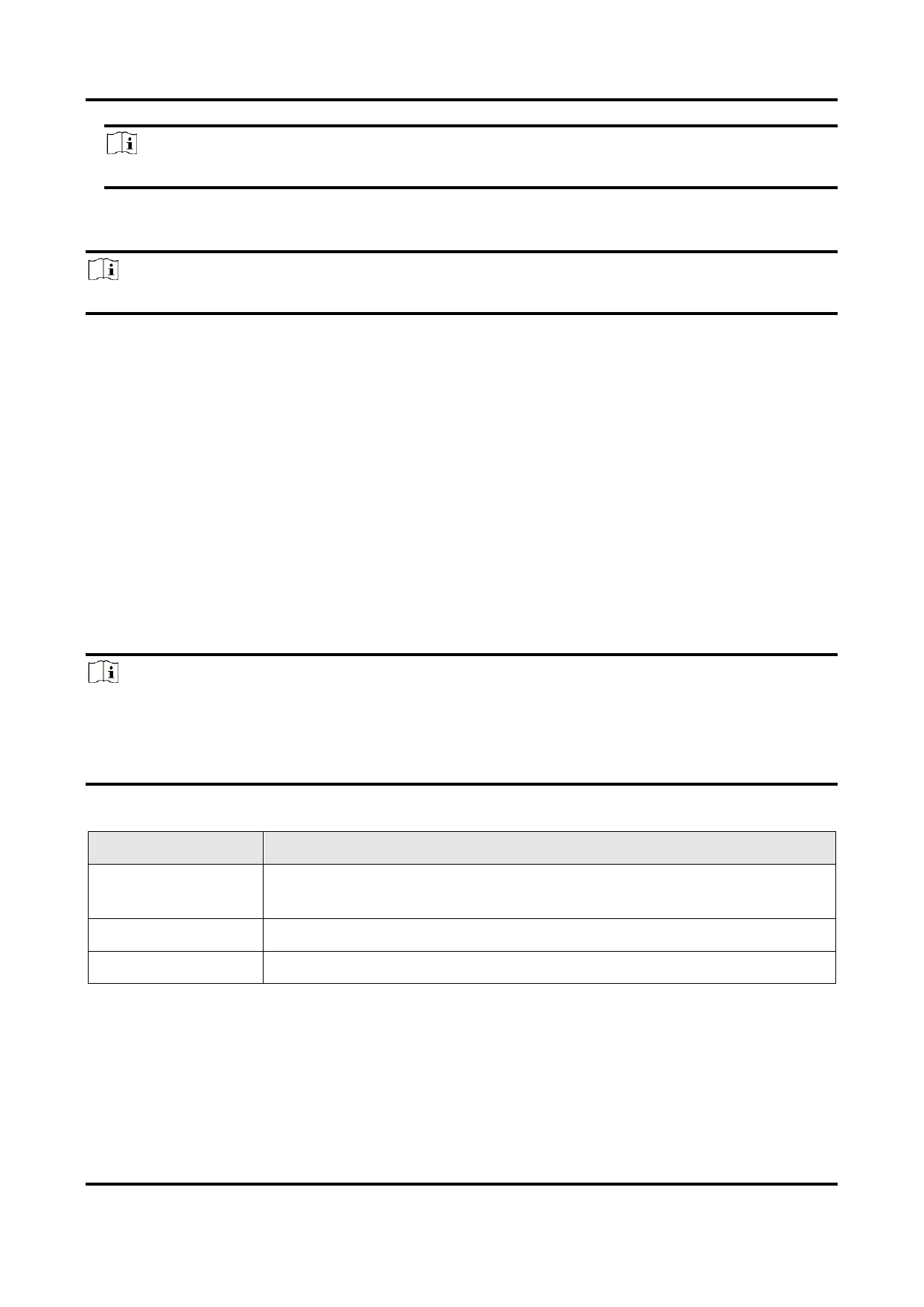
Search for the following three parameters in the feature tree and configure them for each
camera that needs to receive commands.
Note
● The camera should support the Action Control feature, or configuring Action Command
will be unavailable.
● ActionDeviceKey, ActionGroupKey, and ActionGroupMask are all displayed in
hexadecimal notation.
Parameter
ActionDeviceKey
ActionGroupKey
ActionGroupMask
Table 7-2 Parameter Description
Description
A kind of password which enables the camera to check the validity
of the commands.
Used to specify a group of cameras to perform actions.
Used to filter out some cameras from the specified group.
Steps
1. Go to Tool → GigE Vision Action Command.
122


























































































































































