






Hikrobot Machine Vision Software User Manual
Add Remote Camera
You can add GigE Vision camera NOT in the same local subnet with the client software to
the device list.
Steps
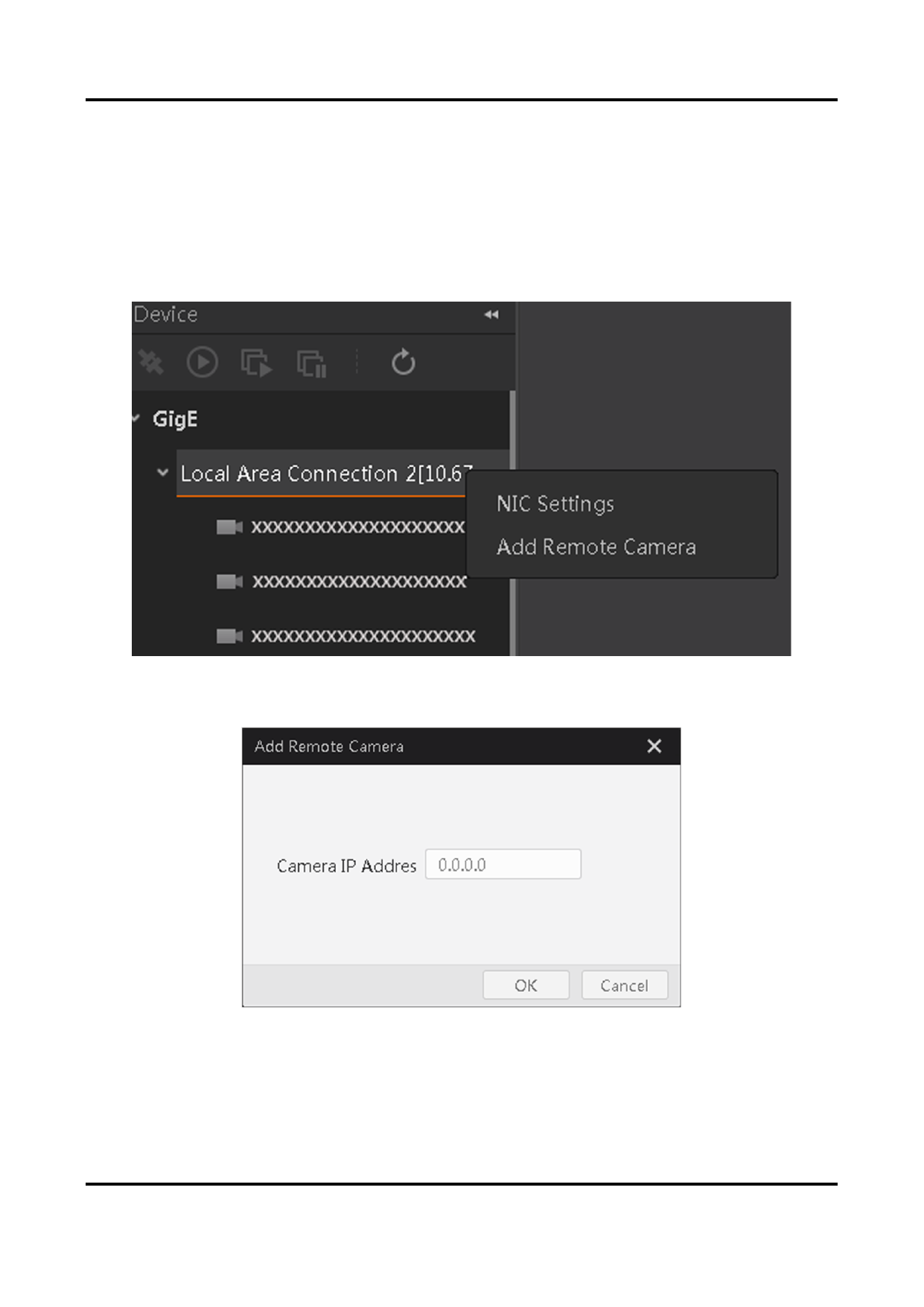
1. Right-click the network interface card (for example, Local Area Connection in the
following picture) to open the right-click menu.
Figure 4-4 Right-click Menu
2. Click Add Remote Camera to open the Add Remote Camera window.
Figure 4-5 Add Remote Camera
3. Enter the camera IP address and then click OK to add the camera.
32


























































































































































