






Hikrobot Machine Vision Software User Manual
problems.
If no exception is detected, you can also click Check to view the variable information
such as variable name and status.
● For driver exception, you can click Check to view the driver information such as the
driver version and driver's latest update time.
● For USB controller exception, you can click Check to view the USB controller information,
such as driver key, device ID, and vendor ID.
● For Jumbo Frame exception, you can click Check to view whether Jumbo Frame of the
network adapter is enabled or not and the Jumbo Frame value (if enabled).
Note
To ensure data transmission efficiency, make sure that Jumbo Frame is enabled.
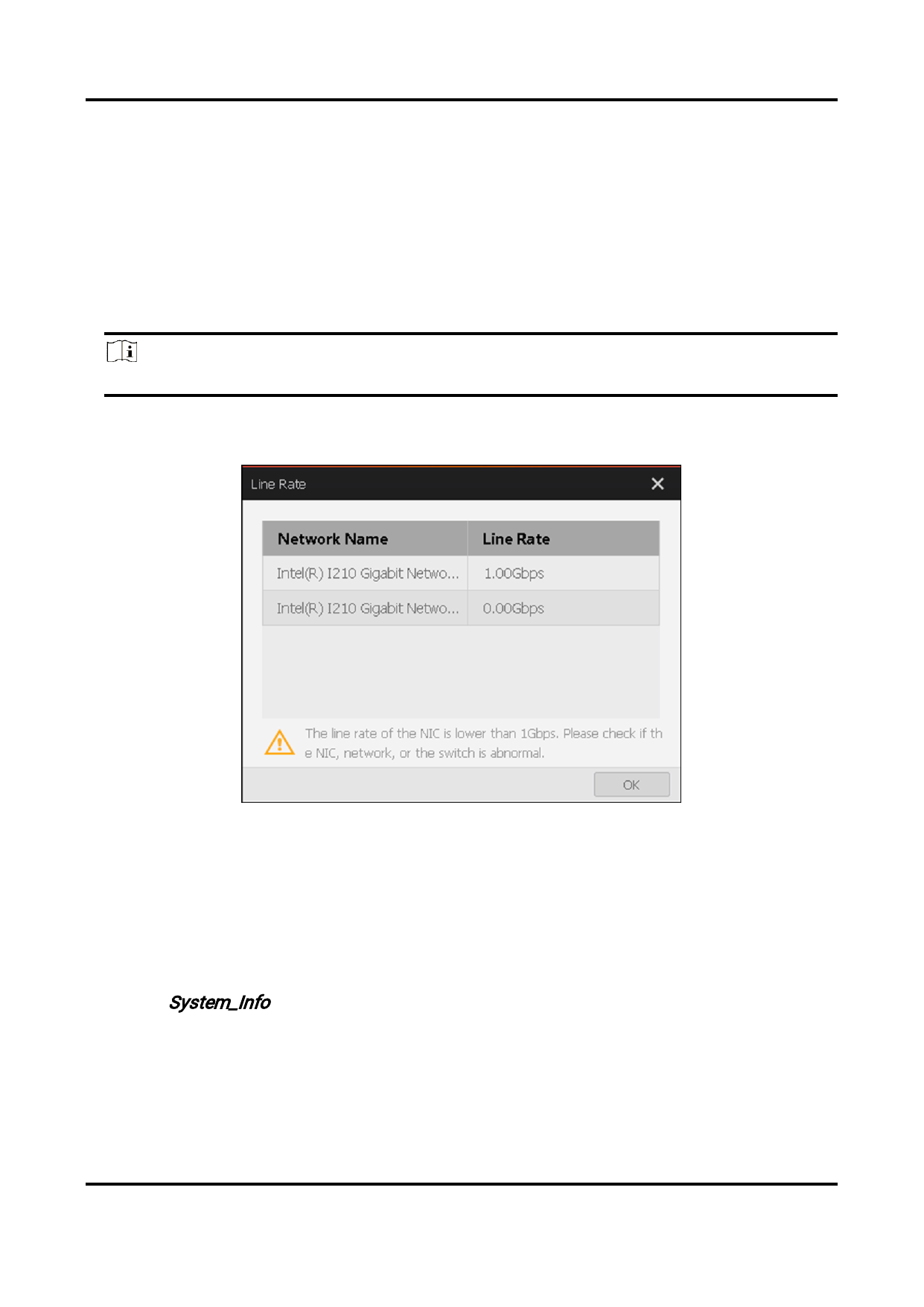
● For network line rate exception, you can click View Solution to view the exception details
and solution.
Figure 7-14 Line Rate Exception
7.8 View PC System Information
The Client provides a tool for viewing the PC system information, such as CPU, CPU core
number, operating system, screen resolution, etc.
You can open the tool in the following two ways:
● Search System_Info in the Start Menu of the PC, and then click the found System-Info to
view the PC system information.
● In the installation directory of the Client, go to Application → Win32 or Application →
Win64, and then double-click System Info to view the PC system information.
132


























































































































































