






smearing.
5)Mainly observe the color deviation of the monochrome and four-color ink volumes and the three-color mixed ink volume.
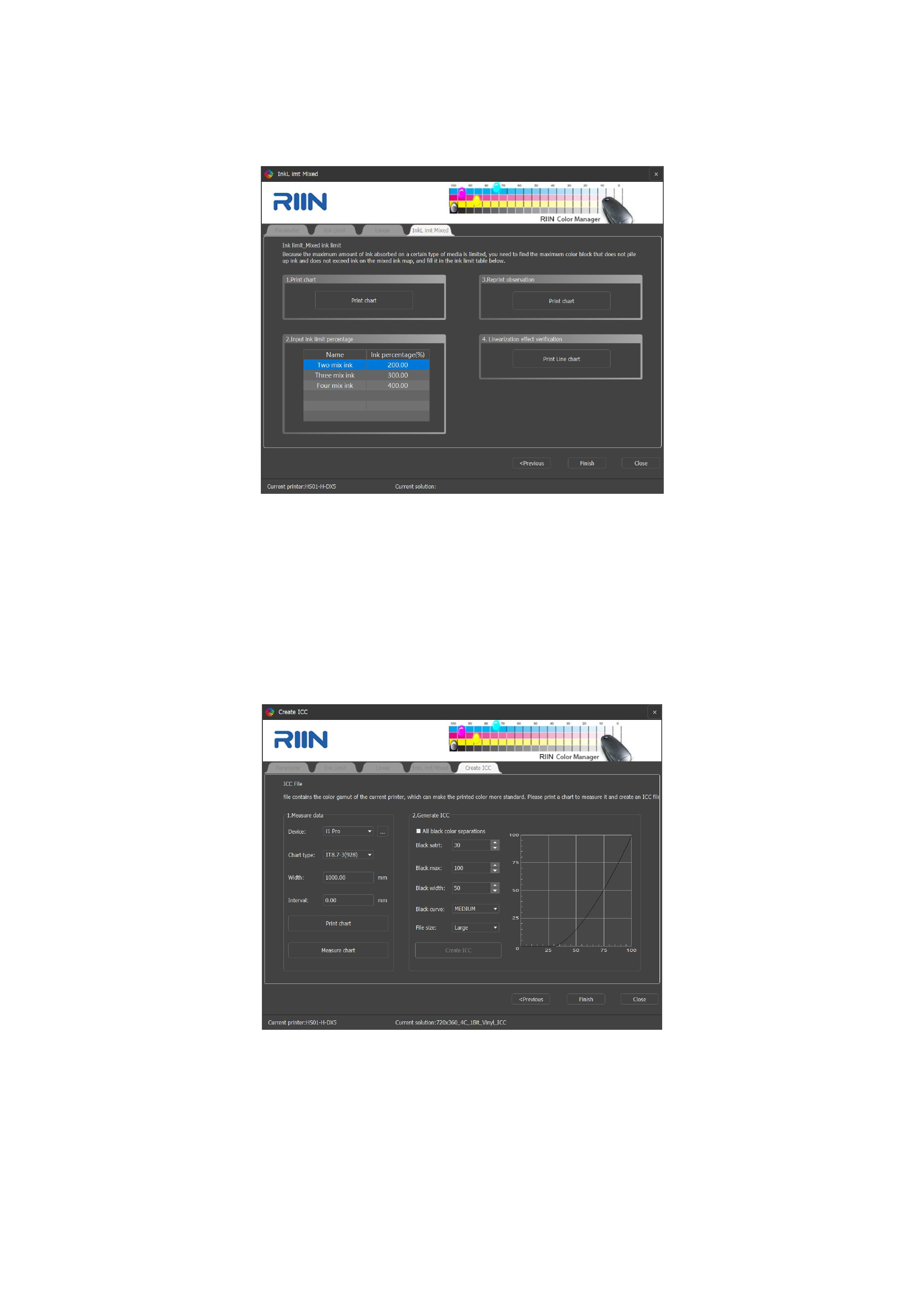
After completing the multi-fold ink volume control cutoff, you can click [Print Line chart] to view the linearization result
and adjust it according to your needs.
Finally, click [Finish], and the production of the linearization curve is completed.
03 Create ICC
In the new curve interface, select the calibration method as the ICC curve. The linearization steps refer to the linearization
curve production process. After the multicolor ink volume step, the ICC creation step will be entered.
1. Measure Data
Click [Print Chart], and after the chart is completely dry, measure the [Chart].
2. Generate ICC
ICC color separation black structure settings (it is recommended to use the default parameters)
Black Start Position: Indicates the start of black K in the light color area. The area after the black start position can improve
61






























































