






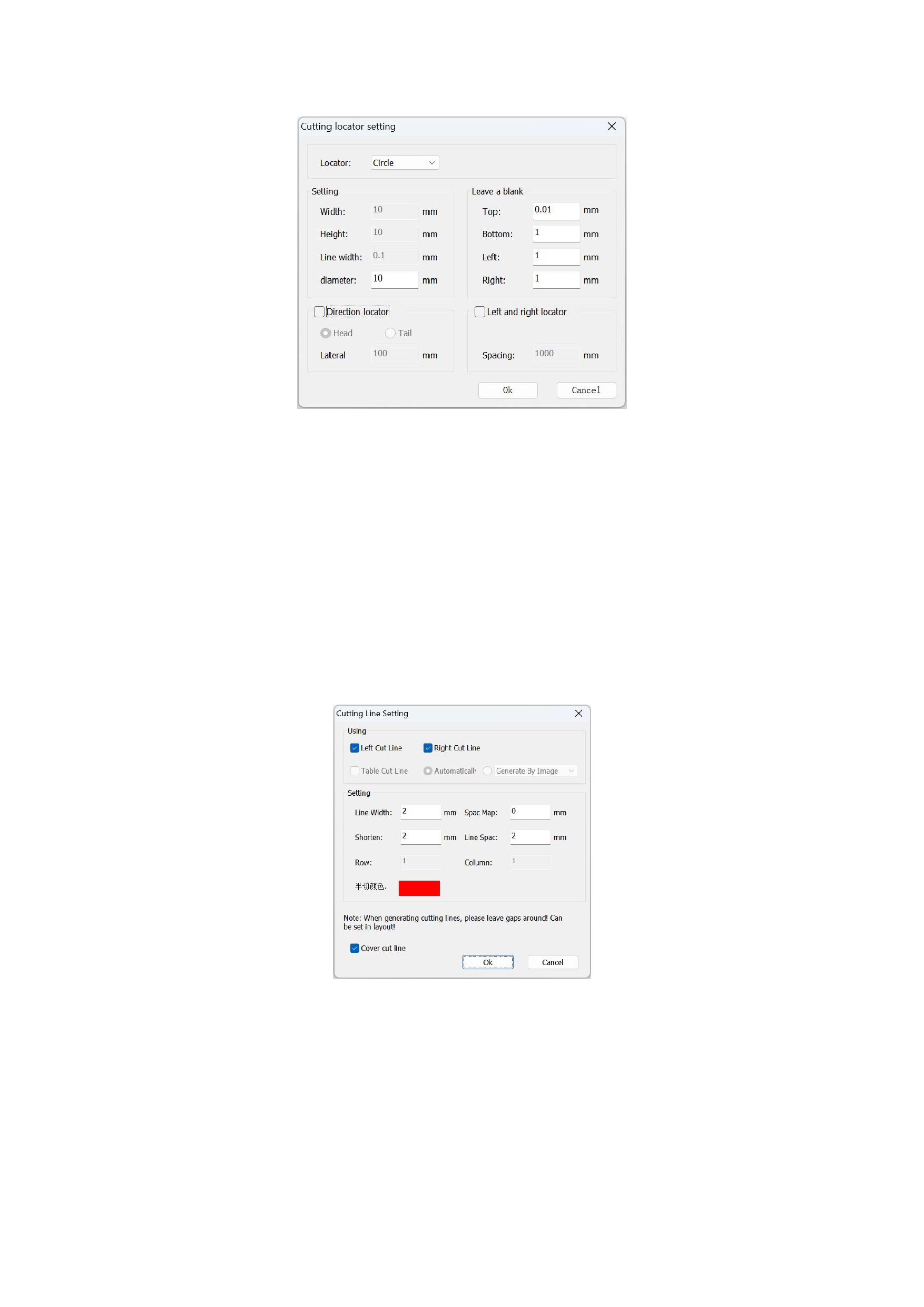
Settings] in the [Tools] of the menu bar.
1)The Locator types are divided into: crosshair, solid circle.
2)The Setting is for the height/width setting of the locator's lines.
3)The Leave a blank is the value of the empty space left by the positioning symbol from the canvas.
4)The Direction Locator can be set to be recognized at the beginning or the end of the canvas.
5)The spacing of the Left and Right Locator is arranged downward until the end of the canvas.
4. Cutting Line Setting
You can also use [Table Cut Line], which generates a rectangular table around the image based on the image's width and
height, and you can set the distance of the lines from the image by yourself.
If you don't need the cut lines later, you can click to enter the cut line settings, check [Clear Cut Line], and click OK to clear
them immediately.
5. Cutter Settings
After the typesetting file is printed, you can send the exported PLT file directly to the cutter through cutter settings.
1)Setting Cutter Communication Parameters
39






























































