






09 Matrix Copy(For Beidou UV Edition only)
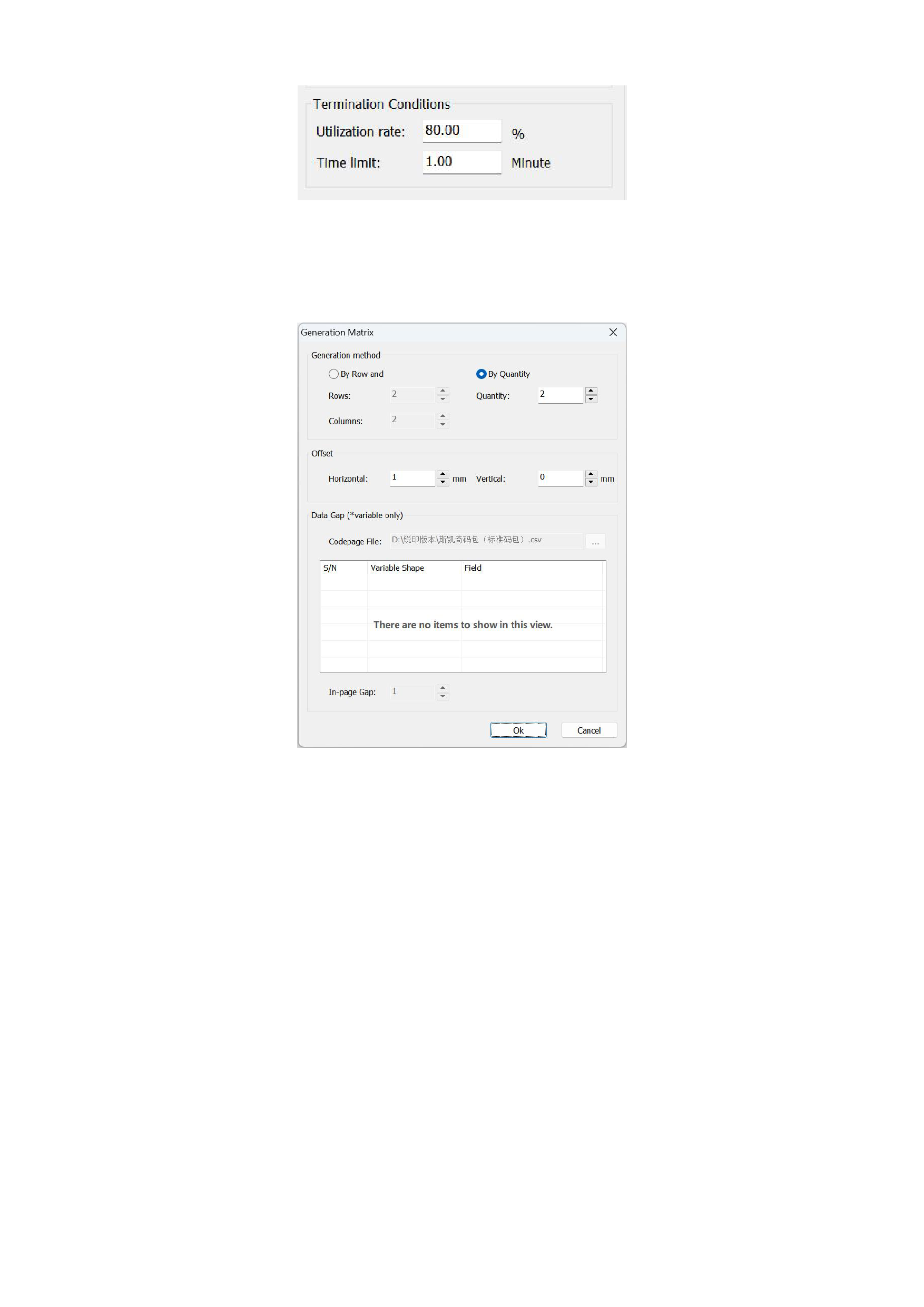
If you need to copy an image multiple times in a matrix, you can click the [Matrix Copy] function in the menu bar, and the
interface is shown in the following figure:
1)Generation Matrix
You can choose to generate the image matrix by rows and columns or by quantity.
2)Offset
You can select the horizontal and vertical spacing of the image offset.
3)Data Gap
Select the code package file that you need to perform matrix copying on, select the fields within it, and set the number of
in-page intervals.
Click [OK] to complete the matrix copying, and you can view the result in the canvas.
52






























































