






Quick Start
01 Installation and Activation
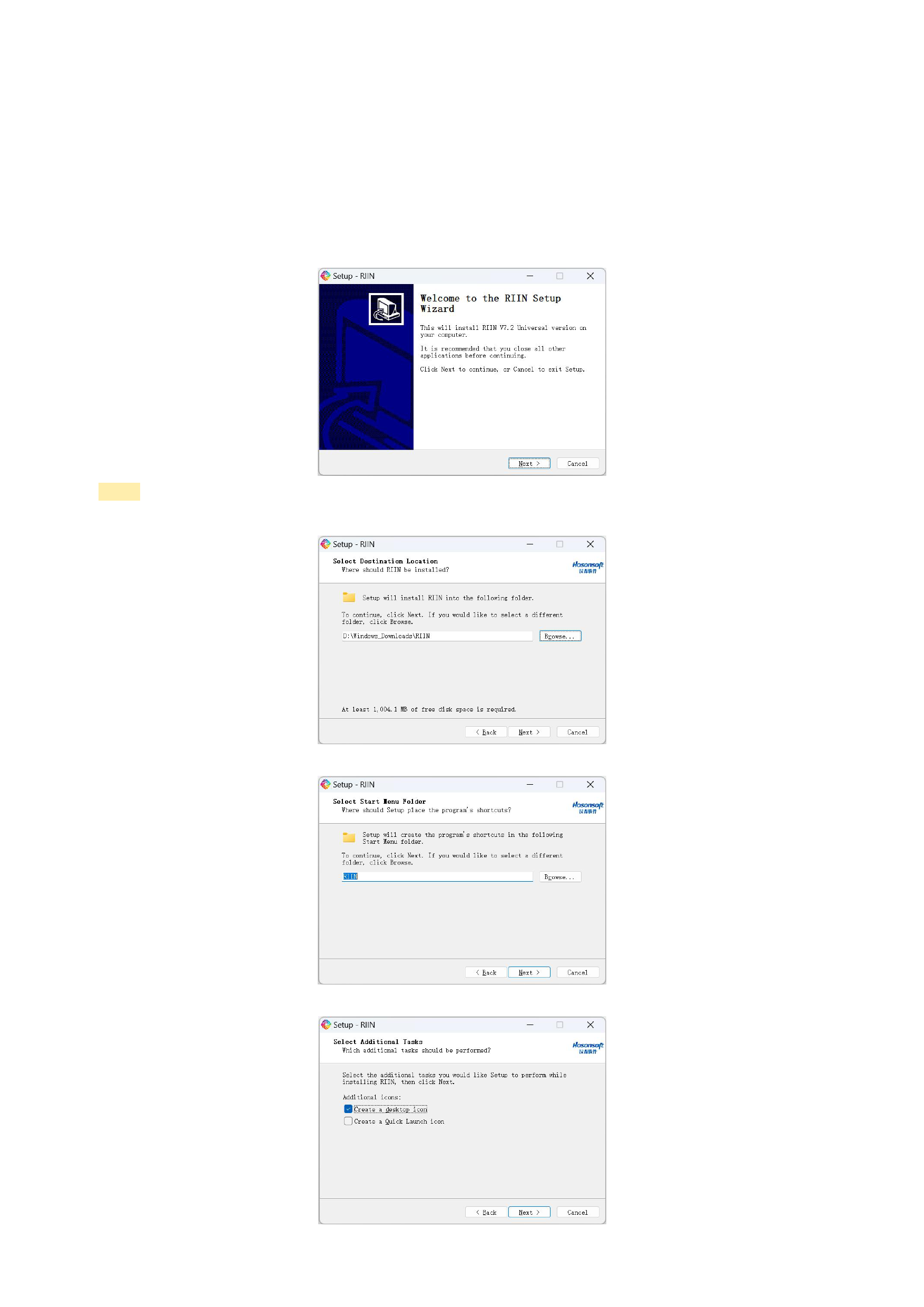
1. Decompress and run the exe file
Decompress the software package into a folder with the same name, run the file with an .exe extension, and select the
language.
2. Install the RIIN software according to the on - screen instructions
Notes:
The disk space for software installation should preferably be more than 2000MB
It is recommended to use the default folder for placing the program shortcut
It is recommended to check the options for creating a shortcut icon and adding it to the Quick Launch
5






























































