






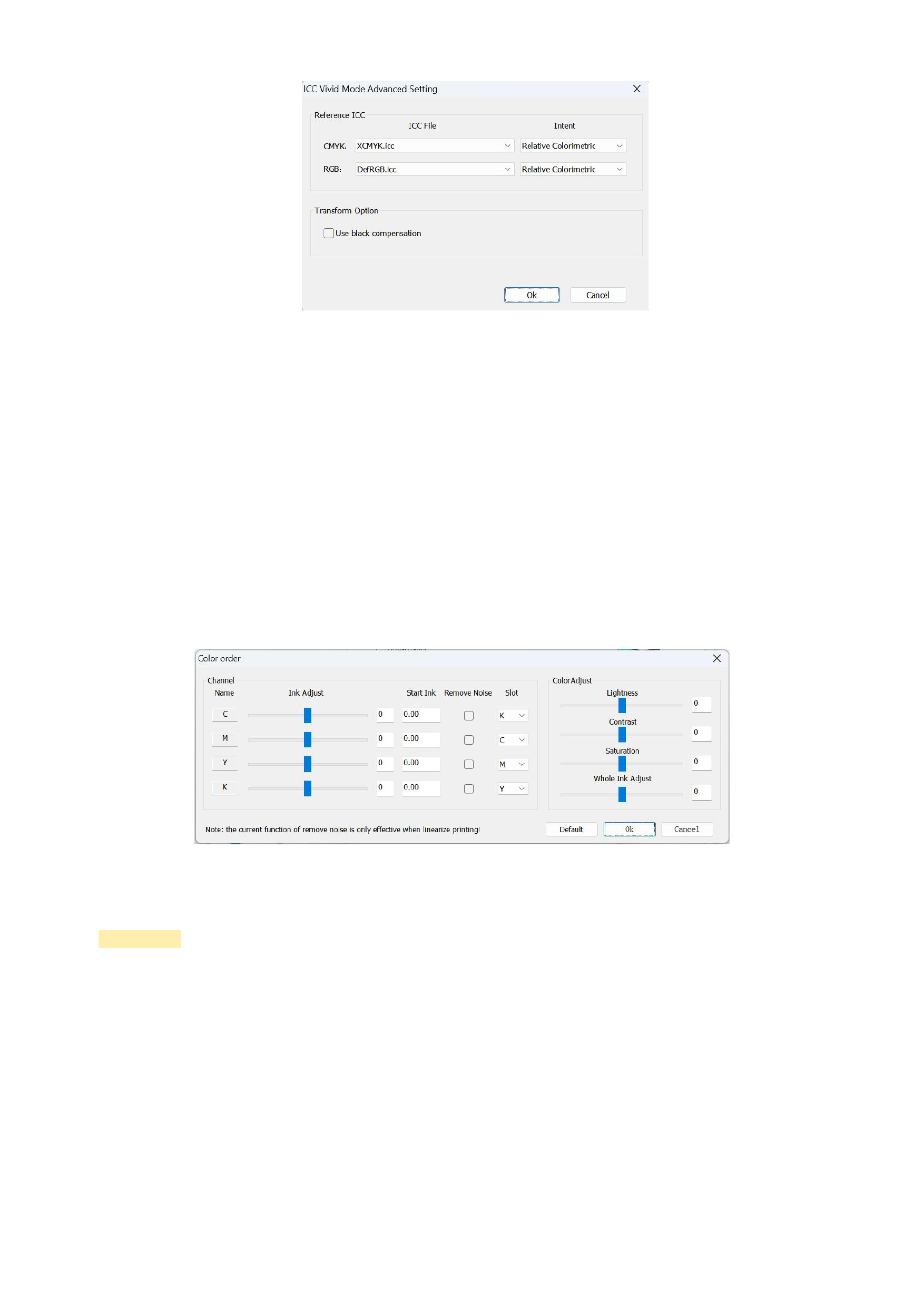
4)Iterative Color Matching:Used when the color matching target has an icc.
5)Color Setting
In the Color order interface, you can change the color order of Slot. This means that you may not be able to change the color
order of the printer nozzle, but the software provides another solution, that is, you can change the slot color order of this
printing scheme here to ensure that you print a satisfactory pattern.
You can decide whether to set the corresponding channels for thickening processing according to the ink you use. You can
also adjust the lightness, contrast, and saturation of image printing here to ensure that you can print a satisfactory image.
Checking the linearization noise removal function can remove other color values of 1 to 2 points in the solid color of the
image in the linearization printing mode.
After the above settings are completed and saved, click [Print], and the image you want to print will be printed according to
your settings.
Precautions:
Setting the slot color order during one printing process does not mean that the same slot color order will be used in another
printing scheme. When you create a new printing scheme, you still need to set the color order again. To avoid errors, it is
recommended that you enter the advanced settings during printing to reconfirm whether the slot color order is the one you have
already set.
55






























































