






You can set the number of horizontal and vertical workstations, the width and height of a single workstation, and the horizontal
and vertical spacing between workstations.
3. Original point coordinate
You can set the position of the origin coordinate at the bottom left or bottom right of the canvas, and the coordinate is the
distance from the canvas in terms of width and height.
4. Frame Settings
You can select the line width and style of the border of a single workstation, and printing the workstation base plate is supported.
5. Image Settings
It supports setting the position of the image in the workstation, and you can choose the horizontal and vertical alignment
methods.
6. Import/Export Template
If you need to reuse the workstation template set this time, you are supported to export it. When you need to use the template
next time, click Import Template, and you do not need to set the corresponding parameters again.
07 Step And Repeat(RIIN Beidou Edition Only)
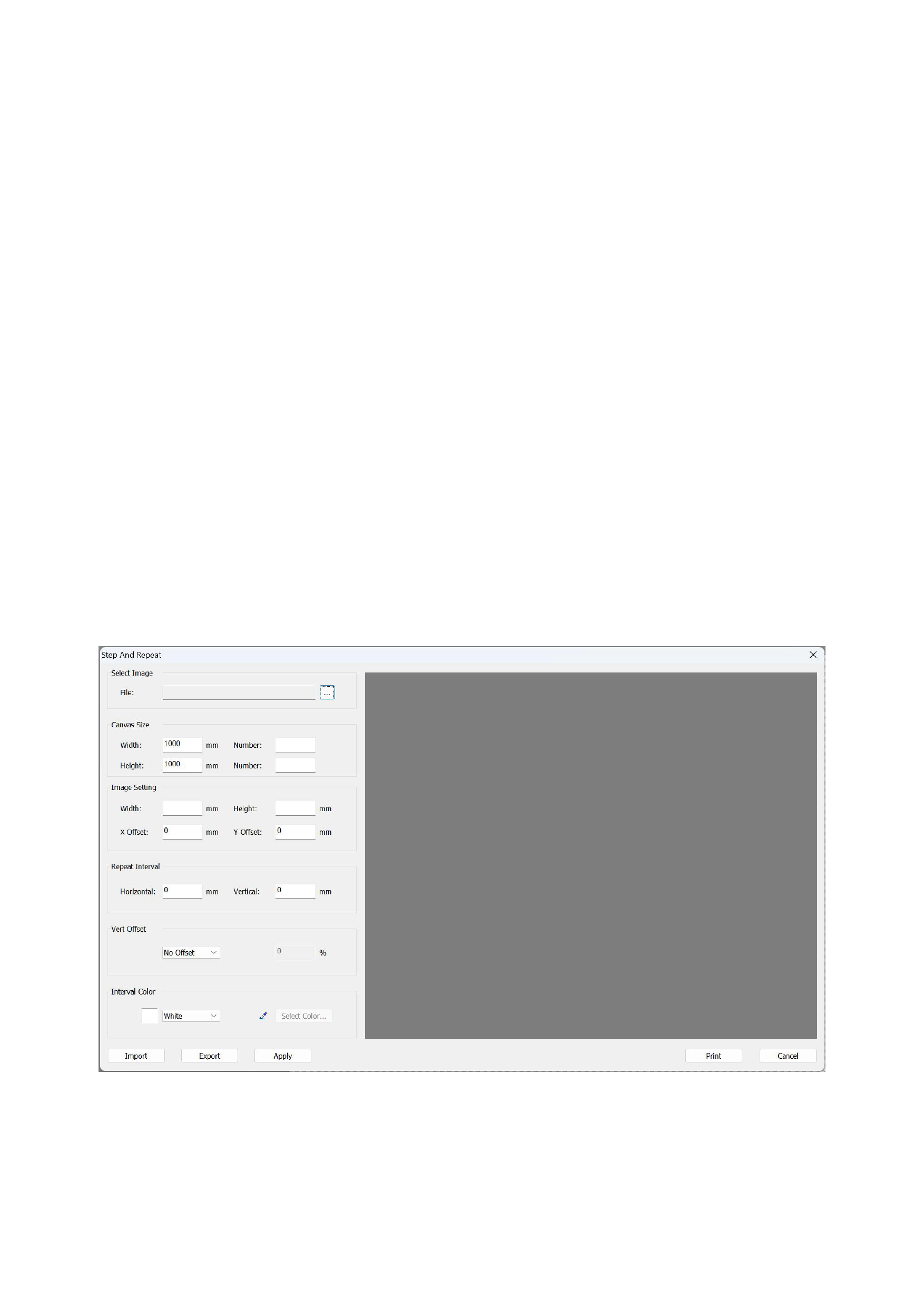
If you need to perform step - and - repeat layout, you can click on "Step - and - Repeat Layout" in the menu bar to enter the
following interface:
1)Select Image
2)Canvas size:Set the size of the canvas according to your needs.
3)Image Setting
49






























































