






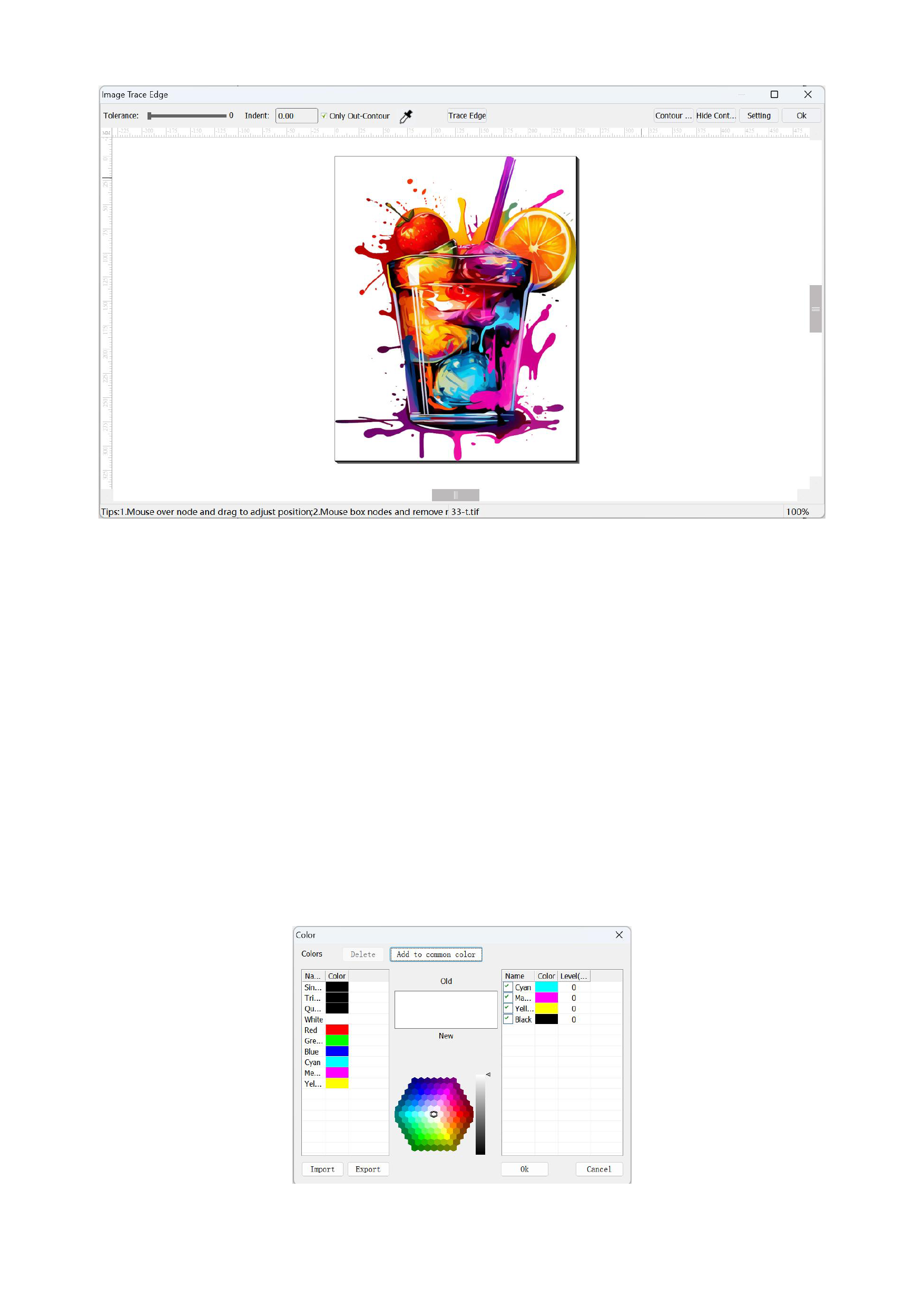
1)You can first use the color picker to select the background color, and the software will draw a thin edge line at the positions
that have a difference from the selected color. You can fine-tune it by adjusting the [Tolerance]. The smaller the tolerance, the
more accurate the edge tracing will be, and the default value is 0.
2)If you have requirements for the distance between the contour line and the image, you can input the [Indent] value you need.
3)After setting the color of the color picker, you can first click [Trace Edge] to view the result of automatic edge tracing, and
then make manual modifications according to your needs.
4)If you do not need to trace internal details, you can check [Only Out-Contour], and the software will not trace the internal
details.
5)You can set the contour color of the edge tracing. Click [Contour Color]. The following color table will appear for you to
choose from:
37






























































