






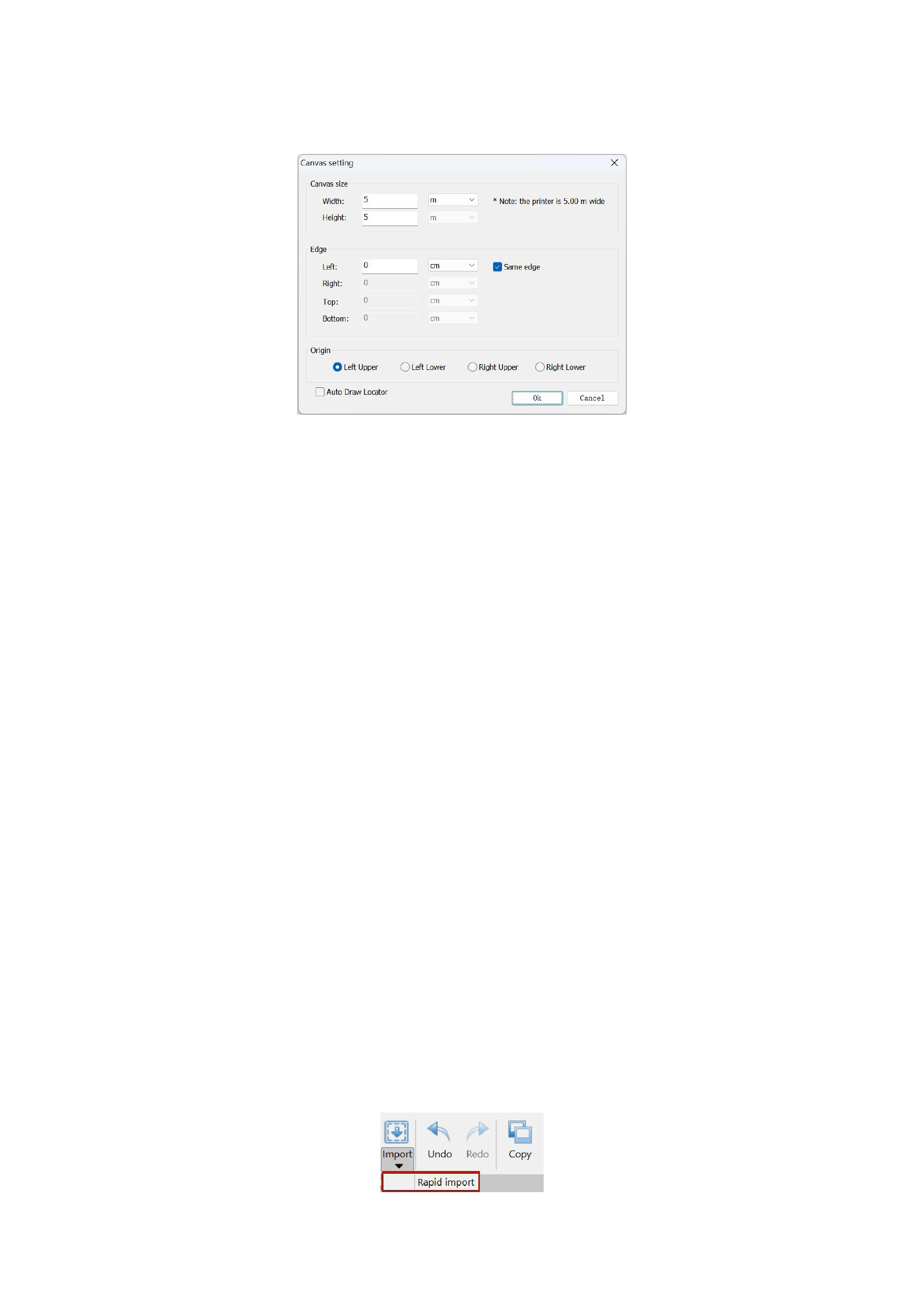
The program pops up a canvas setting pop-up window as shown in the figure below, where you can complete the setting of
relevant parameters for canvas size and canvas margins.
Enter the size of the canvas you want to set in the width and height text boxes, but the set canvas width cannot exceed the
current printer's width. The maximum width of the current printer set in the driver is displayed behind this setting box.
When setting the canvas edge margins, if the margins around are equidistant, you can select equidistant margins, so you only
need to set any one margin value, and the other three will be automatically set to the same value. When setting relevant dimensions,
you can choose the unit of measurement you are accustomed to. The software provides length units such as inches, millimeters,
centimeters, meters, picas, and points.
After setting, click the [OK] button to exit.
4. Create a New Canvas
Click [New] in the menu bar or [New] in the RIIN menu bar to create a canvas that meets the parameter settings from the
previous step.
5. Import Images
After successfully creating an empty canvas, you can add the image a.tif that you are going to print and output onto the canvas.
After adding successfully, you will see the image you added on the canvas.
Importing images supports batch import, and there are three import methods:
1)The [Import] button in the menu bar
2)Right-click the mouse to display the common function menu and select [Import Images].
3)If you need to quickly import multiple images, click the black inverted triangle below the [Import] function in the menu bar,
and the [Rapid Import] function will appear. Click it to use it. The usage method is the same as importing images, except that the
imported images are presented on the canvas in border mode. When importing into the canvas, the display mode of the images is
border mode, and there is no need to load thumbnails, which speeds up the process more.
Setting the Size and Spacing of Imported Images:
18






























































