






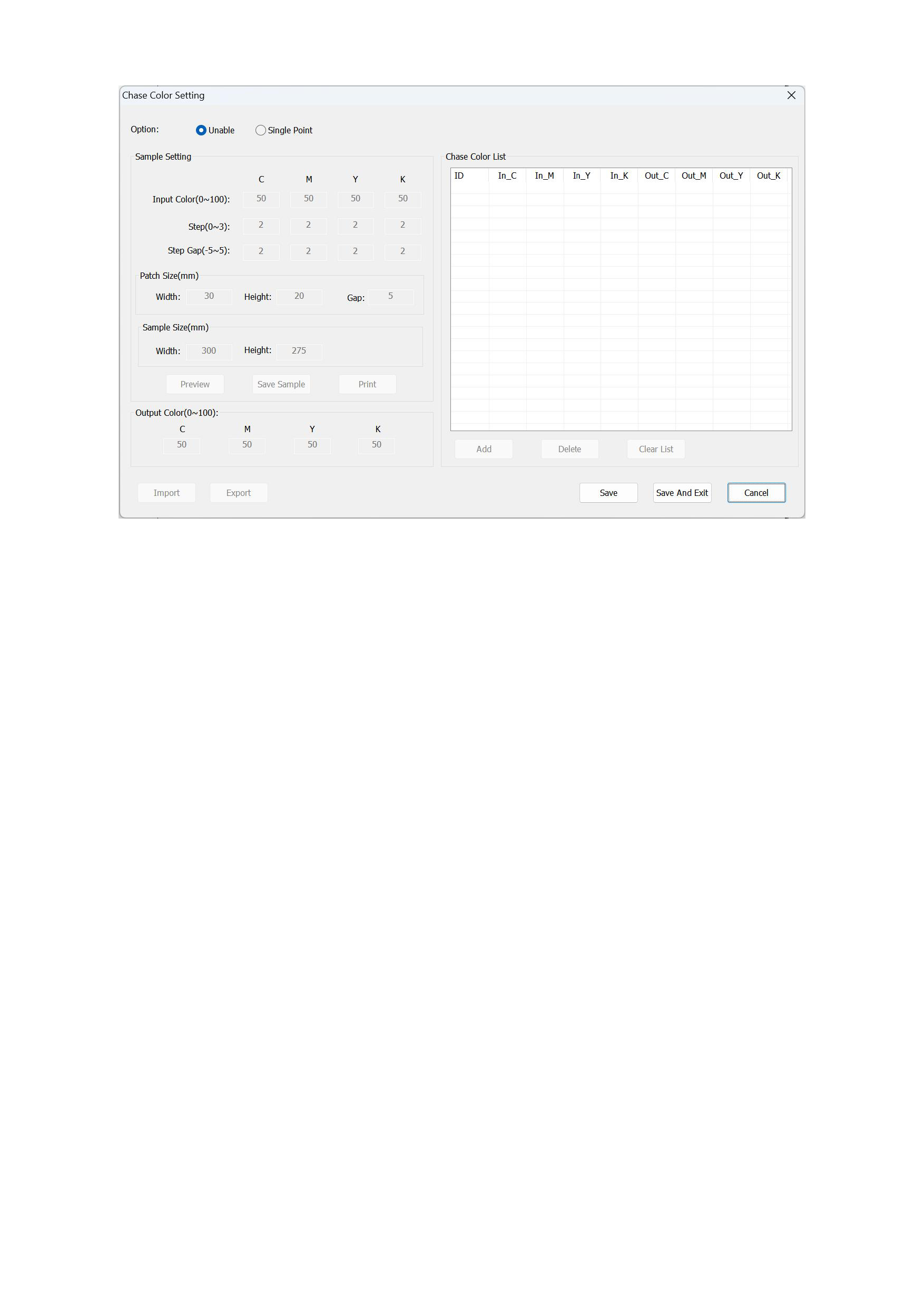
1. Function Introduction
1)Color Matching Options:
When we need to use the color matching function, first select the [Single Point Color Matching] option in the color matching
setting options.
2)Sample Setting:
Input Color:The default value of this option is C:50 M:50 Y:50 K:50, and it can be adjusted within the range of 0 to 100 as
needed, supporting decimal input.
Step(0~5):This option determines how many color patches are generated for color matching comparison. It can be adjusted
within the range of 0 to 100 as needed, and only integer input is supported.
Step Gap(-5~5):This option determines that the difference value of the generated color patches can be added or subtracted
according to the value specified in (-5~5). It can be adjusted within the range of -5 to 5 as needed, and only integer input is
supported.
Patch Size : Set the length, width, and interval of the generated color patch image in this option. The interval is the
horizontal interval between two color patches, and the vertical interval is a fixed value. The default value of the color patch
size is width (30 mm), height (20 mm), and interval (5 mm). The width and height can be adjusted within the range of 1 to
100 as needed, supporting decimal input. The interval can be adjusted within the range of 0 to 20 as needed, supporting
decimal input.
Sample Size:This option sets the overall size of the generated sample image, and only the width can be adjusted. The height
will be automatically calculated and adjusted during the preview of the sample image, and the sample image height cannot
45






























































