






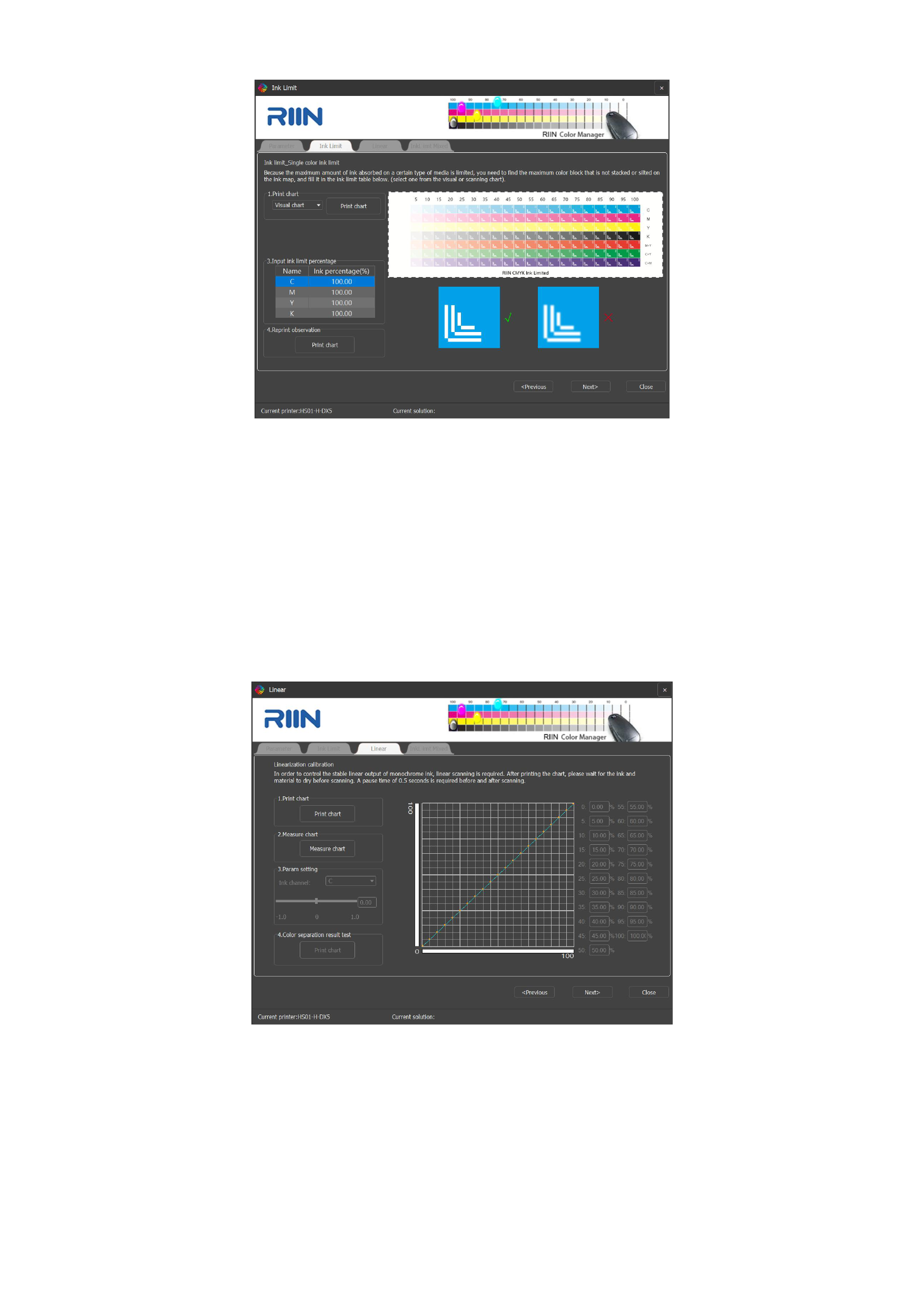
1)Click the [Print chart] button to print the ink volume detection chart.
2)Adjust the ink volume percentage of each channel according to the actual ink volume of each channel in the detection chart.
If the ink volume of a certain channel is too thick, ink cutoff needs to be performed on that channel, and the specific ink cutoff value
is set according to the concentration of each color block in the ink volume detection chart of that channel.
3)After setting, you can choose to reprint the chart for observation.
3. Linear
After completing the monochrome ink cutoff, click Next to enter the linearization interface, as shown in the following figure.
You can operate according to the prompts of the interface steps:
1)Click [Print Chart] to print the calibration chart on the machine. Cut it down after the chart is slightly dry. After the picture
is completely dry, start [Measuring the Chart].
59






























































