






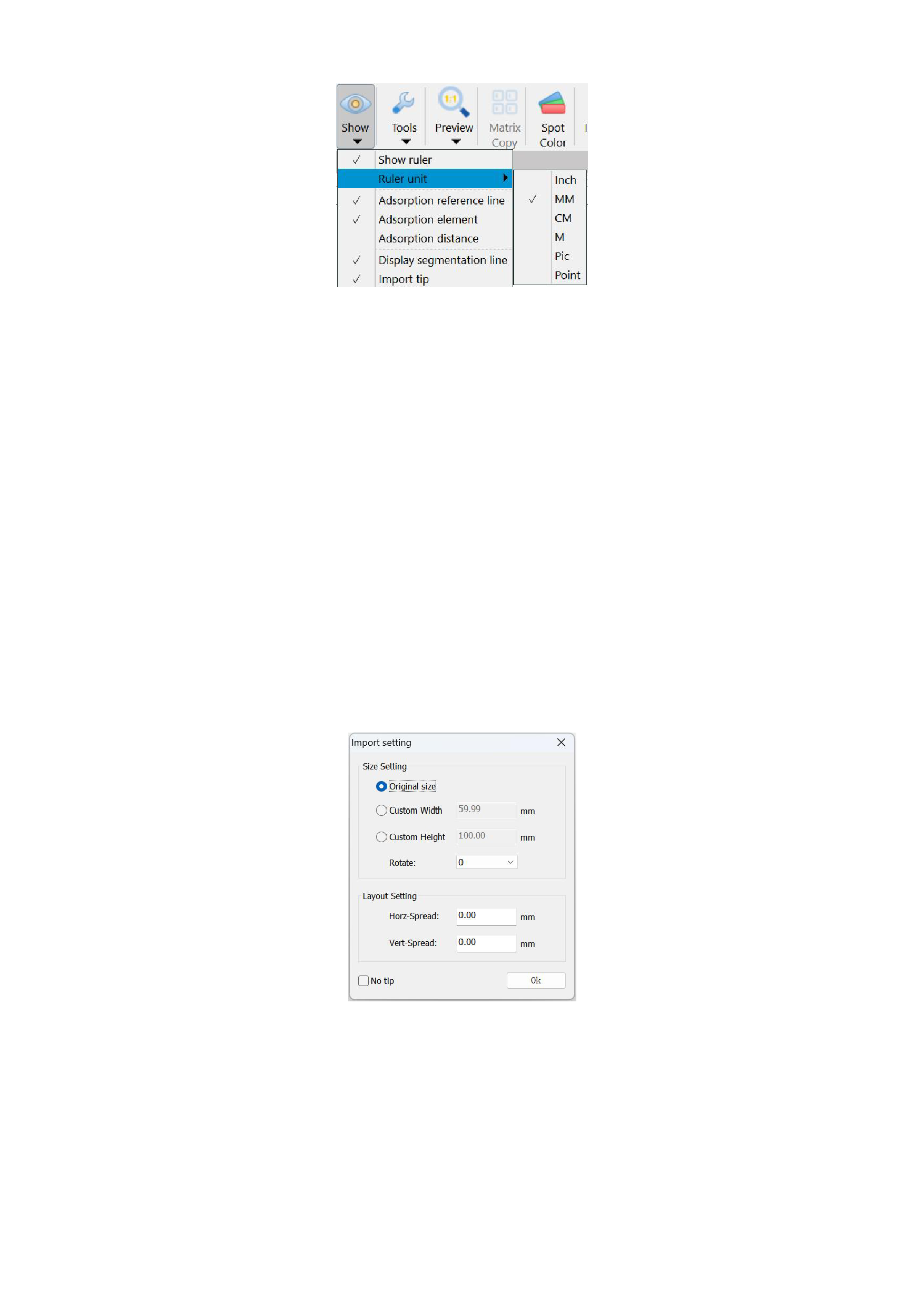
There are six types of ruler scales: inches, millimeters, centimeters, meters, picas, points.
4. Adsorption Reference Line, Adsorption Element, Adsorption Distance
You can select [Adsorption reference line] in the [Show] button in the menu bar. When moving an object (such as a graphic,
text, etc.), the edge or center of the object will automatically snap to these guidelines.
You can also set [Adsorption element]. When an object (graphic element) is moved, its edge or center will automatically snap
to the edge or center of other objects.
You need to set the [Adsorption distance]. The snapping distance refers to the proximity or tolerance range when an object
snaps to a guideline or another object. When the object moves within a certain distance, it will be automatically snapped to the target
position.
5. Import Tip
If you want to keep the original size of the imported images each time, you can select not to display the import image setting
pop-up window in the [Show] button in the menu bar.
After canceling the display of imported images, the following pop-up window will no longer appear when importing images:
You can also check [No Tip] at the lower left of the pop-up window, which has the same effect as the above operation.
6. Display Segmentation Lines, White Background, Transparent Canvas
You can select whether to display dividing lines when segmenting images, whether to display a white background in the canvas
outer area, and whether to display a transparent canvas in the canvas area in the [Show] button in the menu bar.
7. Language
The current RIIN supports 3 languages, namely Simplified Chinese, English, Korean, You can select the corresponding
31






























































