






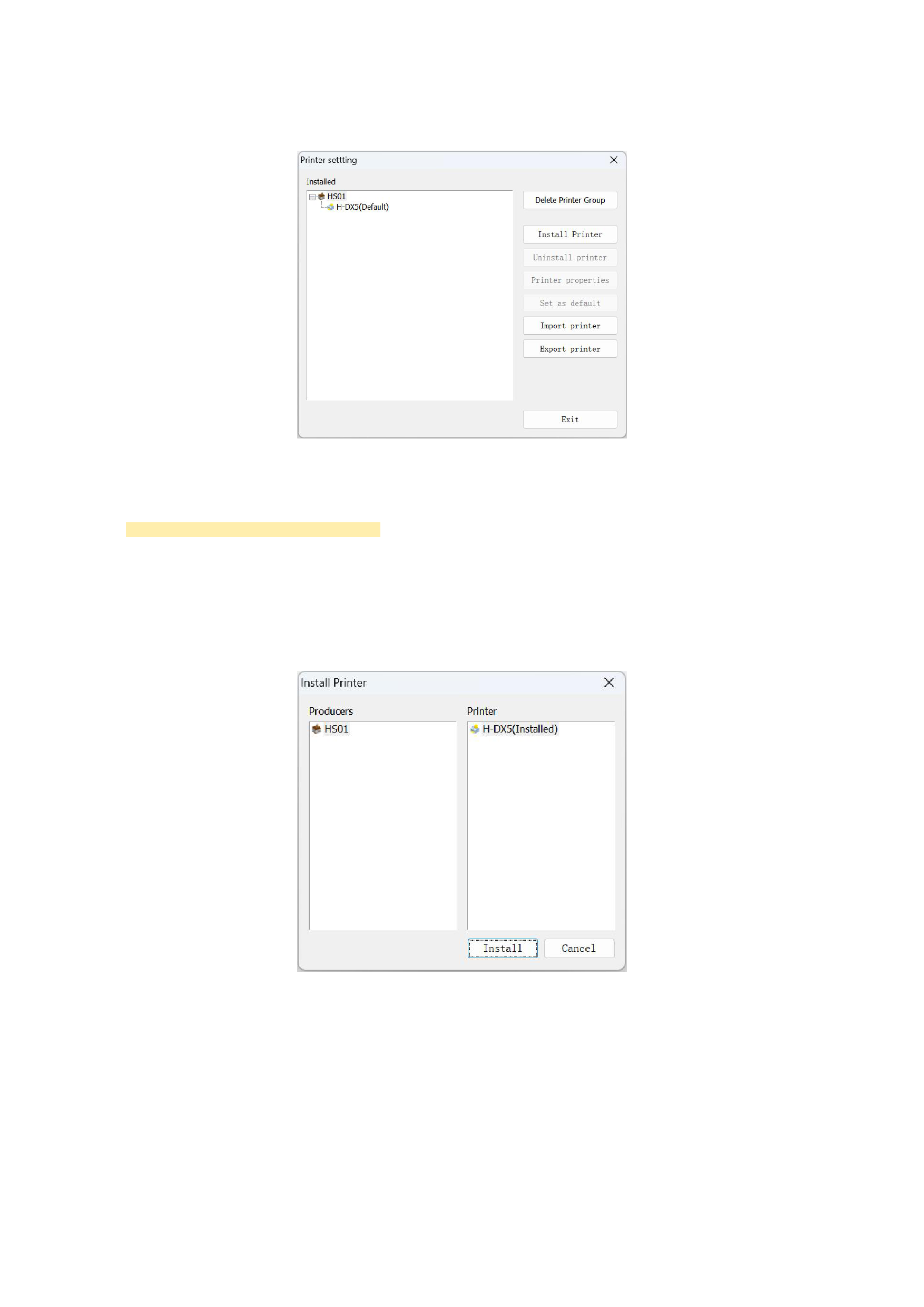
By default, there is already a default printer in the printer list. This is the printer driver that comes with the program, and it
supports the file output port.
Once you have confirmed the default printer, if you do not change any printer driver settings later, you do not need to set
the printer parameters again when using it subsequently, and you can directly proceed to the third step.
Common Functions of Printer Management
1)Installing a Printer:
If there is no printer in the installed printer list that meets your requirements, you can add this printer by yourself. Click the [Install
Printer] button, and the program will pop up the Add Printer dialog box, as shown in the following figure:
Under normal circumstances, if you have officially purchased the RIIN software, the software supplier should have already written
the driver you need. There should be the printer you need in the corresponding manufacturer's printer list. Select it and click the [Install]
button, and the newly added printer will appear in the installed printer list.
2)Uninstalling a Printer:
During your use, if you want to delete a printer from the installed printer list that you no longer use, you only need to select the
printer you don't use and then click the [Uninstall Printer]. After the operation is completed, all information about that printer will be
deleted, so you should perform this operation carefully.
16






























































