






After completing the above operations, use the software normally.
04 Vector Setting
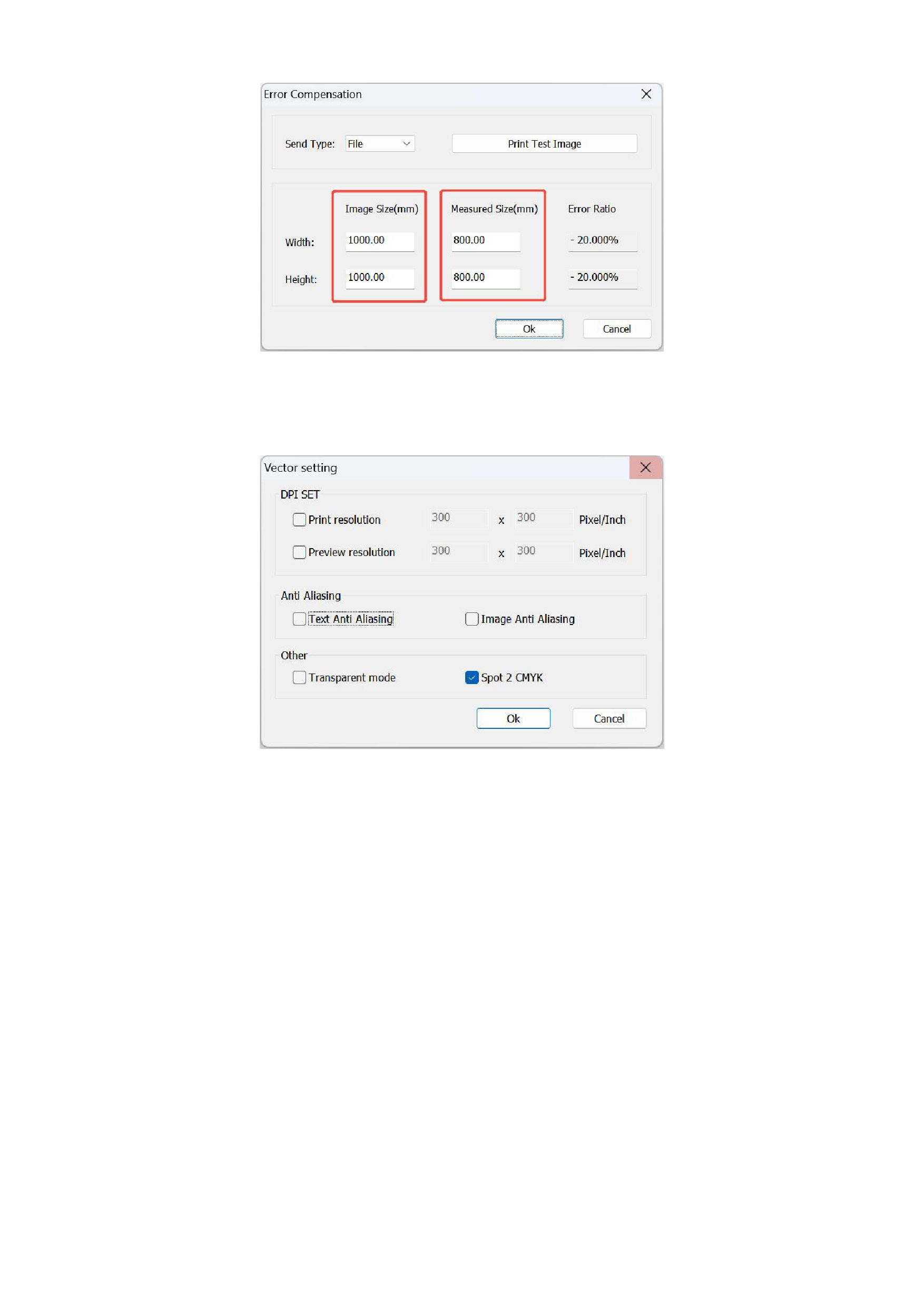
Click the [Vector Settings] in the [Tools] of the menu bar, and the following interface will appear:
This function can set the rendering parameters of vector files (such as PDF\EPS, etc.), and supports settings for printing
resolution, preview resolution, anti-aliasing, and other parameters. If the printing resolution is not set, the resolution for
parsing vector files during printing will use the horizontal and vertical resolutions in the curve scheme.
After checking the [Text Anti Aliasing] option, when parsing vector files, the aliasing of the text in the vector files will be
eliminated;
After checking the [Image Anti Aliasing] option, when parsing vector files, the aliasing of the images in the vector files
will be eliminated; conversely, if not checked, it will not be eliminated.
The [Transparent mode] option is mainly for parsing transparent data included in some vector files.
05 Hot Folder
Hot folder printing means setting an input file path. When you put pictures into this folder, the software can automatically
recognize and detect the pictures in the folder, acquire them, and import and print them according to the set curve, saving you time
on printing steps such as importing pictures and selecting curves. You can select [Hot Folder] in the [Tools] of the menu bar to use
it.
35






























































