






4)ICC:For this function, you first need to select a linearized curve and then regenerate an ICC curve under this curve, print a
test chart, and then measure the chart (it is recommended to use the software's default parameters to generate the ICC file). After
completion, the ICC creation is done. You can also import ICC files generated by other software under this curve for direct use (note
that the ICC file attribute needs to be.ICC, and if it is.ICM, the software does not support it).
5)Average:Average multiple measurement data to reduce measurement errors.
4.Help
Description of the FullColor version number. In the dongle activation license, if your dongle is the Beidou version color
correction dongle, you need to reactivate the dongle with this tool after the color matching usage times are exhausted (contact the
RIIN team). For software license activation, you need to use this tool to activate the computer first when using the closed-loop color
matching function (contact the RIIN team).
Precautions:
Before entering color manager, please confirm that the correct dongle has been inserted into your computer or that the software
has been activated.
02 Linearization
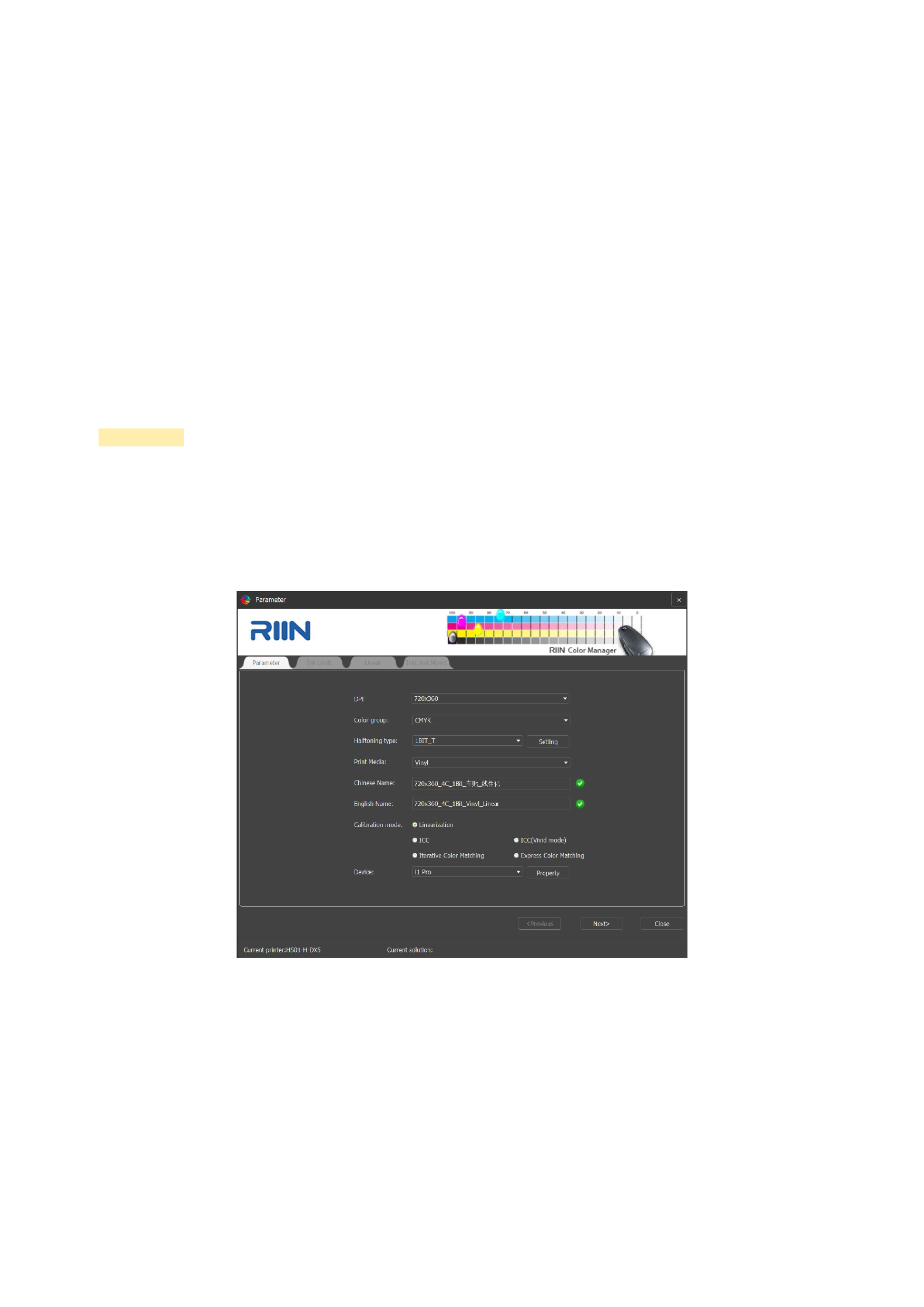
Select the parameter settings of the print curve on the interface, as shown in the following figure:
1.Parameter Settings
1)DPI
Select the actual precision of the curve printing. If the precision you need is not available, you can select [Driver Settings] in
the [Settings] item of the color management interface to add the precision you want.
2)Color Group
The default setting is 4-color CMYK. In case of other multi-spot color situations, you need to add and modify according to the
actual color order.
57






























































