






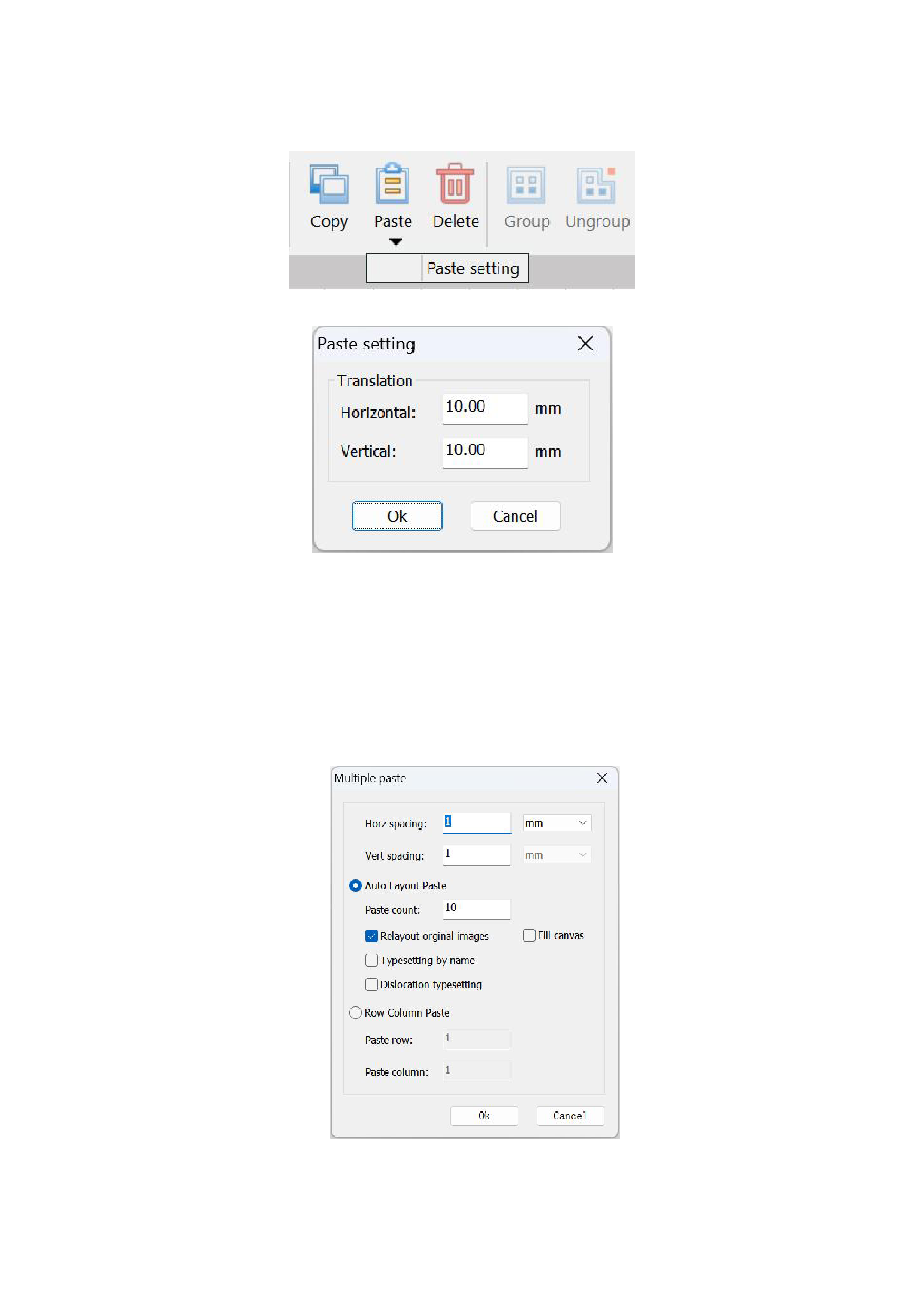
If you need to set the parameters for image tiling, you can click the black inverted triangle below the [Paste] function in the
menu bar, and the [Paste Settings] function will appear.
Click will pop up a pop-up window as shown in the following figure:
You can change the horizontal and vertical distances to set the positional relationship between the copied image and the
original image.
3)Multiple Paste:
After you have completed copying the image and want to paste multiple copies of the same image on the canvas, you can do
this by pasting the image multiple times. Click the [Multiple Paste] button in the right-click menu, and the program will pop up a
dialog box as shown in the following figure:
You need to set the following values here:
Specify the number of images to be pasted. If you select "Fill the entire canvas", the program will paste images onto the
25






























































