




8 136 of RAYCUT CypCut Laser Cutting Control Software (Page 8 / 136) RAYCUT CypCut Laser Cutting Control Software Manual

Page 8 / 136 of RAYCUT CypCut Laser Cutting Control Software Manual

FriendessCypCutLaserCuttingControlSystemUser Manual Version6.5
FriendessCypCutLaserCuttingControlSystem1/103WelcomeThankyoufor usingCypCutlaser cuttingcontrolsystem!CypCutlaser cuttingcontrolsoftwareisdesignedforplanesheetmachiningthatsupportseditingcuttingtechnique,nestingpartsandcontrollingmachiningprocess.Mainfunctionsincludegraphicsprocessing,parameter setting,cuttingprocesscustomization,partsnesting,toolpathplanningandsimulation,andcuttingprocesscontrol.OnlywhenusewithencryptiondogandcontrolcardcanCypCutrealizemachiningcontrol.CypCutwillenter thedemomodewhenrunningonacomputer withoutencryptiondogandcontrolcard.Userscanexecuteallfunctionsexceptrealmachiningcontrol.Therefore,userscaninstallCypCutonalaptopfor pre-machiningdesign.Pleasenotethatthismanualisonlytheoperationinstructionsfor themainprogramofCypCut.For other programsinstalledwithCypCutincludingconfigtoolpleaserefertorelatedmanualorcontactwithusdirectly.ThisdocumentisbasedonCypCut6.3.731.Duetocontinuousupdatingofprogramfunctions,theCypCutyouusemaydifferinsomerespectsfromthestatementinthismanual.If youhaveanyquestionor adviceinusageof ourproducts,welcometocontactus.
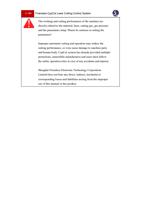
2/103FriendessCypCutLaserCuttingControlSystemTheworkingandcuttingperformanceof themachinearedirectlyrelatedtothematerial,laser,cuttinggas,gaspressureandtheparameterssetup.Pleasebecautiousinsettingtheparameters!Improper parameter settingandoperationmayreducethecuttingperformance,or evencausedamagetomachinepartsandhumanbody.CypCutsystemhasalreadyprovidedmultipleprotections,meanwhilemanufacturesandusersmustfollowthesafetyoperationrulesincaseofanyaccidentsandinjuries.ShanghaiFriendessElectronicTechnologyCorporationLimiteddoesnotbear anydirect,indirect,incidentalor correspondinglossesandliabilitiesarisingfromtheimproper useof thismanualor thisproduct.
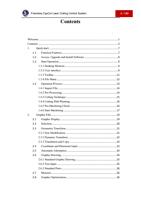
FriendessCypCutLaserCuttingControlSystem3/103ContentsWelcome....................................................................................................................1Contents.....................................................................................................................31.Quick start.....................................................................................................71.1FunctionFeatures..................................................................................71.2Access,UpgradeandInstallSoftware.................................................81.3StartOperation.......................................................................................91.3.1DesktopShortcut..............................................................................91.3.2User interface...................................................................................91.3.3Toolbar............................................................................................111.3.4FileMenu........................................................................................121.4OperationProcess................................................................................131.4.1ImportFile......................................................................................141.4.2Pre-Processing................................................................................141.4.3CuttingTechnique..........................................................................151.4.4CuttingPathPlanning....................................................................161.4.5Pre-MachiningCheck....................................................................161.4.6StartMachining..............................................................................172.GraphicEdit................................................................................................192.1GraphicDisplay...................................................................................192.2Selection...............................................................................................202.3GeometricTransform..........................................................................212.3.1SizeModification...........................................................................212.3.2DynamicTransform.......................................................................222.3.3TranslationandCopy.....................................................................232.4CoordinateandParameter Input.........................................................232.5AutomaticAdsorption.........................................................................242.6GraphicDrawing.................................................................................242.6.1StandardGraphicDrawing............................................................252.6.2TextInput........................................................................................252.6.3StandardParts.................................................................................262.7Measure................................................................................................262.8GraphicOptimization..........................................................................26
4/103FriendessCypCutLaserCuttingControlSystem2.8.1Smooth............................................................................................272.8.2Split.................................................................................................272.8.3RemoveTrivial...............................................................................282.8.4RemoveDuplication......................................................................282.8.5CombineNear.................................................................................282.8.6Chop................................................................................................282.8.7PlateSeparate.................................................................................292.9View.....................................................................................................292.9.1NodeEdit........................................................................................293.GraphicTechniqueandTools.....................................................................313.1LeadLine.............................................................................................313.1.1DistinguishInnerandOuter Contour............................................313.1.2AutomaticLeadLine......................................................................323.1.3Manual-setLeadLine....................................................................333.1.4CheckLeadLine............................................................................333.1.5Overcut,Gap,SealandMulti-cut.................................................343.2SeamCompensation............................................................................343.3Micro-joint...........................................................................................353.4CoolingPoint.......................................................................................363.5RingCut...............................................................................................373.6Fillet/Release.......................................................................................383.7Group....................................................................................................393.7.1Sortingof Group............................................................................403.7.2Machiningof Group.......................................................................403.8FlyingCut............................................................................................403.9Co-edge................................................................................................433.9.1AutomaticAbsorb...........................................................................433.9.2Co-edgewithCompensation.........................................................443.10Bridge...................................................................................................443.11Array....................................................................................................453.11.1Rectangular Array........................................................................453.11.2ManualArray................................................................................463.11.3Circular Array...............................................................................463.11.4FullFill.........................................................................................473.12QuantityModify..................................................................................473.13Cuttingtechnique................................................................................493.13.1ParametricDescription................................................................50
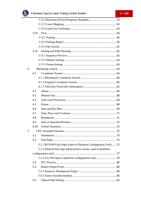
FriendessCypCutLaserCuttingControlSystem5/1033.13.2Real-timePower/FrequencyRegulate........................................533.13.3LayerMapping.............................................................................543.13.4LeadLineTechnique....................................................................543.14Nest.......................................................................................................563.14.1Nesting..........................................................................................563.14.2NestingReport..............................................................................593.14.3FileSwitch....................................................................................613.15SortingandPathPlanning...................................................................613.15.1SequencePreview........................................................................623.15.2ManualSorting.............................................................................623.15.3GroupSorting...............................................................................634.Machiningcontrol.......................................................................................644.1CoordinateSystem..............................................................................644.1.1MechanicalCoordinateSystem.....................................................644.1.2ProgramCoordinateSystem..........................................................654.1.3FindZeroPointafterInterruption.................................................654.2Alarm....................................................................................................664.3ManualTest..........................................................................................684.4SoftLimitProtection...........................................................................694.5Frame....................................................................................................694.6StartandDryRun................................................................................694.7Stop,PauseandContinue...................................................................714.8Breakpoint............................................................................................714.9StartatSpecifiedPosition...................................................................724.10GlobalParameter.................................................................................725.CNC AssistantFunction.............................................................................755.1Simulation............................................................................................755.2FindEdge.............................................................................................755.2.1BCS100FindEdge(OpeninPlatformConfigurationTool).......755.2.2Infraredfindedge(photoelectricsensor,openinplatformconfigurationtool)...........................................................................................775.2.3CutOff(openinplatformconfigurationtool)..............................795.3PLC Process.........................................................................................805.4ReturnOriginPoint.............................................................................805.4.1ReturntoMechanicalOrigin.........................................................805.4.2GantrySynchronization.................................................................805.5OpticalPathSetting.............................................................................81
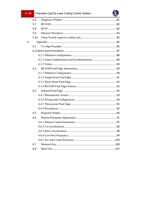
6/103FriendessCypCutLaserCuttingControlSystem5.6DiagnosisWindow..............................................................................815.7BCS100................................................................................................825.8QCW....................................................................................................825.9MeasureDeviation..............................................................................835.10CleanNozzle(openinconfigtool)....................................................836.Appendix.....................................................................................................856.1Co-edgeExample................................................................................856.2Gantry Synchronization.............................................................................876.2.1PlatformConfiguration..................................................................886.2.2GantryInitializationandSynchronization....................................896.2.3Notice..............................................................................................906.3BCS100FindEdgeInstructions.........................................................906.3.1PlatformConfiguration..................................................................906.3.2SinglePointFindEdge..................................................................916.3.3Three-PointFindEdge...................................................................926.3.4BCS100FindEdgeNotices...........................................................926.4InfraredFindEdge..............................................................................936.4.1PhotoelectricSwitch......................................................................936.4.2WiringandConfiguration..............................................................946.4.3Three-pointFindEdge...................................................................956.4.4Precautions......................................................................................956.5RegionalOutput...................................................................................966.6MotionParameter Adjustment............................................................976.6.1MotionControlParameter.............................................................976.6.2CutAcceleration.............................................................................986.6.3MoveAcceleration.........................................................................986.6.4LowPassFrequency......................................................................996.6.5ArcandCornerPrecision.............................................................1006.7ShortcutKey......................................................................................1006.8BurnTest............................................................................................101
FriendessCypCutLaserCuttingControlSystem7/1031.Quickstart1.1FunctionFeaturesSupportAI,DXF,PLT,Gerber,LXDfileformat,andstandardGcodecreatedbyMaster Cam,Type3,ARTCUTetc.Supportfileoptimizationincludes:removeduplicates,connectunclosedsegments,removeminimalgraphicanddistinguishinnerandoutercontour andsetmachiningsequenceautomatically.Abovefunctionscanbecustomizedor executedmanually.Supportgraphiceditfunctions,includingzooming,translation,mirror,rotation,alignment,replication,combination,etc.Supportsetleadline,cutseamcompensation,micro-joint,bridge,inner/outercut,sealetc.Automaticallydistinguishinner andoutercontour thendeterminethecompensationdirectionandchecktheleadline.Supportcurvesplit,mergeandsmooth;transfertexttocurve;partscombinationandexplodeetc.Automaticnestingcancreateco-edgeandremnantplate.Userscanfilltheplatebyarrayfunction.Flexiblesortingfunctions.Userscangroupthegraphicstolockthecuttingsequence.Previewthecuttingsequence.Quicksetflycutpath.Supportvariouspiercingmethodsincludingsegmentedpierce,incrementalpierce,pre-pierce,grouppre-pierce.Userscanalsosetseparateparametersofpierceandcuttingincludinglaserpower,frequency,gas,pressure,peakpower,delay,cutheightetc.Real-timefrequencyandpower curveediting.Setslowstartparameters.
8/103FriendessCypCutLaserCuttingControlSystemPowerfulmateriallibraryfunctionallowsallprocessparameterstobesavedfor reuseofthesamematerial.Breakpointmemorywhenmachininginterrupted.Anduserscanselectresumepositionbeforeor after breakpoint.Supportmachiningselectedgraphic.Userscanlocatetospecifiedpositioninstoporpausestatusandresumemachining.Supportroundtubeandplanesheetcutting;Supportintersectinglinecutting.Supportcuttingatfixedheightandlaser headfollowsinfromoutsideplate.1Supportvariousfindedgemethodswithhighprecision.Powerfulexpansioncapacitywith30PLC,morethan50programmableprocesses.2Supportprogrammableinputandoutputport,andalarminput2.Supportremotecontrolof thesystemthroughwirelessoperator andethernet.31.2Access, Upgrade andInstallSoftwareYoucancontactthesupplier togetthesoftwareordirectlydownloadonFriendesscompanywebsitewww.fscut.com.Beforeinstallation,checkyour systemmeetsthefollowingconfigurationrequirements:Win7andaboveoperatingsystem.CPUI3andabove.Atleast4GBmemory.1ThisfunctionrequiresBCS100controller.2Thisfunctionrequirestrainedprofessionalsandpasswordcredential givenbymanufacture.3Necessaryhardwarerequired.
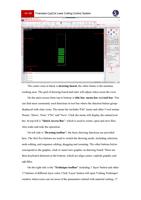
FriendessCypCutLaserCuttingControlSystem9/103VGAdisplayover 15incheswithresolution1280*1024isrecommended.32-bittruecolor displayisrecommended.Atleast2USB interfaces.If your operatingsystemisbasedonVista(includingWindowsVista,Windows7,Windows8,Windows2008Server),trytoruninadministrator toavoidpossibleerrors.Aftercheckingtherunningenvironmentyoucandirectlyinstallthesoftware.UnderVista-basedoperatingsystemsit'srequiredtorunasadministrator.Toavoidprogramfilesmodifiedduringinstallationandensurealldriversinstalledproperly,pleasecloseanti-virussoftwarelike360securityguards.Notice:360securityguardcannotensurethatthereisnovirusonthecomputer.Ifthecomputer hasbeeninfectedbythevirus,and360securityguardisrunning,itmaypromptCypCuttobeavirus,whichmayleadtoCypCutcannotworkproperly.1.3Start Operation1.3.1DesktopShortcutAfterinstallation,theiconwillappear onthedesktop.Double-clickcanruntheCypCutlasercuttingcontrolsoftware.If youareusingBMC1204or BMC1205PCI controlcard,pleasecheckwhether theencryptiondoghasinsertedintotheUSB portandrunningnormally.Ifsoftwaredogdetectionfailedsoftwarewillenter intodemomode.If youareusingBMC16**andabovecontrolcard(likeBMC1604,BMC1605,BMC1805card),theencryptiondoghasbeenbuiltinthecontrolcardalreadynoneedseparatedog.1.3.2User interface
    "

Do you need help?

Call Me Back
    "

Do you need help?

Call Me Back
    "

Do you need help?

Call Me Back