GigE Area Scan Camera User Manual
Contents
Chapter 1 Safety Instruction ...........................................................................................................1
1.1 Safety Claim ........................................................................................................................1
1.2 Safety Instruction ...............................................................................................................1
1.3 Electromagnetic Interference Prevention.......................................................................3
Chapter 2 Overview...........................................................................................................................4
2.1 Introduction .........................................................................................................................4
2.2 Key Feature..........................................................................................................................4
Chapter 3 Appearance ......................................................................................................................5
Chapter 4 I/O Connector and Indicator..........................................................................................9
4.1 Power and I/O Connector..................................................................................................9
4.1.1 6-Pin P7 Connector ................................................................................................9
4.1.2 12-Pin P10 Connector..........................................................................................10
4.2 Indicator.............................................................................................................................11
Chapter 5 Installation .....................................................................................................................13
5.1 Installation Preparation...................................................................................................13
5.2 Install Device .....................................................................................................................13
Chapter 6 Device Connection........................................................................................................14
6.1 Install MVS Client Software............................................................................................14
6.2 Set PC Environment .........................................................................................................15
6.2.1 Turn off Firewall ....................................................................................................15
6.2.2 Set PC Network .....................................................................................................15
6.3 Set Device Network ..........................................................................................................17
6.4 Connect Device to MVS Client Software ......................................................................18
Chapter 7 Client Software Layout.................................................................................................19
Chapter 8 Device Feature...............................................................................................................22
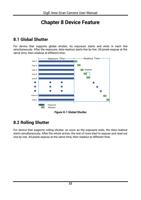
8.1 Global Shutter ...................................................................................................................22
8.2 Rolling Shutter ..................................................................................................................22
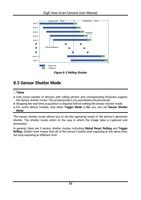
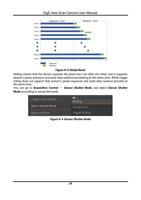
8.3 Sensor Shutter Mode .......................................................................................................23
8.4 Non-Overlap Exposure and Overlap Exposure.............................................................25
iv