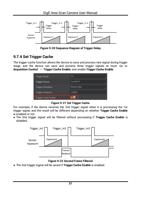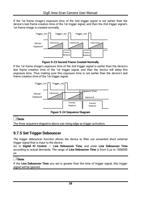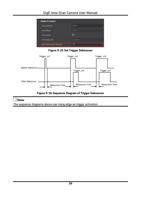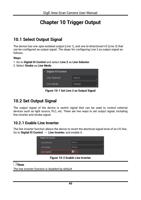
GigE Area Scan Camera User Manual
Chapter 9 Image Acquisition
9.1 Set Frame Rate
Note
The image compression function may differ by device models
Frame rate refers to the image number that is acquired by the device per second. The
higher frame rate, and shorter time used for image acquisition will be. The following five
factors determine the device’s frame rate in real-time.
● Frame readout time: The frame readout time is related with device’s sensor
performance and image height. The lower the image height and less the frame readout
time, and the higher the frame rate will be.
● Exposure time: If the reciprocal of max. frame rate that the device supports is t, and
when the configured exposure time is larger than t, the less the exposure time, the
higher the frame rate will be. When the configured exposure time is less than or equal to
t, exposure time will not influence the frame rate.
● Bandwidth: The larger the bandwidth, the higher the frame rate will be.
● Pixel format: The more bytes pixel format occupy, the lower the frame rate will be.
● Image compression mode: This function is used to compress data before transmitting
to the PC, and increase the frame rate to some extent.
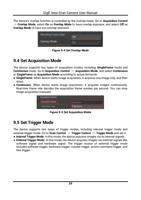
Steps
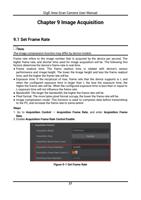
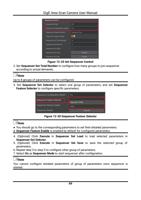
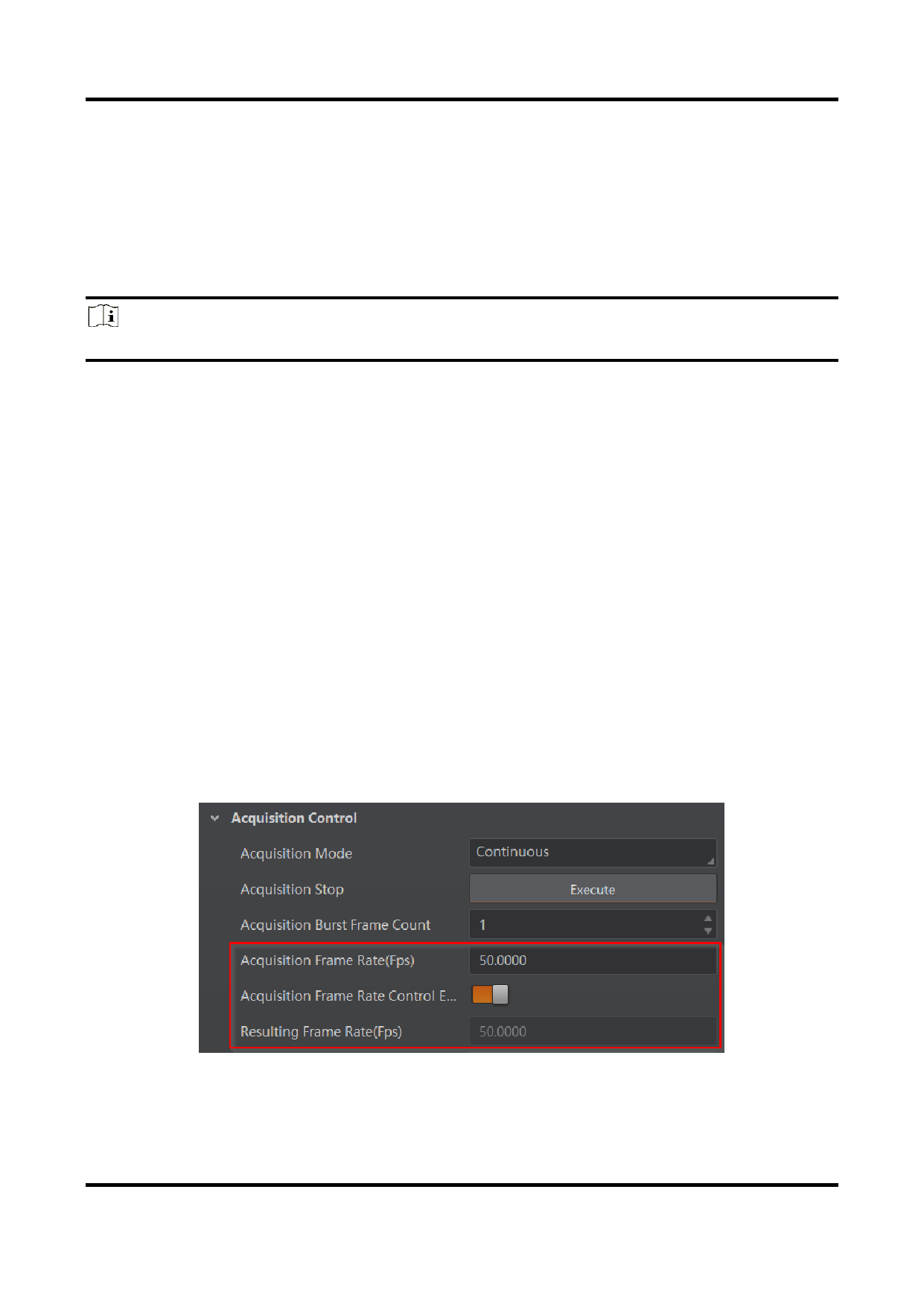
1. Go to Acquisition Control → Acquisition Frame Rate, and enter Acquisition Frame
Rate.
2. Enable Acquisition Frame Rate Control Enable.
Figure 9-1 Set Frame Rate
27