






Shanghai Fangling Computer Software co., Ltd
There is no need to generate G90 or G91 code segments in the current system,
so “G90=G90” and “G91=G91” can be modified to “G90=” and “G91=”. Please do
not change the red bold segments.
Some index segments have the following words“可根据需要增加或删除
行”which means “add or remove rows as needed”. Users can add new control fields
under the current index.
For example:
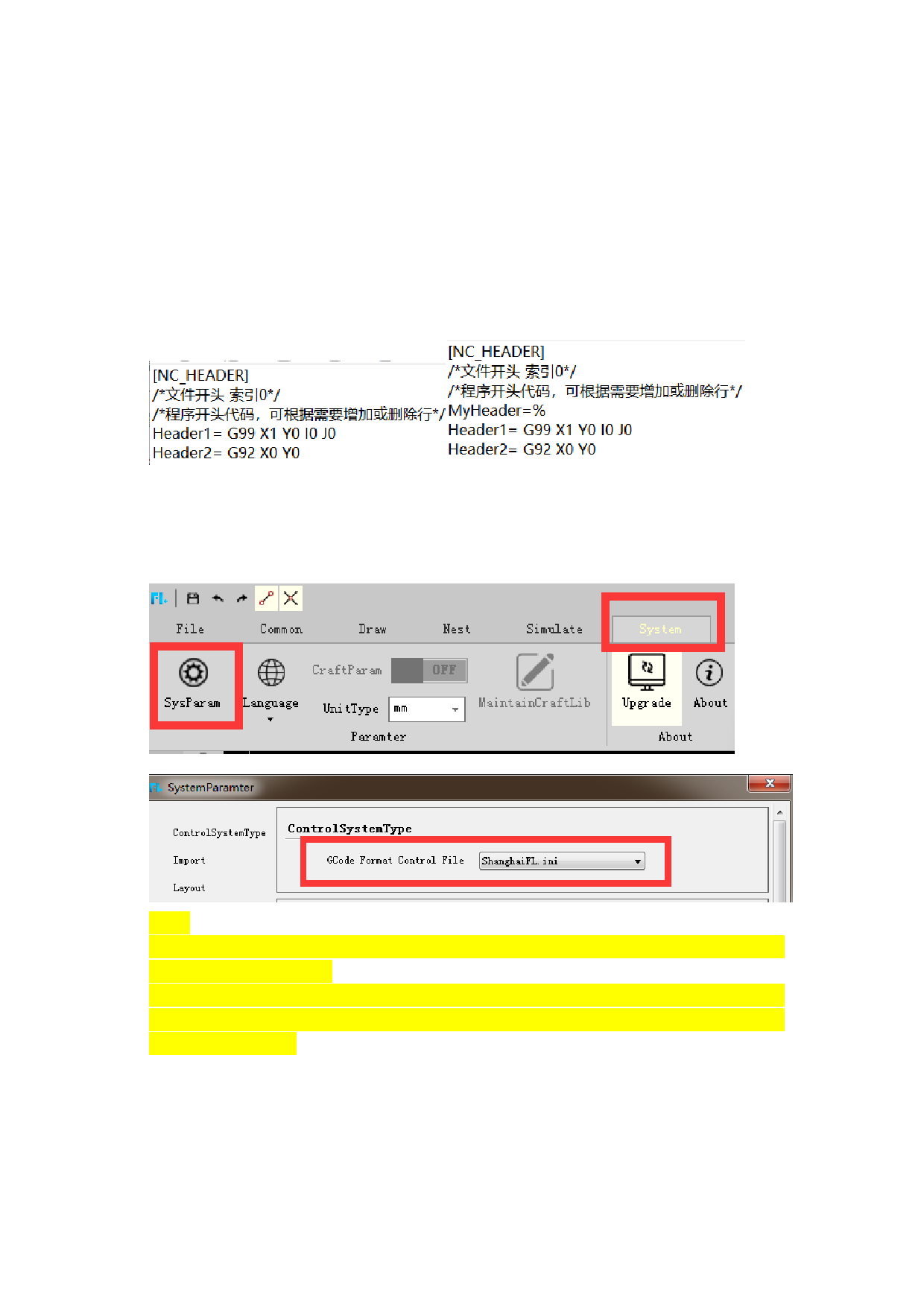
The current generated code terminal is “%”“G99 X1 Y0 I0 J0”“G92 X0 Y0”. The
contents of index 1 can be modified as follows:
Before
After
After the modification of the ini file, please copy to the System folder of the
installation path. When generating G code for the first time, select “G code format
control file” in the “System-System parameters” interface.
Note:
1. Improper modification may cause wrong generation G code. Please contact the
developer for assistance.
2. Improper modification may cause the generated G code to be unable to be
recognized by the current control system or cut correctly. Our company is not
responsible for this.
89






































































































