






Shanghai Fangling Computer Software co., Ltd
They can help to quickly shift sequence of selected
contours. It is suggested to tick “order” and “move path” in the display to make it
more convenient to observe the path.
Two ways to manual sort:
1. Click all the parts according to the needed sequence. The sequence will be
sorted according to the order users click.
2. Sort manually from anywhere.
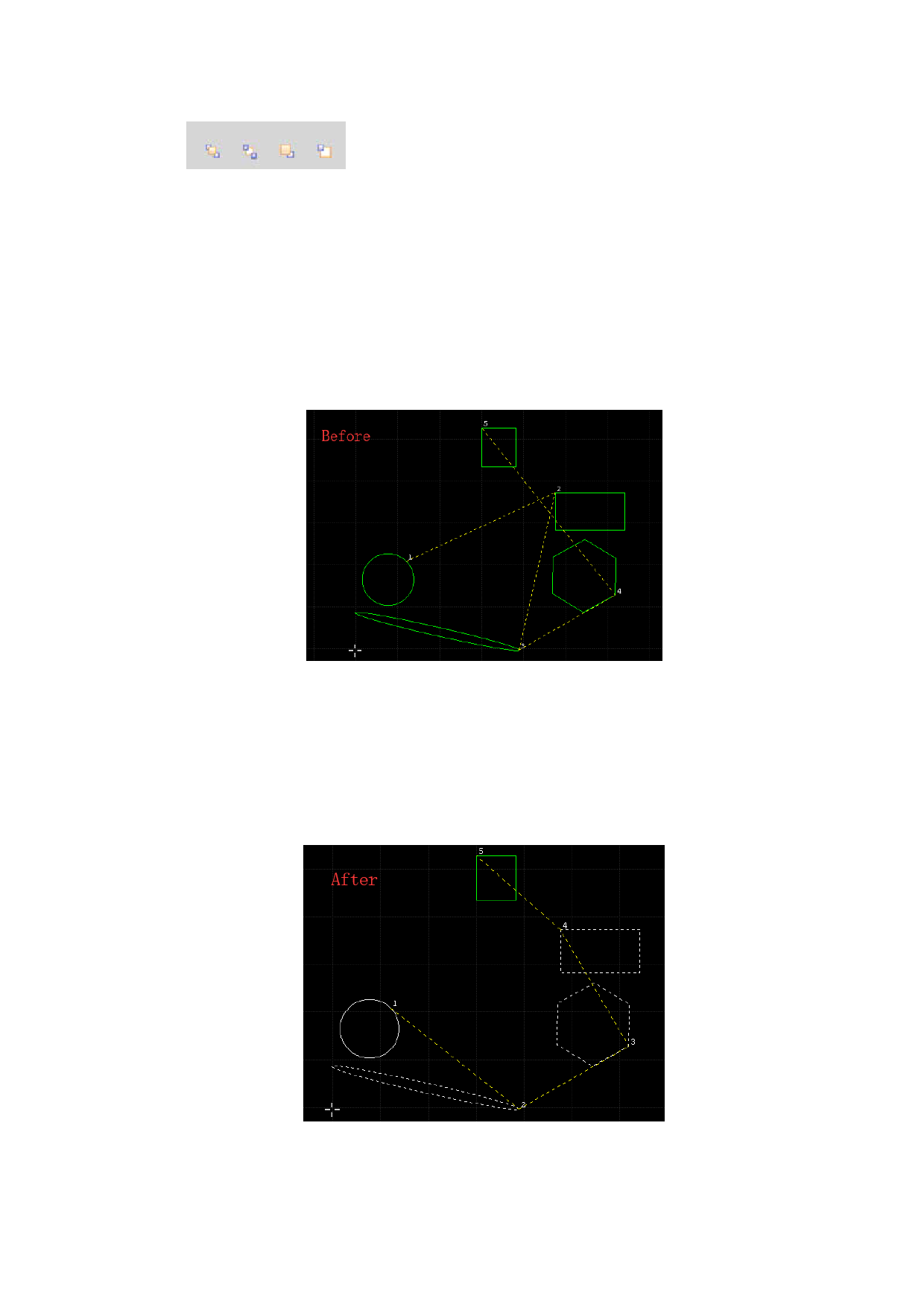
Case(Sort manually from anywhere):
There are 5 parts. The number 1 and number 5 will remain unchanged. Number
2、3、4 need to resort to attain optimal move path.
Users only need to click the “2”、“3”、“4” parts orderly to change the sequence.
For example:
Click “3” part firstly and the “3” will changed to “2”.
Click “4” part firstly and the “4” will changed to “3”.
Click “2” part firstly and the “2” will changed to “4”
The color of the parts of determined order will be shown in white during the
clicking.
Finally, press “Esc” to exit the operation, and the color will be restored as
before.
81






































































































