






Shanghai Fangling Computer Software co., Ltd
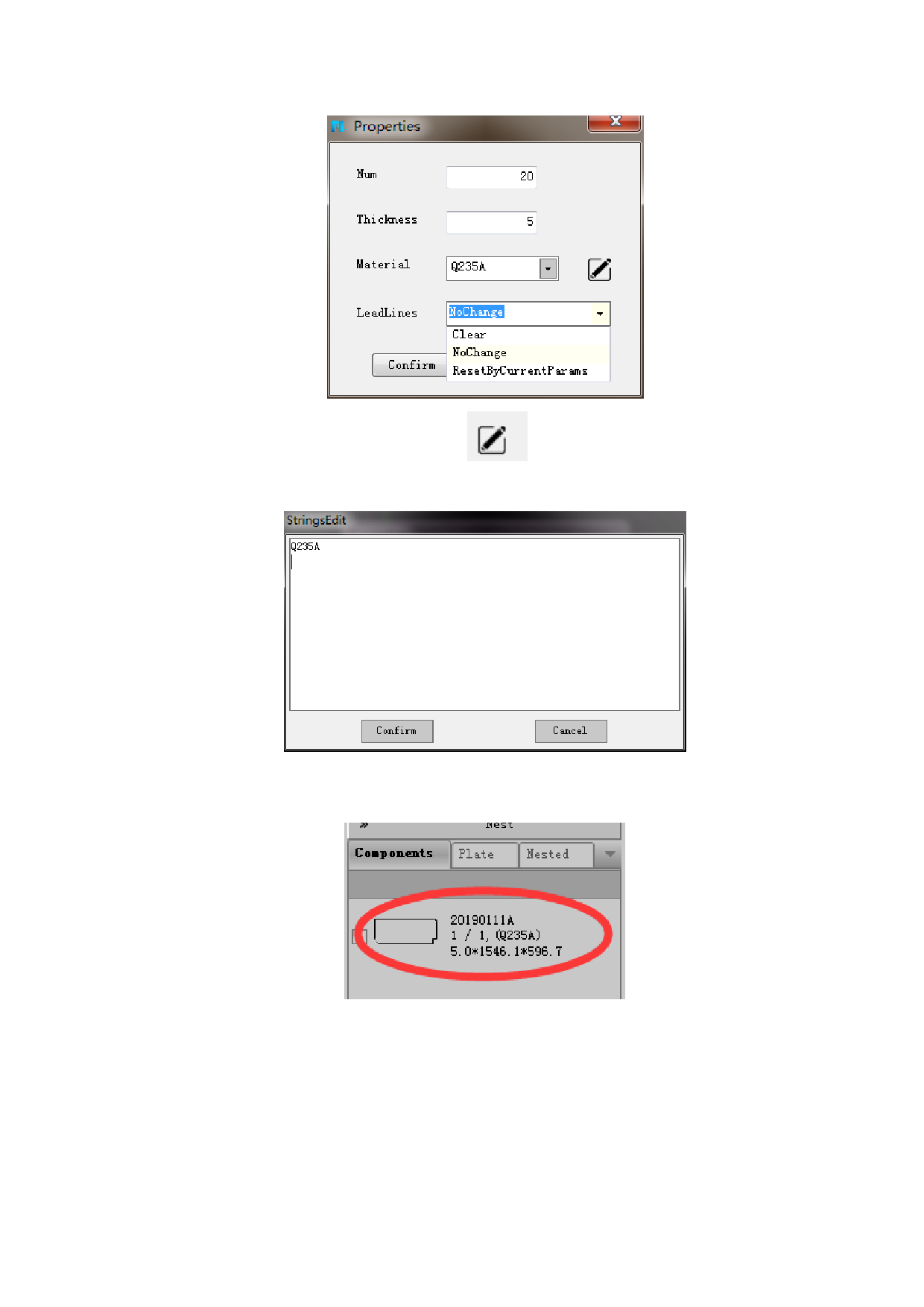
“Material” can be customized. Click
below:
to input material. As shown
Click “Confirm”, the part information will show on the right side of the
software, including part thumbnail and part information.
If you want to change the parameter of the parts, you can right-click the parts in
the part library to modify the parameter. Choose “properties” to modify the current
part. Choose “nest properties” to modify all the parts. Change the parameter as
needed. As shown below:
71






































































































