






Shanghai Fangling Computer Software co., Ltd
2.1.2.1 Parameter setting
Before making the micro joint operation, users need to set micro connection
parameter. There is a parameter setting
under “micro joint”
button. After setting micro joint will be conducted according to the set value, and
without setting micro joint will be conducted according to the default value. Micro
joint based on quantity and based on distance. As shown in below figure:
2.1.2.2 Micro Joint
After finishing parameter setting, click micro joint button
or
“Automatic micro joint”
option under the button to conduct
micro connection operation.
Manual micro Joint: directly click micro joint button to conduct manual micro
connection. Click the point that need to add micro joint, and micro joint section will
be added where mouse clicks;
Automatic micro joint: select graph and click automatic micro joint button,
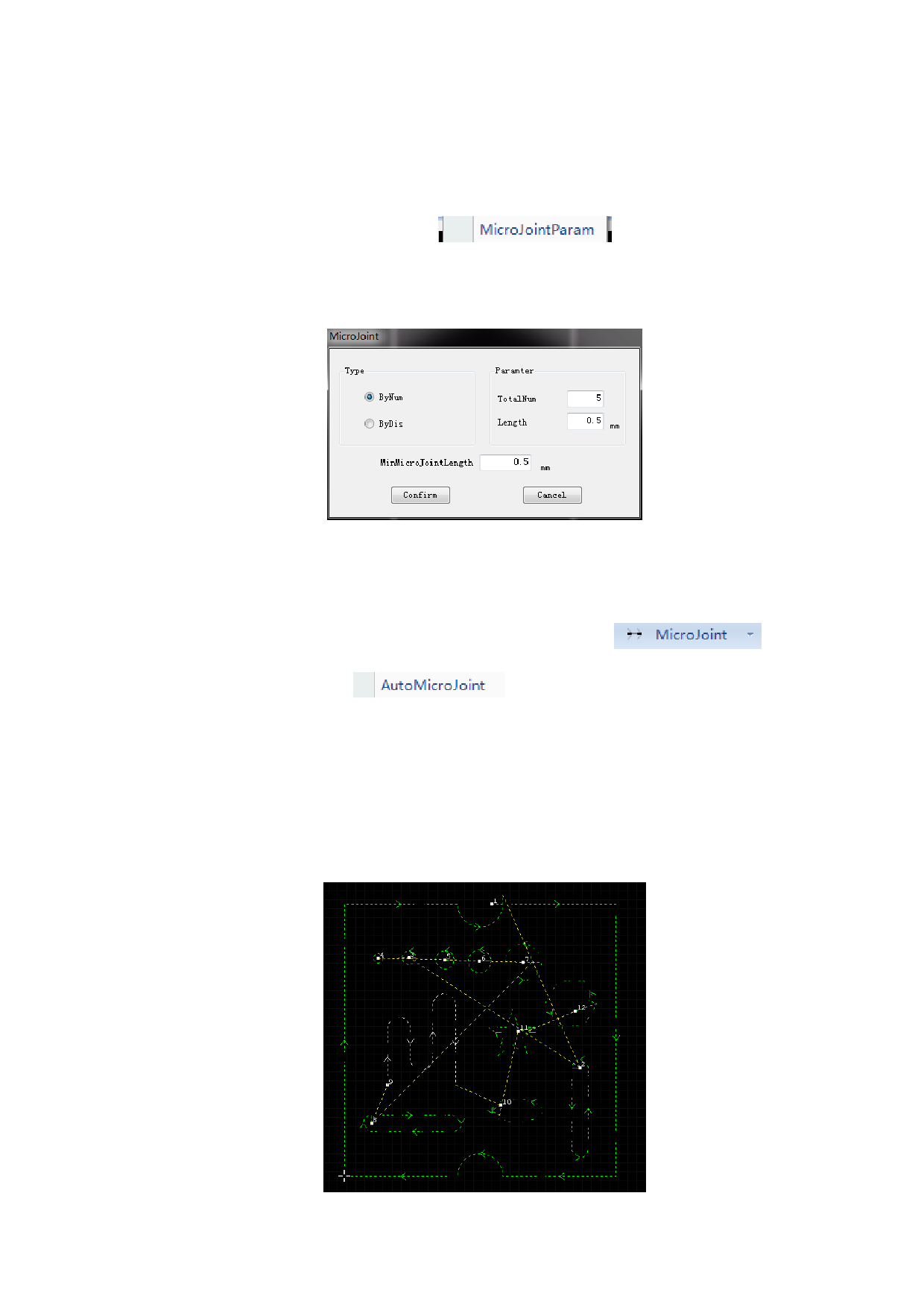
micro joint will be conducted. As shown in below figure is the effect picture of
quantity based automatic micro joint.
35






































































































