






Shanghai Fangling Computer Software co., Ltd
6.2 Language
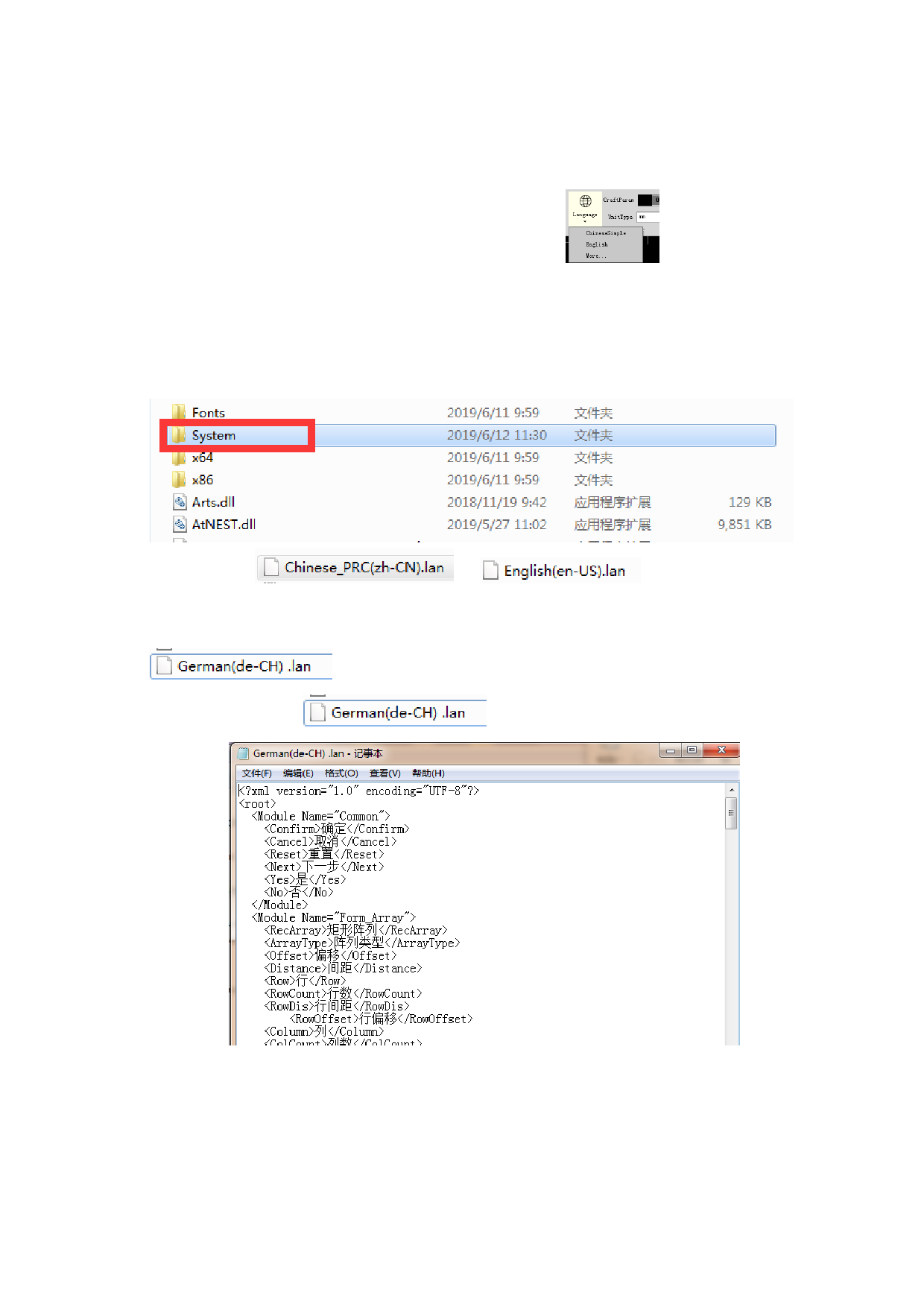
We provide multiple languages. You can click
language that you want.
Now we support Chinese Simple and English.
The professional edition supports to add language by users.
Example of adding German:
1. Open the file of FLCAM, and find “System” file.
to change the
2. Copy
or
.
3. According to the linguistic code reference corresponding link:
http://www.lingoes.net/en/translator/langcode.htm, rename the file of German.
4. Open the file
.
5. Replace the Chinese into German, and save it. Reopen the software, the
language can change into German.
87






































































































