






Shanghai Fangling Computer Software co., Ltd
III Graph operation
All drawing operations in the software are similar to those in AUTOCAD. All
operation of assigned target point can be accomplished in two ways: left-click
drawing field in the screen; keyboard input, and keyboard input shall be in
accordance with the format of X coordinate, Y coordinate, for example, (50, 100).
Layer property of drawn graph can be set in “System parameter”, can also be
quickly switched by clicking “Process bar (at right side of the software).
During drawing operation there will be hints for next operation in “prompt box”,
please finish drawing operation by referencing prompt. During drawing you can exit
current drawing process by pressing ESC key. During drawing when moving mouse
to approach existing graph, position of capture point will display for convenience to
control drawing accuracy.
End input or drawing by pressing “space” or “ESC” key.
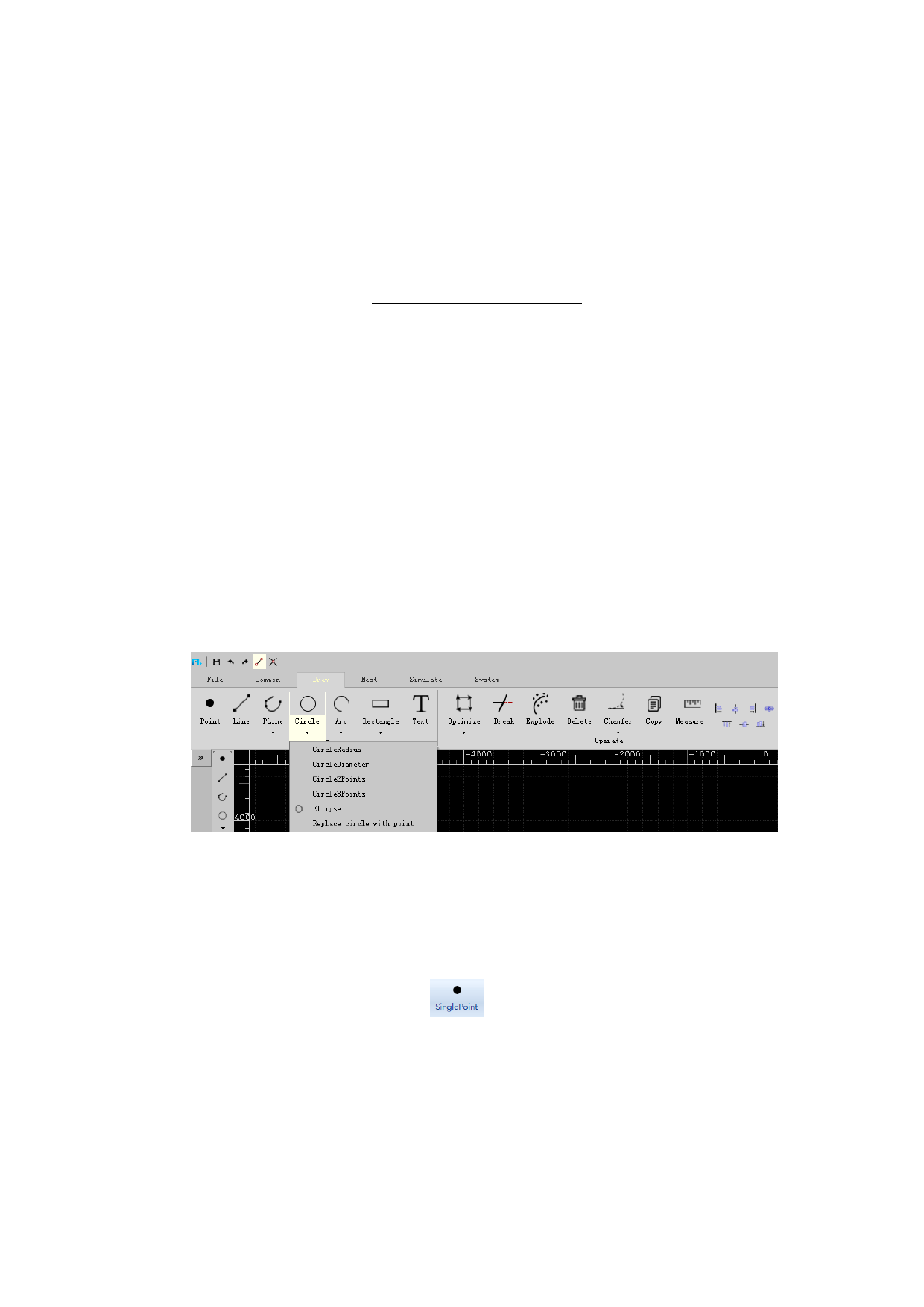
The software supports drawing operation of basic graph, including dot, line,
polyline, full circle (center of circle and diameter, center of circle and radius, circle
through two points, circle through three points), arc (three-point type, scanning type),
ellipse, rectangle (typical rectangle, rounded rectangle), polygon, text, etc., also
supports operations such as deletion, chamfer, copying and measurement of graph.
As shown in the following figure:
3.1 Graph operation
3.1.1 Draw single point
There is a “Single point” button
in drawing toolbar, you can click it.
You can draw a point in drawing field, or you can fill in coordinate of point in the
input box, format of input coordinate shall meet requirement, otherwise input error
will be prompted.
Delete point, select the point to be deleted, you can delete it by pressing key
“E”.
58






































































































