






Shanghai Fangling Computer Software co., Ltd
2.1.4Common Edge
Common edge is the shared edges among parts during cutting to achieve the
goal of running few paths. There is “Common edge”
button under
common toolbar. Select outer contour of two graphs needing edge sharing, and select
the close function in the lower right corner of the software interface and set the
parameter: 0.01, then press the keyboard ↑↓←→ key to close,finally click the
“Common edge”.
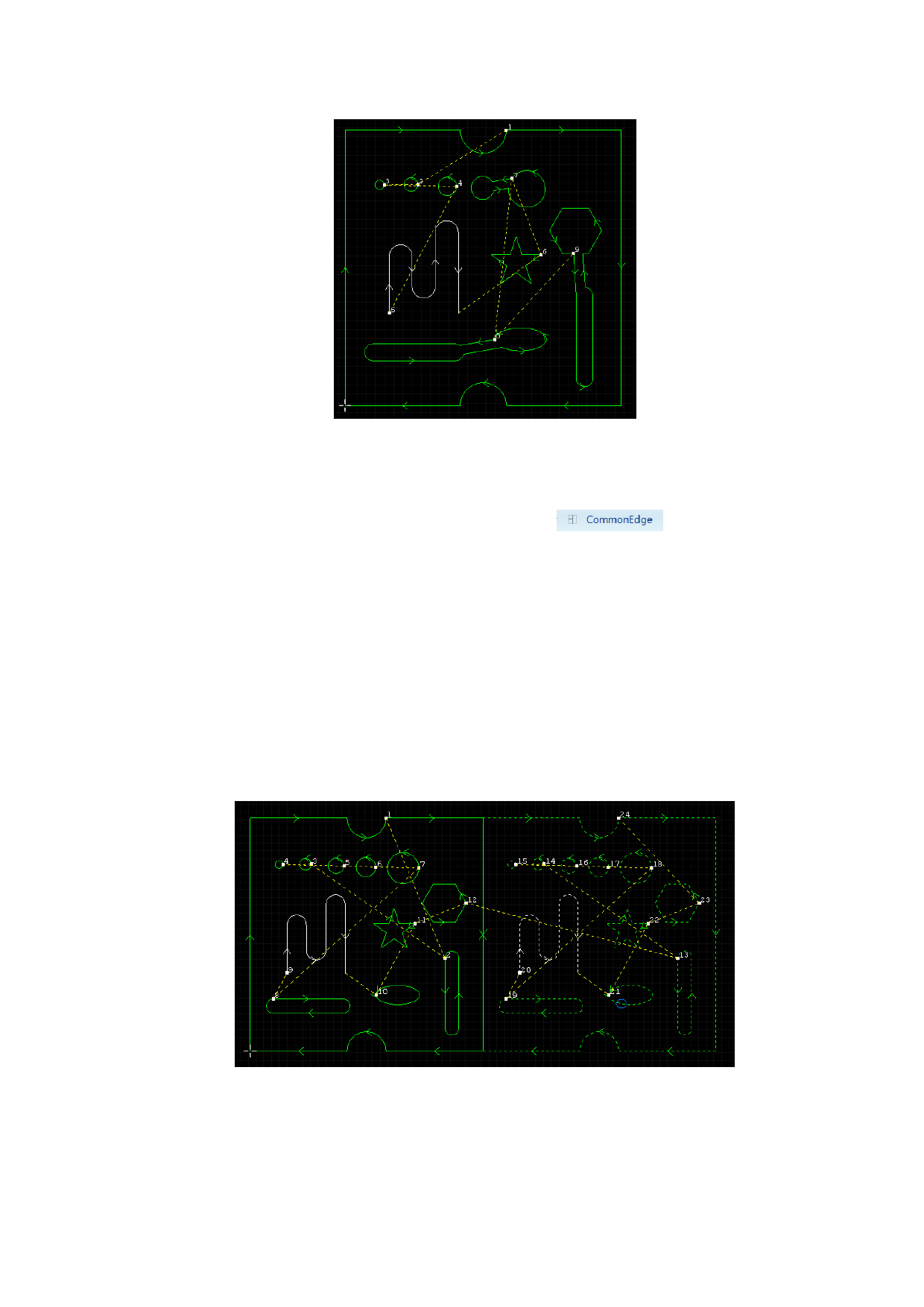
As shown in below figures, picture 1 is two parts without sharing edge, it can
be found that there are two directional arrows at the junction of two parts, picture 2
is common edge parts, there is only a arrow at the junction of two parts.
Note: The distance between parts that need to be common edged should be less
than 0.1mm. If the distance is farer then that, you need to move or close the parts
together.
Picture 1
37






































































































